Dome Keeper
Updated
Current Version
Offered By

With your passion for Dome Keeper, you shouldn’t have to limit yourself to the small screen of a phone. Play like a pro and take full control of the game using a keyboard and mouse. MEmu gives you everything you’re looking for. Download and play Dome Keeper on PC. Play as long as you want — no more worries about battery life, mobile data, or unexpected calls. The all-new MEmu 9 is the best way to play Dome Keeper on PC. With our expertly designed keymapping system, Dome Keeper feels just like a real PC game. The MEmu multi-instance manager lets you run two or more accounts on the same device at the same time. Most importantly, our exclusive emulation engine unlocks your PC’s full potential, delivering smooth and seamless performance.
Show more
Download Dome Keeper on PC with MEmu Android Emulator. Enjoy playing on big screen. Defend against waves of alien monsters in this unique roguelike action mining game.
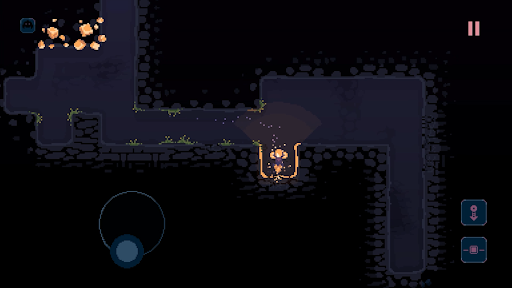
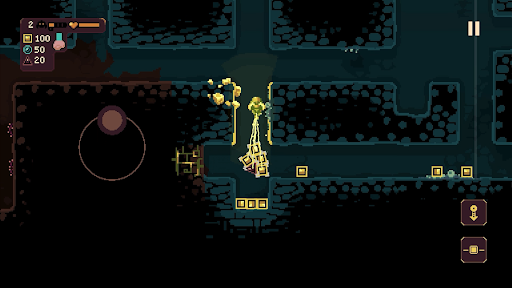
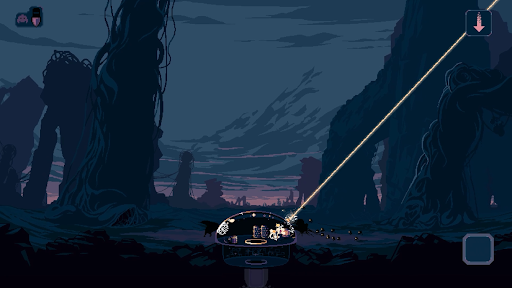
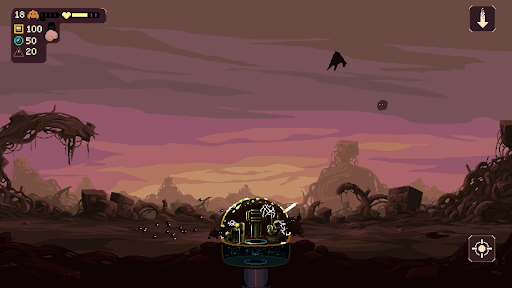
Defend against waves of alien monsters in this unique roguelike action mining game. Use the time between attacks to dig beneath the surface in search of valuable resources and relics – deliver them back to your dome to unlock powerful upgrades and useful new gadgets.
But it won’t be long until the relentless monsters return - do you risk delving deeper into the mine? Or return to base and prepare for imminent attack? The choice is yours, but make it quickly!
DIG
Use your drill and keeper equipment to quickly dig out tunnels and explore the depths beneath your dome. Each run has its own unique, procedurally generated map filled with resources and caves to discover, along with additional gadgets to obtain.
DEFEND
Protect your dome by operating its powerful weaponry to defend against waves of monster attacks. Upgrade, repair and repel a variety of enemy types that approach across air and ground, each with their own unique attack methods and movement patterns.
DEVELOP
Spend resources to unlock useful upgrades. Improve dome defences, enhance the impact of your drill, or increase movement speed – choose carefully and strategise to increase odds of survival.
DISCOVER
Customise your setup and find a playstyle that works for you by choosing from two unique keeper types, four different domes, and four primary gadgets. Pick a run modifier, adjust difficulty settings and discover dozens of secondary gadgets while you dig through the earth.
Show more

1. Download MEmu installer and finish the setup

2. Start MEmu then open Google Play on the desktop

3. Search Dome Keeper in Google Play
Install
4. Download and Install Dome Keeper
5. On install completion click the icon to start

6. Enjoy playing Dome Keeper on PC with MEmu
MEmu Play is the best Android emulator and 100 million people already enjoy its superb Android gaming experience. The MEmu virtualization technology empowers you to play thousands of Android games smoothly on your PC, even the most graphic-intensive ones.
Bigger screen with better graphics; Long duration, without limitation of battery or mobile data.
Full Keymapping support for precise control of keyboard and mouse or gamepad.
Multiple game accounts or tasks on single PC at one time with Multi-Instance manager.
Play Dome Keeper on PC by following steps: