VIZIO
Updated
Current Version
5.4.0.rc-4.20261019.20.release
Offered By

Stop worrying about high battery drain when using VIZIO on your phone. Free yourself from the tiny screen and enjoy the app on a much larger display. From now on, get a full-screen experience of your app with the convenience of a keyboard and mouse. MEmu offers you all the surprising features you’d expect: quick installation and easy setup, intuitive controls, and no more worries about battery life, mobile data, or unexpected calls. The all-new MEmu 9 is the choice for using VIZIO on your computer. With the MEmu multi-instance manager, you can run two or more accounts at the same time. Most importantly, our exclusive emulation engine unlocks your PC’s full potential, delivering smooth and enjoyable performance.
Show more
Enjoy superb experience of using VIZIO on PC with MEMU App Player. It's a powerful free Android emulator which provides you with thousands of android apps for their desktop version. Enjoy connecting with friends and polishing your work with higher efficiency! VIZIO Device Control and WatchFree+ FREE Live TV.
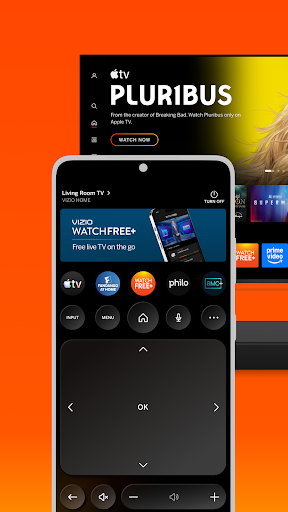
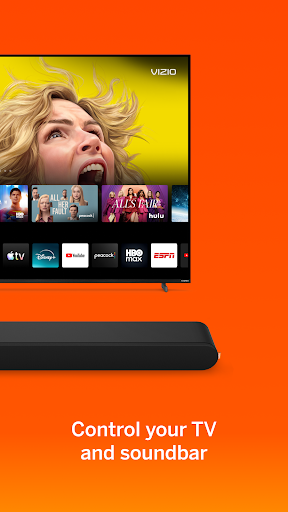
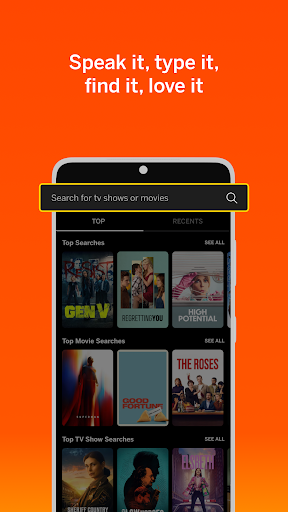
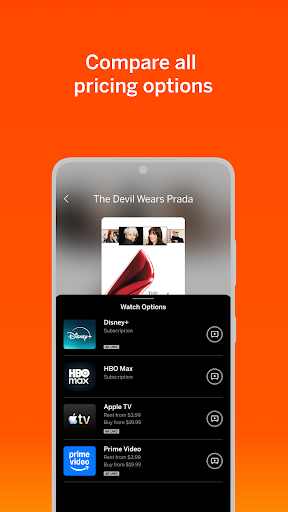
VIZIO Device Control and WatchFree+ FREE Live TV
Stream 300+ free live channels anywhere—no VIZIO TV required! Plus, control your VIZIO devices and discover entertainment, all through the VIZIO Mobile app.
WATCHFREE+ MOBILE: Free live channels, anytime, anywhere.
• Stream 300+ Free Live Channels: Watch news, sports, movies, and shows on your mobile device —no VIZIO TV needed
• Personalize Your Experience: Create favorite channels lists and get personalized recommendations
• Stay Connected: Keep up with local sports, news, and entertainment on the go
• Easy to Start: Just download the app and create a free VIZIO account to start watching
• Smart Navigation: Find what you want faster with the category jump feature
• Pick Up Where You Left Off: Seamlessly switch between devices when you start watching on a VIZIO TV
TV and ENTERTAINMENT CONTROL: Transform your phone into a powerful entertainment hub.
• Universal Search: Find what to watch across streaming services in one place
• Smart Recommendations: Discover new shows and movies based on your interests
• Voice Control: Launch apps and find content hands-free
• Save Time. Stream More: Organize apps and manage subscriptions in one location
• Share & Connect: Cast photos and videos to your TV with VIZIOgram
SOUNDBAR CONTROL: Fine-tune your audio experience right from your phone.
• Quick Audio Adjustments: Customize volume, bass, and treble with easy controls
• Preset Sound Modes: Optimize audio for movies, shows, music, and more
• Enhanced Listening: Enable features like ClearDialog and Night Mode for the perfect sound
———————————————————————
VIZIO Crave Speakers cannot output audio from TVs/displays or be connected as an additional channel to an existing sound bar or sound system. Additional supported SmartCast or Chromecast-enabled audio products are required (not included) for Multi-Room feature. Streaming different songs to different speakers at the same time is not supported when using a single app running on a single mobile device. To stream a different song to different speakers at the same time, you’ll need to stream from a different app or a separate mobile device.
The applications and content pictured herein or described on this page may only be available in certain countries and languages, may require additional fees or subscription charges, and may be subject to future updates, modifications, interruption and/or discontinuation of service without notice. VIZIO has no control over third party applications or content and assumes no responsibility for the availability or interruption of such applications or content. Additional third-party terms, conditions and restrictions apply. High-speed/broadband Internet service and access equipment are required and are not provided by VIZIO. Not all Google Cast-enabled apps are integrated with VIZIO SmartCast and may require additional steps to cast.
For help, please visit our Customer Help Center: support.vizio.com
Terms of Use: https://www.vizio.com/en/terms/account-terms
Privacy Policy: https://www.vizio.com/en/terms/privacy-policy
Show more

1. Download MEmu installer and finish the setup

2. Start MEmu then open Google Play on the desktop

3. Search VIZIO in Google Play
Install
4. Download and Install VIZIO
5. On install completion click the icon to start

6. Enjoy using VIZIO on PC with MEmu
MEmu Play is the best Android emulator, and 100 million users already enjoy its superb Android app experience. Powered by advanced virtualization technology, it lets you enjoy thousands of Android apps smoothly on your PC—including the most graphics-intensive ones.
Bigger screen with better graphics; Long duration, without limitation of battery or mobile data.
Full Keymapping support for precise control of keyboard and mouse or gamepad.
Multiple game accounts or tasks on single PC at one time with Multi-Instance manager.
Use VIZIO on PC by following steps: