
Xena - Group Voice Party
Updated
Current Version
2.4.3.3
Offered By

Stop worrying about high battery drain when using Xena - Group Voice Party on your phone. Free yourself from the tiny screen and enjoy the app on a much larger display. From now on, get a full-screen experience of your app with the convenience of a keyboard and mouse. MEmu offers you all the surprising features you’d expect: quick installation and easy setup, intuitive controls, and no more worries about battery life, mobile data, or unexpected calls. The all-new MEmu 9 is the choice for using Xena - Group Voice Party on your computer. With the MEmu multi-instance manager, you can run two or more accounts at the same time. Most importantly, our exclusive emulation engine unlocks your PC’s full potential, delivering smooth and enjoyable performance.
Show more
Enjoy superb experience of using Xena - Group Voice Party on PC with MEMU App Player. It's a powerful free Android emulator which provides you with thousands of android apps for their desktop version. Enjoy connecting with friends and polishing your work with higher efficiency! Xena – Your Ultimate Playground!



Xena – Your Ultimate Playground!
[1]CHAT:Join the Party!
Step into Xena and experience nonstop excitement that fits your vibe!
[2] PARTY: Dive into Endless Fun!
Explore numerous themed experiences designed for nonstop entertainment. Enjoy exciting parties, immersive activities, creative effects, and endless customization. Start for FREE and make every moment more fun in Xena!
[3]PK:Engage in Team Battles!
Unleash your competitive spirit with Xena's thrilling PK battles! Team up, compete, and climb the popularity charts as you engage in intense and fun-filled Xena's party rooms. The games are extremely interesting, even losers have a blast with light-hearted penalties, ensuring every game keeps the party going!
[4]LUDO:Game Play & Adventure!
Challenge or join through fun Ludo games.
[5]VIP:Exclusive Perks!
Stand out as a VIP with personalized badges,3D avatar frame, access to premium rooms, multiple seats and customized gifts and special Id account.
Why Xena?
Respect Everyone:At Xena, we don’t tolerate any disrespect or offensive behavior—period. It is all about respect and positivity. Got a concern? Our team is on it fast, making sure everyone feels safe and welcome here. Let’s keep the good vibes going!
Epic Moments: Capture partyroom-chat reactions, join thrilling challenges, and be part of the hottest events on Xena!
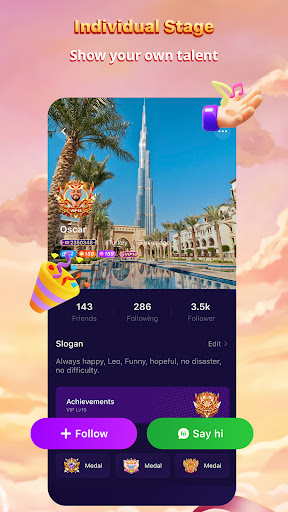
Express Yourself: Show off your unique talents and creativity in events and challenges in Xena!
We’re Listening!
Your feedback is essential to making Xena better every day. Got questions or suggestions? Reach us anytime at contact@xenalive.me!
Join Xena Today!
The platform reserves the right to make the final decision regarding all materials and photos related to this event. This event is hosted by the platform, which reserves the right to modify and change the event, as well as the right of final interpretation. Media outlets (Google, META, TT, SNAPCHAT, etc.) and Apple Inc. have not participated in or sponsored this event.
Terms of Service
https://www.xenalive.me/terms.html
Privacy Policy
https://www.xenalive.me/privacy.html
Show more

1. Download MEmu installer and finish the setup

2. Start MEmu then open Google Play on the desktop

3. Search Xena - Group Voice Party in Google Play
Install
4. Download and Install Xena - Group Voice Party
5. On install completion click the icon to start

6. Enjoy using Xena - Group Voice Party on PC with MEmu
MEmu Play is the best Android emulator, and 100 million users already enjoy its superb Android app experience. Powered by advanced virtualization technology, it lets you enjoy thousands of Android apps smoothly on your PC—including the most graphics-intensive ones.
Bigger screen with better graphics; Long duration, without limitation of battery or mobile data.
Full Keymapping support for precise control of keyboard and mouse or gamepad.
Multiple game accounts or tasks on single PC at one time with Multi-Instance manager.
Use Xena - Group Voice Party on PC by following steps: