Blast & Smash: pop joy cubes
Diupdate
Versi Saat Ini
1.3
Ditawarkan Oleh

Dengan sepenuh kebulatan hati Anda dalam memainkan Blast & Smash: pop joy cubes, tangan Anda tak seharusnya hanya terbatas pada layar kecil handphone Anda.Bermainlah layaknya seorang profesional dan dapatkan kendali penuh dalam permainan Anda dengan papan ketik dan tetikus.MEmu menawarkan seluruh hal yang Anda harapkan.Unduh dan mainkan Blast & Smash: pop joy cubes pada PC. Bermainlah selama yang Anda inginkan, tanpa keterbatasan dari baterai, data seluler dan panggilan yang mengganggu.MEmu 9 baru merupakan pilihan terbaik untuk memainkan Blast & Smash: pop joy cubes pada PC. Dipersiapkan bersama teknologi ahli kami, sistem pemetaan kunci preset yang canggih menjadikan Blast & Smash: pop joy cubes sebagai permainan PC sejati.Manajer banyak hal dari MEmu memungkinkan Anda untuk memainkan 2 atau banyak akun pada perangkat yang sama.Dan yang terpenting, mesin emulasi eksklusif kami bisa melepaskan potensi penuh PC Anda, membuat segalanya berjalan lancar.
Tampilkan Lebih banyak
Unduh Blast & Smash: pop joy cubes di PC dengan Emulator Android MEmu. Nikmati permainan pada layar yang besar. No annoying ADS in game!
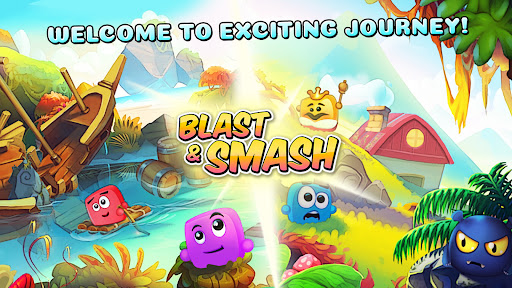
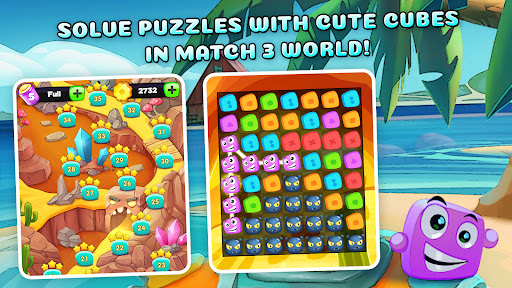
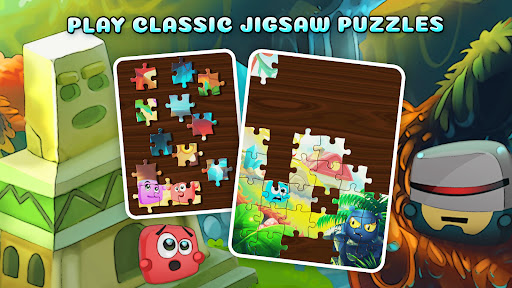
No annoying ADS in game!!
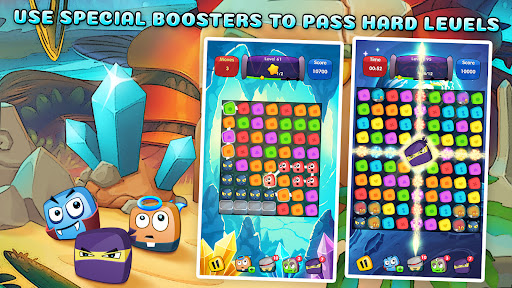
Blast & Smash: pop joy cubes - fun arcade puzzle game in match-three genre, which will please gamers with its stylish, modern, and high-quality graphics, a large number of levels with increasing complexity, simple controls, and funny cube-shaped characters.
Join up to the exciting journey with hilarious cube-shaped friends and find all of the components to build a spaceship! It's time to become a space nation! But be careful, alien monsters also want to take the Moon under control and get an advantage in the match-three war. Solve challenging levels and help cube-shaped heroes get to the Moon to defeat those pesky alien invaders!
So what are you waiting for? Get ready to blast off to the Moon and show those aliens who`s boss - with a little help from our hilarious cube-shaped friends, of course!
Play on colorful locations! Collect spaceship parts! Fight with alien monsters! Solve interesting puzzles in the match three genre with different aims!
YouTube channel:
https://bit.ly/2N64IuU
Welcome to my Facebook page:
https://www.facebook.com/GamesGiftBox
Subscribe my Instagram:
https://www.instagram.com/yevheniitroshyn?igsh=N2tsbmFjMTFlanNl&utm_source=qr
Tampilkan Lebih banyak

1. Unduh dan instal MEmu APP

2. Menjalankan MEmu lalu buka Google Play di halaman

3. Cari Blast & Smash: pop joy cubes di Google Play
Install
4. Unduh dan instal Blast & Smash: pop joy cubes
5. Setelah insatl APP selesai,klik ikon untuk mulai

6. Nikmati bermain Blast & Smash: pop joy cubes di PC dengan MEmu
MEmu App Player adalah emulator Android gratis terbaik dan 50 Juta orang sudah menikmati pengalaman luar biasa dalam bermain gim Android. Teknologi virtualisasi MEmu memberi kekuasaan untuk memainkan ribuan gim Android dengan lancar di PC anda, bahkan gim dengan grafis yang paling tinggi.
Layar lebih besar dengan grafis yang lebih baik; durasi panjang, tanpa batasan baterai atau data seluler.
Didukung penuh oleh Pemetaan tombol yang lengkap untuk keakuratan kontrol keyboard dan mouse maupun gamepad.
Membuka beberapa akun game atau tugas di waktu yang sama hanya pada satu PC, dengan Multi-Instance manager.
Play Blast & Smash: pop joy cubes on PC by following steps: