Cairn
Diupdate
Versi Saat Ini
Ditawarkan Oleh

Dengan sepenuh kebulatan hati Anda dalam memainkan Cairn, tangan Anda tak seharusnya hanya terbatas pada layar kecil handphone Anda.Bermainlah layaknya seorang profesional dan dapatkan kendali penuh dalam permainan Anda dengan papan ketik dan tetikus.MEmu menawarkan seluruh hal yang Anda harapkan.Unduh dan mainkan Cairn pada PC. Bermainlah selama yang Anda inginkan, tanpa keterbatasan dari baterai, data seluler dan panggilan yang mengganggu.MEmu 9 baru merupakan pilihan terbaik untuk memainkan Cairn pada PC. Dipersiapkan bersama teknologi ahli kami, sistem pemetaan kunci preset yang canggih menjadikan Cairn sebagai permainan PC sejati.Manajer banyak hal dari MEmu memungkinkan Anda untuk memainkan 2 atau banyak akun pada perangkat yang sama.Dan yang terpenting, mesin emulasi eksklusif kami bisa melepaskan potensi penuh PC Anda, membuat segalanya berjalan lancar.
Tampilkan Lebih banyak
Unduh Cairn di PC dengan Emulator Android MEmu. Nikmati permainan pada layar yang besar. Cairn is an innovative survival-climbing game developed by the creators of acclaimed titles like Furi and Haven.
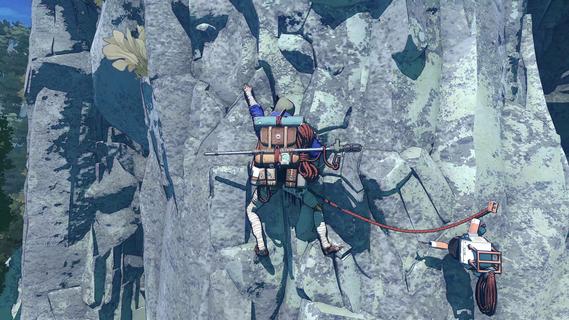
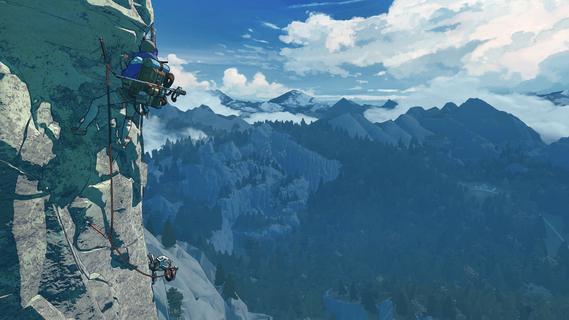
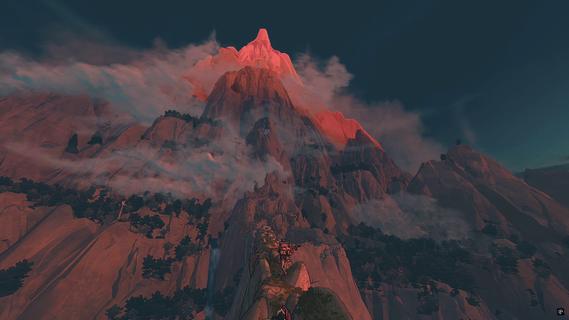
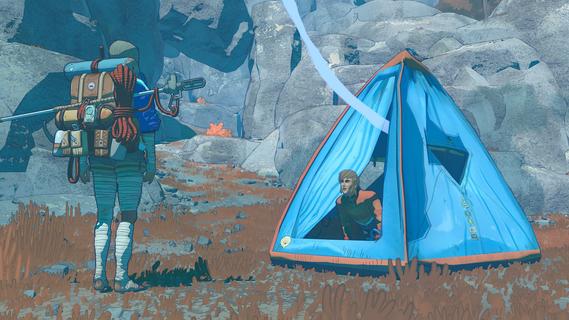
Cairn is an innovative survival-climbing game developed by the creators of acclaimed titles like Furi and Haven. It offers players a fresh take on the climbing genre by combining strategic resource management with intense, realistic climbing mechanics. Set on the unforgiving Mount Kami, players are tasked with reaching a summit never before conquered, pushing both their skills and endurance to the limit. The game centers around Aava, a determined climber whose ambition drives her to attempt this perilous ascent. Unlike traditional climbing games that focus purely on physical challenges, Cairn requires players to carefully plan their route, manage limited resources, and make critical decisions that impact survival. The mountain itself is a harsh environment filled with unpredictable weather, dangerous terrain, and scarce supplies, making each climb a test of strategy and resilience. One of the core gameplay elements is the management of pitons—small metal spikes used to secure climbing ropes. Players must decide when and where to place these pitons, as they are limited and essential for safe progression. Mismanagement can lead to perilous falls or dead ends, emphasizing the importance of foresight and careful planning. Additionally, players must keep track of other vital resources such as food, stamina, and equipment durability, all of which influence Aava’s ability to continue the climb. The climbing mechanics themselves are designed to feel authentic and immersive. Players can climb anywhere on the mountain’s surface, allowing for freedom in choosing paths and strategies. The tactile controls simulate the physical effort required to ascend, creating a sense of tension and accomplishment with every successful move. This blend of realism and player agency makes each attempt unique and engaging. Narratively, Cairn explores themes of sacrifice, determination, and the human spirit’s drive to overcome insurmountable odds. As players progress, they uncover more about Aava’s motivations and the personal stakes behind her journey. The story unfolds through environmental storytelling and subtle narrative cues, encouraging players to reflect on what it truly means to pursue a dream at great cost. Visually, the game features a striking art style that captures the stark beauty and danger of Mount Kami. The mountain’s rugged cliffs, shifting weather patterns, and atmospheric effects contribute to an immersive experience that heightens the emotional weight of the climb. The sound design complements this, with ambient sounds of wind, rock, and distant wildlife enhancing the sense of isolation and challenge. Cairn’s combination of survival elements, strategic resource management, and authentic climbing mechanics sets it apart from other games in the genre. It appeals to players who enjoy thoughtful gameplay that rewards patience, planning, and adaptability. The game’s difficulty curve is carefully balanced to provide a satisfying challenge without becoming frustrating, making it accessible to both climbing enthusiasts and newcomers alike. In summary, Cairn offers a compelling and fresh experience that goes beyond mere climbing. It challenges players to think critically, manage scarce resources, and embrace the physical and emotional demands of scaling an unconquered peak. With its rich narrative, immersive gameplay, and beautiful presentation, Cairn promises to be a memorable journey for anyone ready to face the ultimate ascent.
Tampilkan Lebih banyak

1. Unduh dan instal MEmu APP

2. Menjalankan MEmu lalu buka Google Play di halaman

3. Cari Cairn di Google Play
Install
4. Unduh dan instal Cairn
5. Setelah insatl APP selesai,klik ikon untuk mulai

6. Nikmati bermain Cairn di PC dengan MEmu
MEmu App Player adalah emulator Android gratis terbaik dan 50 Juta orang sudah menikmati pengalaman luar biasa dalam bermain gim Android. Teknologi virtualisasi MEmu memberi kekuasaan untuk memainkan ribuan gim Android dengan lancar di PC anda, bahkan gim dengan grafis yang paling tinggi.
Layar lebih besar dengan grafis yang lebih baik; durasi panjang, tanpa batasan baterai atau data seluler.
Didukung penuh oleh Pemetaan tombol yang lengkap untuk keakuratan kontrol keyboard dan mouse maupun gamepad.
Membuka beberapa akun game atau tugas di waktu yang sama hanya pada satu PC, dengan Multi-Instance manager.
Play Cairn on PC by following steps: