Dead Account : Two Blue Flames
Diupdate
Versi Saat Ini
Ditawarkan Oleh

Dengan sepenuh kebulatan hati Anda dalam memainkan Dead Account : Two Blue Flames, tangan Anda tak seharusnya hanya terbatas pada layar kecil handphone Anda.Bermainlah layaknya seorang profesional dan dapatkan kendali penuh dalam permainan Anda dengan papan ketik dan tetikus.MEmu menawarkan seluruh hal yang Anda harapkan.Unduh dan mainkan Dead Account : Two Blue Flames pada PC. Bermainlah selama yang Anda inginkan, tanpa keterbatasan dari baterai, data seluler dan panggilan yang mengganggu.MEmu 9 baru merupakan pilihan terbaik untuk memainkan Dead Account : Two Blue Flames pada PC. Dipersiapkan bersama teknologi ahli kami, sistem pemetaan kunci preset yang canggih menjadikan Dead Account : Two Blue Flames sebagai permainan PC sejati.Manajer banyak hal dari MEmu memungkinkan Anda untuk memainkan 2 atau banyak akun pada perangkat yang sama.Dan yang terpenting, mesin emulasi eksklusif kami bisa melepaskan potensi penuh PC Anda, membuat segalanya berjalan lancar.
Tampilkan Lebih banyak
Unduh Dead Account : Two Blue Flames di PC dengan Emulator Android MEmu. Nikmati permainan pada layar yang besar. Your skills grow stronger with every choice, and the ultimate combo shifts every single round!
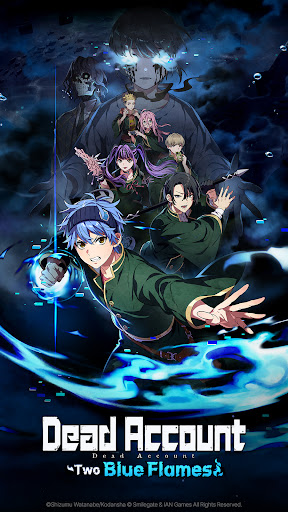
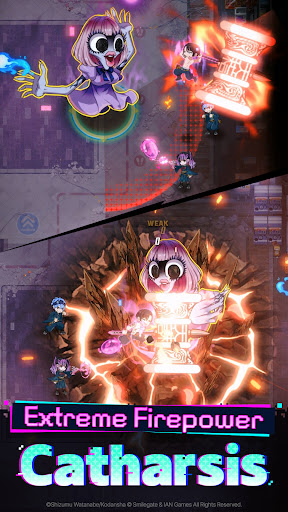

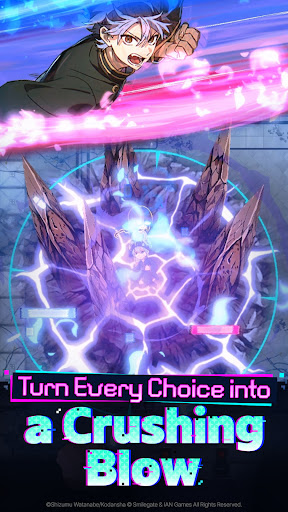
Your skills grow stronger with every choice, and the ultimate combo shifts every single round!
A new roguelite RPG unfolds in the world of Dead Account. Play now!
■ Intuitive Controls, Explosive Action
Choose your skills wisely! They grow stronger and flashier with every decision!
Sweep through hordes of enemies in one go, or focus to take down a single target—
The flow of battle is yours to decide.
■ Exorcism Is a Team Effort
Join forces with up to 5 teammates to take down the enemies!
Time your strikes together perfectly, or leverage synergy between characters
to deal massive damage.
■ Challenge the Ultimate Firepower Combo
Enhancements reset each round—offering a fresh strategy every time!
Experiment with countless skills and traits to build your own unbeatable combo
and enjoy a brand-new experience with every run.
■ Original Storylines from the World of Dead Account
Experience the original story, along with brand-new game-exclusive ones!
Dive deep into the world and lore of Dead Account
with immersive animated cutscenes and full voiceover.
■ Exclusive Fields and Contents
Explore the hot spring village of Dead Account yourself in the game!
A wide variety of content awaits:
Challenge grand enemies with your custom team or get to meet your favorite characters!
[Official Channels]
Stay up to date with the latest news through our official channels:
Official Website: https://deadaccount.onstove.com/en/home
Official X: https://x.com/DDAC_GAME_EN
Official YouTube: https://www.youtube.com/@DeadAccountGame_EN
[Access Permission]
▶ Required Permissions: None
▶ Optional Permissions:
- Notifications: Used for app push alerts
* You can still enjoy the game without granting optional permissions.
▶ How to Revoke Permissions
After granting access permissions, you can reset or revoke them as follows:
[Android 7.0 or higher]
Settings > App Management > Select the app > Permissions > Grant or revoke access
[Lower than Android 7.0]
Upgrade your OS to revoke permissions or delete the app.
Tampilkan Lebih banyak

1. Unduh dan instal MEmu APP

2. Menjalankan MEmu lalu buka Google Play di halaman

3. Cari Dead Account : Two Blue Flames di Google Play
Install
4. Unduh dan instal Dead Account : Two Blue Flames
5. Setelah insatl APP selesai,klik ikon untuk mulai

6. Nikmati bermain Dead Account : Two Blue Flames di PC dengan MEmu
MEmu App Player adalah emulator Android gratis terbaik dan 50 Juta orang sudah menikmati pengalaman luar biasa dalam bermain gim Android. Teknologi virtualisasi MEmu memberi kekuasaan untuk memainkan ribuan gim Android dengan lancar di PC anda, bahkan gim dengan grafis yang paling tinggi.
Layar lebih besar dengan grafis yang lebih baik; durasi panjang, tanpa batasan baterai atau data seluler.
Didukung penuh oleh Pemetaan tombol yang lengkap untuk keakuratan kontrol keyboard dan mouse maupun gamepad.
Membuka beberapa akun game atau tugas di waktu yang sama hanya pada satu PC, dengan Multi-Instance manager.
Play Dead Account : Two Blue Flames on PC by following steps: