
Dead Account : Two Blue Flames
Updated
Current Version
Offered By

With your passion for Dead Account : Two Blue Flames, you shouldn’t have to limit yourself to the small screen of a phone. Play like a pro and take full control of the game using a keyboard and mouse. MEmu gives you everything you’re looking for. Download and play Dead Account : Two Blue Flames on PC. Play as long as you want — no more worries about battery life, mobile data, or unexpected calls. The all-new MEmu 9 is the best way to play Dead Account : Two Blue Flames on PC. With our expertly designed keymapping system, Dead Account : Two Blue Flames feels just like a real PC game. The MEmu multi-instance manager lets you run two or more accounts on the same device at the same time. Most importantly, our exclusive emulation engine unlocks your PC’s full potential, delivering smooth and seamless performance.
Show more
Download Dead Account : Two Blue Flames on PC with MEmu Android Emulator. Enjoy playing on big screen. Your skills grow stronger with every choice, and the ultimate combo shifts every single round!
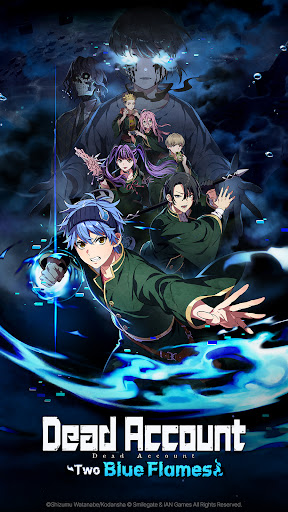
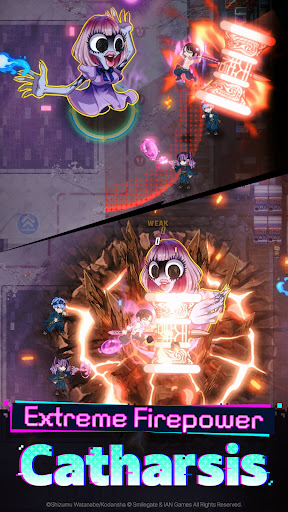

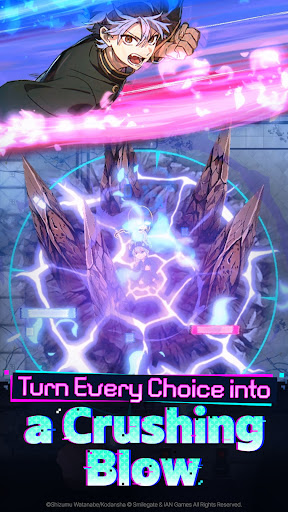
Your skills grow stronger with every choice, and the ultimate combo shifts every single round!
A new roguelite RPG unfolds in the world of Dead Account. Play now!
■ Intuitive Controls, Explosive Action
Choose your skills wisely! They grow stronger and flashier with every decision!
Sweep through hordes of enemies in one go, or focus to take down a single target—
The flow of battle is yours to decide.
■ Exorcism Is a Team Effort
Join forces with up to 5 teammates to take down the enemies!
Time your strikes together perfectly, or leverage synergy between characters
to deal massive damage.
■ Challenge the Ultimate Firepower Combo
Enhancements reset each round—offering a fresh strategy every time!
Experiment with countless skills and traits to build your own unbeatable combo
and enjoy a brand-new experience with every run.
■ Original Storylines from the World of Dead Account
Experience the original story, along with brand-new game-exclusive ones!
Dive deep into the world and lore of Dead Account
with immersive animated cutscenes and full voiceover.
■ Exclusive Fields and Contents
Explore the hot spring village of Dead Account yourself in the game!
A wide variety of content awaits:
Challenge grand enemies with your custom team or get to meet your favorite characters!
[Official Channels]
Stay up to date with the latest news through our official channels:
Official Website: https://deadaccount.onstove.com/en/home
Official X: https://x.com/DDAC_GAME_EN
Official YouTube: https://www.youtube.com/@DeadAccountGame_EN
[Access Permission]
▶ Required Permissions: None
▶ Optional Permissions:
- Notifications: Used for app push alerts
* You can still enjoy the game without granting optional permissions.
▶ How to Revoke Permissions
After granting access permissions, you can reset or revoke them as follows:
[Android 7.0 or higher]
Settings > App Management > Select the app > Permissions > Grant or revoke access
[Lower than Android 7.0]
Upgrade your OS to revoke permissions or delete the app.
Show more

1. Download MEmu installer and finish the setup

2. Start MEmu then open Google Play on the desktop

3. Search Dead Account : Two Blue Flames in Google Play
Install
4. Download and Install Dead Account : Two Blue Flames
5. On install completion click the icon to start

6. Enjoy playing Dead Account : Two Blue Flames on PC with MEmu
MEmu Play is the best Android emulator and 100 million people already enjoy its superb Android gaming experience. The MEmu virtualization technology empowers you to play thousands of Android games smoothly on your PC, even the most graphic-intensive ones.
Bigger screen with better graphics; Long duration, without limitation of battery or mobile data.
Full Keymapping support for precise control of keyboard and mouse or gamepad.
Multiple game accounts or tasks on single PC at one time with Multi-Instance manager.
Play Dead Account : Two Blue Flames on PC by following steps: