Rogue Streets: Beat 'Em Up
Diupdate
Versi Saat Ini
Ditawarkan Oleh

Dengan sepenuh kebulatan hati Anda dalam memainkan Rogue Streets: Beat 'Em Up, tangan Anda tak seharusnya hanya terbatas pada layar kecil handphone Anda.Bermainlah layaknya seorang profesional dan dapatkan kendali penuh dalam permainan Anda dengan papan ketik dan tetikus.MEmu menawarkan seluruh hal yang Anda harapkan.Unduh dan mainkan Rogue Streets: Beat 'Em Up pada PC. Bermainlah selama yang Anda inginkan, tanpa keterbatasan dari baterai, data seluler dan panggilan yang mengganggu.MEmu 9 baru merupakan pilihan terbaik untuk memainkan Rogue Streets: Beat 'Em Up pada PC. Dipersiapkan bersama teknologi ahli kami, sistem pemetaan kunci preset yang canggih menjadikan Rogue Streets: Beat 'Em Up sebagai permainan PC sejati.Manajer banyak hal dari MEmu memungkinkan Anda untuk memainkan 2 atau banyak akun pada perangkat yang sama.Dan yang terpenting, mesin emulasi eksklusif kami bisa melepaskan potensi penuh PC Anda, membuat segalanya berjalan lancar.
Tampilkan Lebih banyak
Unduh Rogue Streets: Beat 'Em Up di PC dengan Emulator Android MEmu. Nikmati permainan pada layar yang besar. Fight dirty.
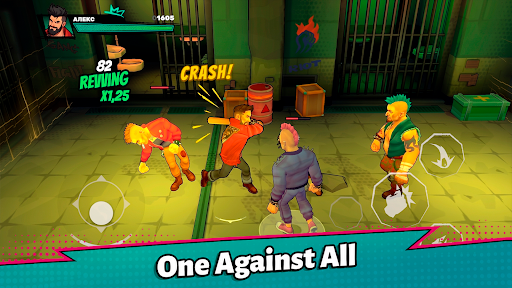
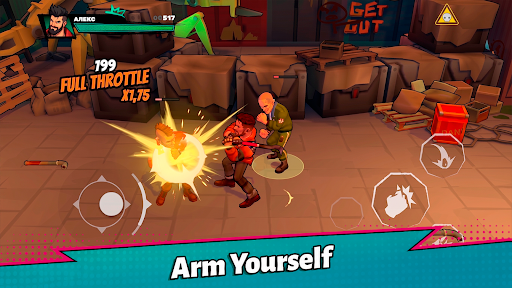
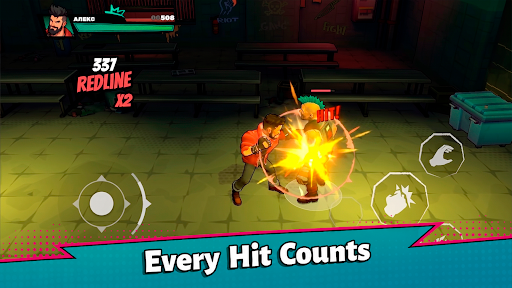
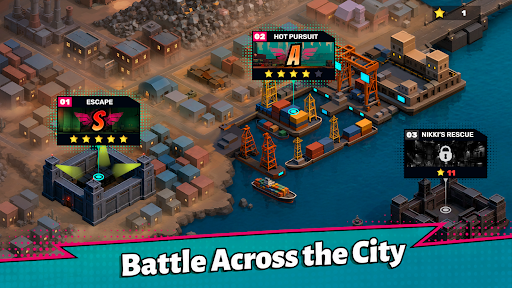
Fight dirty. Fight smart. Fight your way through the streets.
Rogue Streets: Beat 'Em Up is a fast-paced side-scrolling action game where every fight is a brutal street brawl. Face overwhelming groups of enemies, master powerful combos, grab anything you can use as a weapon, and survive one intense encounter after another.
You're not a superhero. You're not a martial arts master.
You're just the toughest fighter on the street.
Brutal Street Combat
Take on gangs of enemies using an easy-to-learn yet satisfying combat system. Chain together punches, kicks, grabs, throws, dash attacks, and devastating finishers to dominate every fight.
Stay aggressive, control the crowd, and never let your enemies surround you.
Everything Can Become a Weapon
The streets are full of opportunities.
Pick up bats, pipes, knives, crowbars, and other improvised weapons to gain the upper hand. Every weapon changes the way you fight and eventually breaks, forcing you to adapt and improvise.
Throw weapons at enemies, smash them into walls, or simply beat your opponents into submission.
Fight Smarter
Victory isn't just about dealing damage.
Use the environment to your advantage, launch enemies into the air, slam them into walls, knock them into each other, and create devastating chain reactions.
Every encounter rewards creativity and aggressive play.
The streets belong to whoever is strong enough to take them.
Are you ready to fight?
Tampilkan Lebih banyak

1. Unduh dan instal MEmu APP

2. Menjalankan MEmu lalu buka Google Play di halaman

3. Cari Rogue Streets: Beat 'Em Up di Google Play
Install
4. Unduh dan instal Rogue Streets: Beat 'Em Up
5. Setelah insatl APP selesai,klik ikon untuk mulai

6. Nikmati bermain Rogue Streets: Beat 'Em Up di PC dengan MEmu
MEmu App Player adalah emulator Android gratis terbaik dan 50 Juta orang sudah menikmati pengalaman luar biasa dalam bermain gim Android. Teknologi virtualisasi MEmu memberi kekuasaan untuk memainkan ribuan gim Android dengan lancar di PC anda, bahkan gim dengan grafis yang paling tinggi.
Layar lebih besar dengan grafis yang lebih baik; durasi panjang, tanpa batasan baterai atau data seluler.
Didukung penuh oleh Pemetaan tombol yang lengkap untuk keakuratan kontrol keyboard dan mouse maupun gamepad.
Membuka beberapa akun game atau tugas di waktu yang sama hanya pada satu PC, dengan Multi-Instance manager.
Play Rogue Streets: Beat 'Em Up on PC by following steps: