Commando
Diupdate
Versi Saat Ini
2.3
Ditawarkan Oleh

Hentilah khawatir tentang biaya berlebihan saat menggunakan Commando di ponsel Anda, bebaskan diri Anda dari layar kecil dan nikmati menggunakan aplikasi pada tampilan yang lebih besar. Mulai sekarang, dapatkan pengalaman full-screen di aplikasi Anda dengan keyboard dan mouse. MEmu menyediakan semua fitur mengejutkan yang Anda harapkan: cepat menginstal dan mudah menggunakan, kontrol intuitif, tidak ada lagi batasan baterai, data seluler dan panggilan yang mengganggu. MEmu 9 yang baru adalah pilihan terbaik untuk menggunakan Commando di komputer Anda. Bersandi dengan absorpsi kami, manajer multi-instance memungkinkan pembukaan 2 akun atau lebih pada saat yang bersamaan. Dan yang paling penting, mesin emulasi eksklusif kami dapat melepaskan potensi penuh PC Anda, menjadikan semuanya lancar dan menyenangkan.
Tampilkan Lebih banyak
Unduh Commando di PC dengan Emulator Android MEmu. Nikmati permainan pada layar yang besar. Commando is Britain’s longest serving war comic, publishing stories of action and adventure since 1961.
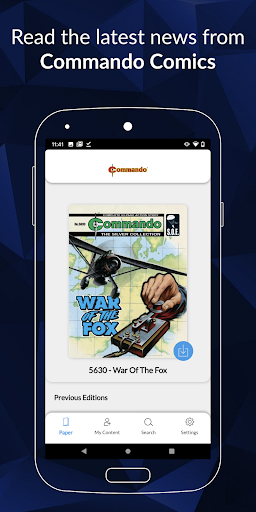
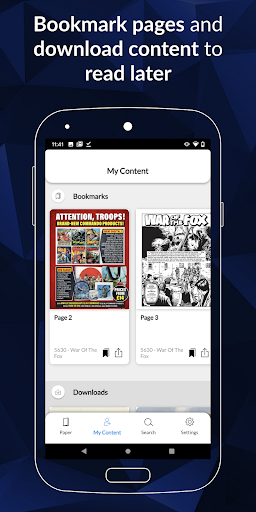
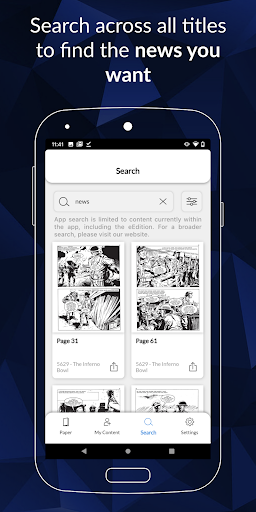
Commando is Britain’s longest serving war comic, publishing stories of action and adventure since 1961. These stories, with their mixture of excitement, danger and courage under fire, and the dynamic artwork that accompanies them, have won Commando a loyal readership over the decades.
On land, at sea, and in the air, Commando’s stories cover every corner of the globe and are set throughout world history, the epic tales of bravery in battle making Commando Comics the Home of Heroes!
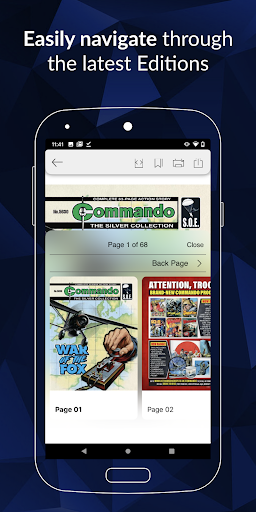
Download issues to read, tap an issue to open it, and flip through pages with the swipe of a finger.
Now you can buy individual issues to keep and enjoy forever or, with a digital subscription, build up your own Commando comic library, to revisit during your subscription period.
Purchase and Subscription Information
1 Single Edition purchase for £1.49
1 Month Subscription for £7.99
1 Year Subscription for £49.99
Payment will be charged to Google Play Account at confirmation of purchase.
Subscriptions automatically renew unless auto-renew is turned off at least 24-hours before the end of the current period.
Account will be charged for renewal within 24-hours prior to the end of the current period, and will be charged at the current subscription price.
Subscriptions may be managed by the user and auto-renewal may be turned off by going to the user’s Account Settings after purchase.
No cancellation of the current subscription is allowed during active subscription period.
Issues purchased as part of a subscription are only available to read during the subscription period. If you cancel you will not retain access to the issues that you obtained with your subscription
Single issues can be purchased to be kept permanently.
Privacy Policy URL https://www.dcthomson.co.uk/privacy-policy/
FAQ URL http://www.commandocomics.com/digital-subscription-update/
Tampilkan Lebih banyak

1. Unduh dan instal MEmu APP

2. Menjalankan MEmu lalu buka Google Play di halaman

3. Cari Commando di Google Play
Install
4. Unduh dan instal Commando
5. Setelah insatl APP selesai,klik ikon untuk mulai

6. Nikmati bermain Commando di PC dengan MEmu
MEmu Play adalah emulator Android gratis terbaik dan 50 Juta orang sudah menikmati pengalaman luar biasa dalam Aplikasi Android. Teknologi virtualisasi MEmu memberi kekuasaan untuk memainkan ribuan Aplikasi Android dengan lancar di PC anda, bahkan Aplikasi dengan grafis yang paling tinggi.
Layar lebih besar dengan grafis yang lebih baik; durasi panjang, tanpa batasan baterai atau data seluler.
Didukung penuh oleh Pemetaan tombol yang lengkap untuk keakuratan kontrol keyboard dan mouse maupun gamepad.
Membuka beberapa akun game atau tugas di waktu yang sama hanya pada satu PC, dengan Multi-Instance manager.
Use Commando on PC by following steps: