Commando
Обновлено
Текущая версия
2.3
Продавец

Перестаньте беспокоиться о быстром разряде батареи при использовании Commando на вашем телефоне. Освободитесь от крошечного экрана и наслаждайтесь приложением на гораздо большем экране. Теперь вы можете работать с приложением в полноэкранном режиме с удобством клавиатуры и мыши. MEmu предлагает вам все ожидаемые удивительные функции: быструю установку и простую настройку, интуитивно понятное управление и больше никаких забот о времени автономной работы, мобильном трафике или неожиданных звонках. Совершенно новый MEmu 9 — идеальный выбор для использования Commando на вашем компьютере. С помощью менеджера нескольких экземпляров MEmu вы можете одновременно использовать два или более аккаунтов. И самое главное, наш эксклюзивный движок эмуляции раскрывает весь потенциал вашего ПК, обеспечивая плавную и приятную работу.
Показать больше
Скачайте Commando на ПК с помощью Андроид эмулятора MEmu. Наслаждайтесь на большом экране. Commando is Britain’s longest serving war comic, publishing stories of action and adventure since 1961.
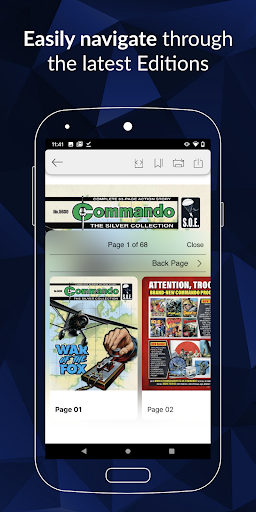
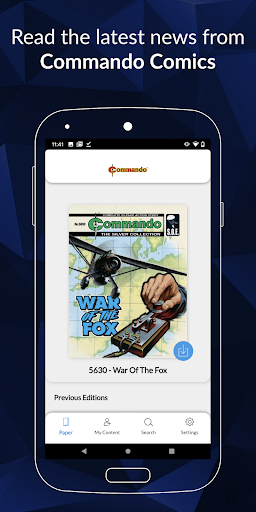
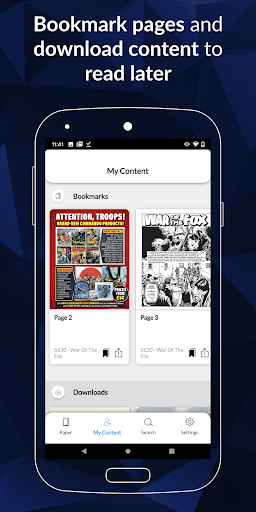
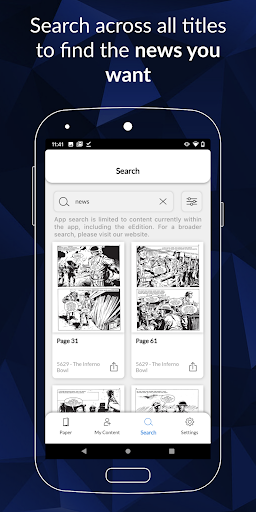
Commando is Britain’s longest serving war comic, publishing stories of action and adventure since 1961. These stories, with their mixture of excitement, danger and courage under fire, and the dynamic artwork that accompanies them, have won Commando a loyal readership over the decades.
On land, at sea, and in the air, Commando’s stories cover every corner of the globe and are set throughout world history, the epic tales of bravery in battle making Commando Comics the Home of Heroes!
Download issues to read, tap an issue to open it, and flip through pages with the swipe of a finger.
Now you can buy individual issues to keep and enjoy forever or, with a digital subscription, build up your own Commando comic library, to revisit during your subscription period.
Purchase and Subscription Information
1 Single Edition purchase for £1.49
1 Month Subscription for £7.99
1 Year Subscription for £49.99
Payment will be charged to Google Play Account at confirmation of purchase.
Subscriptions automatically renew unless auto-renew is turned off at least 24-hours before the end of the current period.
Account will be charged for renewal within 24-hours prior to the end of the current period, and will be charged at the current subscription price.
Subscriptions may be managed by the user and auto-renewal may be turned off by going to the user’s Account Settings after purchase.
No cancellation of the current subscription is allowed during active subscription period.
Issues purchased as part of a subscription are only available to read during the subscription period. If you cancel you will not retain access to the issues that you obtained with your subscription
Single issues can be purchased to be kept permanently.
Privacy Policy URL https://www.dcthomson.co.uk/privacy-policy/
FAQ URL http://www.commandocomics.com/digital-subscription-update/
Показать больше

1. Скачать инсталлятор MEmu и завершайте установку

2. Запускайте MEmu, затем откройте Google Play на главной странице

3. Ищите Commando в Google Play
Install
4. Скачайте и установите Commando
5. При завершении установки, нажмите на значок для старта

6. Наслаждайтесь Commando на своем компьютере с помощью MEmu.
MEmu Play — лучший бесплатный эмулятор Android, превосходный опыт работы с которым оценили 50 миллионов пользователей. Технология виртуализации MEmu позволяет без проблем запускать тысячи Android-приложений на вашем компьютере, даже самые требовательные.
Большой экран с лучшей графикой; Большая продолжительность, без ограничения батареи или мобильных данных.
Полная поддержка установки клавиш для точного управления клавиатурой и мышью или геймпадом.
Несколько игровых учетных записей или задач на одном компьютере одновременно с менеджером нескольких экземпляров.
Use Commando on PC by following steps: