
Flashscore Nigeria
Diupdate
Versi Saat Ini
4.1.2
Ditawarkan Oleh

Hentilah khawatir tentang biaya berlebihan saat menggunakan Flashscore Nigeria di ponsel Anda, bebaskan diri Anda dari layar kecil dan nikmati menggunakan aplikasi pada tampilan yang lebih besar. Mulai sekarang, dapatkan pengalaman full-screen di aplikasi Anda dengan keyboard dan mouse. MEmu menyediakan semua fitur mengejutkan yang Anda harapkan: cepat menginstal dan mudah menggunakan, kontrol intuitif, tidak ada lagi batasan baterai, data seluler dan panggilan yang mengganggu. MEmu 9 yang baru adalah pilihan terbaik untuk menggunakan Flashscore Nigeria di komputer Anda. Bersandi dengan absorpsi kami, manajer multi-instance memungkinkan pembukaan 2 akun atau lebih pada saat yang bersamaan. Dan yang paling penting, mesin emulasi eksklusif kami dapat melepaskan potensi penuh PC Anda, menjadikan semuanya lancar dan menyenangkan.
Tampilkan Lebih banyak
Nikmati pengalaman luar biasa menggunakan Flashscore Nigeria di PC dengan MEmu Play. Emulator Android gratis dan canggih ini menyediakan ribuan aplikasi Android untuk versi desktop. Nikmati koneksi yang lancar bersama teman dan tingkatkan pekerjaan Anda dengan efisiensi yang lebih tinggi! With Flashscore, you won't miss a single goal ever again.
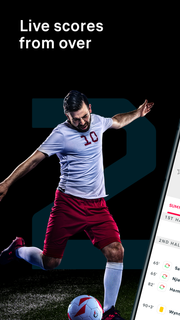
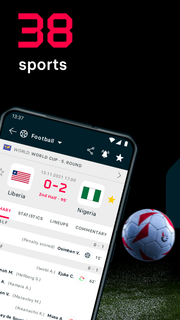
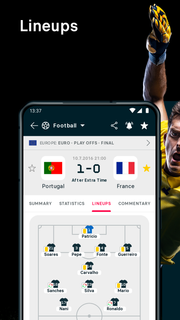
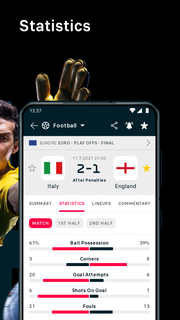
With Flashscore, you won't miss a single goal ever again. Just select your favourite matches, teams or players in any of the 6000+ competitions we cover. Our notifications will then let you know about every important moment of the match.SPORTS SCORES, FAST AND ACCURATE• GREAT COVERAGE: You can find football, tennis, basketball, hockey, rugby and 33 other sports in our app. We cover 6000+ competitions from all around the world - you can follow 1200+ football competitions alone!• SPEED: Whether a goal is scored, red card issued, set or period is over, you will know at the same time as the live audience.NO MORE MISSED MATCHES OR UPDATES• FAVOURITE TEAMS AND MATCHES: Don’t waste your time, and follow only your favourite matches, teams and competitions.• NOTIFICATIONS AND ALERTS: Match starts, line-ups, goals - you will not miss any of it again. Just select your favourite matches and wait for your mobile device to let you know.• STAYING IN SYNC: Do you like to switch between your computer, mobile and tablet? We are prepared for this: as a registered user you will see all of your personalized data across all your devices.TABLES AND MATCH DETAILS• LIVE COMMENTARY: Unable to watch the match on TV? No problem: stay up-to-date with our detailed live text commentary.• LINE-UPS AND HEAD-TO-HEAD: Do you need to know the line-ups before the match starts? We have them in advance. And also the head-to-head history so you can check how both teams have played against each other in the past.• LIVE TABLES: One goal can change a lot. Our live tables will show you if a scored goal has changed the league ranking, as well as the current top scorers table.• MATCH PREVIEWS AND RECAPS: Stats are important, but they don't tell everything. This is why you can find a detailed preview for every match in the most popular leagues - and also the post-match reports.
Tampilkan Lebih banyak

1. Unduh dan instal MEmu APP

2. Menjalankan MEmu lalu buka Google Play di halaman

3. Cari Flashscore Nigeria di Google Play
Install
4. Unduh dan instal Flashscore Nigeria
5. Setelah insatl APP selesai,klik ikon untuk mulai

6. Nikmati bermain Flashscore Nigeria di PC dengan MEmu
MEmu Play adalah emulator Android gratis terbaik dan 50 Juta orang sudah menikmati pengalaman luar biasa dalam Aplikasi Android. Teknologi virtualisasi MEmu memberi kekuasaan untuk memainkan ribuan Aplikasi Android dengan lancar di PC anda, bahkan Aplikasi dengan grafis yang paling tinggi.
Layar lebih besar dengan grafis yang lebih baik; durasi panjang, tanpa batasan baterai atau data seluler.
Didukung penuh oleh Pemetaan tombol yang lengkap untuk keakuratan kontrol keyboard dan mouse maupun gamepad.
Membuka beberapa akun game atau tugas di waktu yang sama hanya pada satu PC, dengan Multi-Instance manager.
Use Flashscore Nigeria on PC by following steps: