HomeByMe
Diupdate
Versi Saat Ini
1.17.1
Ditawarkan Oleh

Hentilah khawatir tentang biaya berlebihan saat menggunakan HomeByMe di ponsel Anda, bebaskan diri Anda dari layar kecil dan nikmati menggunakan aplikasi pada tampilan yang lebih besar. Mulai sekarang, dapatkan pengalaman full-screen di aplikasi Anda dengan keyboard dan mouse. MEmu menyediakan semua fitur mengejutkan yang Anda harapkan: cepat menginstal dan mudah menggunakan, kontrol intuitif, tidak ada lagi batasan baterai, data seluler dan panggilan yang mengganggu. MEmu 9 yang baru adalah pilihan terbaik untuk menggunakan HomeByMe di komputer Anda. Bersandi dengan absorpsi kami, manajer multi-instance memungkinkan pembukaan 2 akun atau lebih pada saat yang bersamaan. Dan yang paling penting, mesin emulasi eksklusif kami dapat melepaskan potensi penuh PC Anda, menjadikan semuanya lancar dan menyenangkan.
Tampilkan Lebih banyak
Unduh HomeByMe di PC dengan Emulator Android MEmu. Nikmati permainan pada layar yang besar. Find inspiration to furnish and decorate your home in 3D and take your project everywhere!
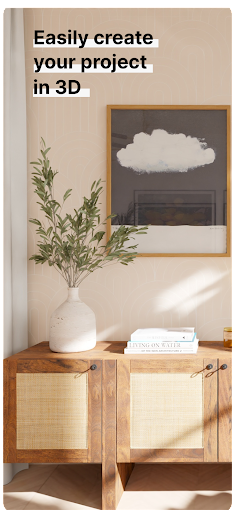
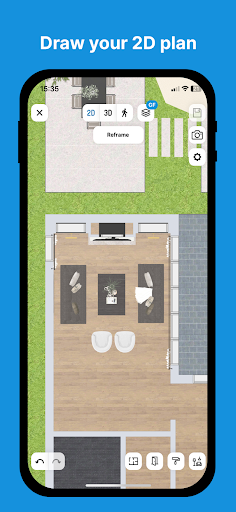
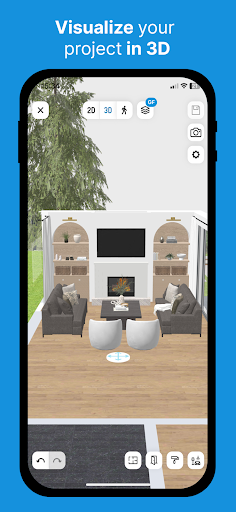
Find inspiration to furnish and decorate your home in 3D and take your project everywhere!
GET INSPIRATION FOR YOUR NEW DECOR
You’re not alone! Get inspired with images created by our community for your interior furniture and decorations. Our community has already designed more than 16 million projects and an HD image is created every 30 seconds, so you’re sure to find what you need to start your new decor project off right.
Browse the images created by our community in our inspiration gallery. Like an image? Select it and then duplicate all the elements of the image to start your own room. You can then fine-tune the layout by modifying some of the furniture or pieces to suit your style and personality.
As soon as you are satisfied with your creation, you can also create and share an image of your room to inspire other users.
DESIGN AND ENVISION YOUR FUTURE INTERIOR
Want to change the style of your living room? Update your kitchen layout? Create another room in your house or rethink the entire design of your apartment? HomeByMe is here to help.
HomeByMe is an interior design solution that helps you find inspiration for your home’s furniture and decorations.
Use it to imagine and visualize various decor and layout configurations for your home before making the final decision to purchase new items or rearrange your space.
Swipe through our catalog of more than 20,000 products from big-name brands and designers to find the right items for redecorating or rearranging your rooms one by one.[1]
The catalog features a variety of products available in 3D: furniture, lamps, wall and floor coverings, decorative objects and more so you can express your style and complete your decor.
Once you’ve made your selections, you can design your project using our 3D solution: create your room’s walls, doors and windows and add your favorite furniture. It’s the perfect way to see what your future interior could look like!
And if you wish, you can retrieve your consolidated project from your computer at any time.
GO MOBILE WITH YOUR HOME PROJECT!
Access your project 24/7 from anywhere.
While you’re working on your design project, you’ll need to share progress with your loved ones to get their opinions or ideas, present the project to professions to get their recommendations or see your shopping list or the dimensions of your project while you’re at the store so you can make the right purchases. That’s all possible now thanks to the HomeByMe app!
You can now see all the visuals and information related to your project whenever you want. There’s even an offline mode if you don’t have network coverage.
The HomeByMe app offers features that complement the desktop version. Try it today!
Tampilkan Lebih banyak

1. Unduh dan instal MEmu APP

2. Menjalankan MEmu lalu buka Google Play di halaman

3. Cari HomeByMe di Google Play
Install
4. Unduh dan instal HomeByMe
5. Setelah insatl APP selesai,klik ikon untuk mulai

6. Nikmati bermain HomeByMe di PC dengan MEmu
MEmu Play adalah emulator Android gratis terbaik dan 50 Juta orang sudah menikmati pengalaman luar biasa dalam Aplikasi Android. Teknologi virtualisasi MEmu memberi kekuasaan untuk memainkan ribuan Aplikasi Android dengan lancar di PC anda, bahkan Aplikasi dengan grafis yang paling tinggi.
Layar lebih besar dengan grafis yang lebih baik; durasi panjang, tanpa batasan baterai atau data seluler.
Didukung penuh oleh Pemetaan tombol yang lengkap untuk keakuratan kontrol keyboard dan mouse maupun gamepad.
Membuka beberapa akun game atau tugas di waktu yang sama hanya pada satu PC, dengan Multi-Instance manager.
Use HomeByMe on PC by following steps: