Live Photo
Diupdate
Versi Saat Ini
2.0.3
Ditawarkan Oleh

Hentilah khawatir tentang biaya berlebihan saat menggunakan Live Photo di ponsel Anda, bebaskan diri Anda dari layar kecil dan nikmati menggunakan aplikasi pada tampilan yang lebih besar. Mulai sekarang, dapatkan pengalaman full-screen di aplikasi Anda dengan keyboard dan mouse. MEmu menyediakan semua fitur mengejutkan yang Anda harapkan: cepat menginstal dan mudah menggunakan, kontrol intuitif, tidak ada lagi batasan baterai, data seluler dan panggilan yang mengganggu. MEmu 9 yang baru adalah pilihan terbaik untuk menggunakan Live Photo di komputer Anda. Bersandi dengan absorpsi kami, manajer multi-instance memungkinkan pembukaan 2 akun atau lebih pada saat yang bersamaan. Dan yang paling penting, mesin emulasi eksklusif kami dapat melepaskan potensi penuh PC Anda, menjadikan semuanya lancar dan menyenangkan.
Tampilkan Lebih banyak
Unduh Live Photo di PC dengan Emulator Android MEmu. Nikmati permainan pada layar yang besar. Buat foto langsung, wallpaper hidup, latar belakang bergerak, dan tema dengan efek animasi menggunakan aplikasi Live Photo.
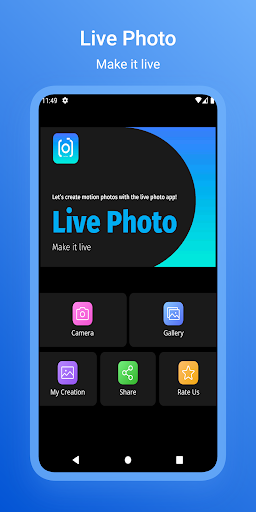
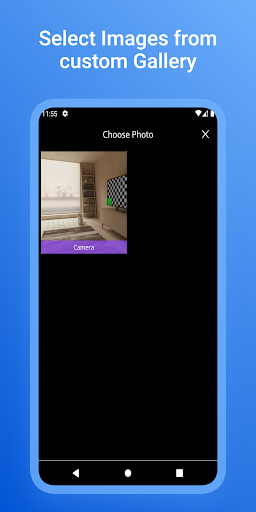
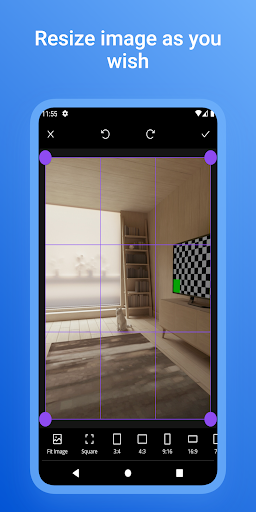
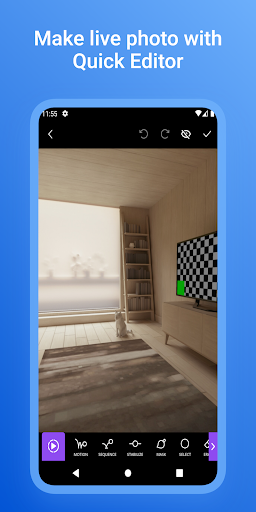
Buat foto langsung, wallpaper hidup, latar belakang bergerak, dan tema dengan efek animasi menggunakan aplikasi Live Photo.
Mudah membuat video pendek yang menakjubkan dengan foto langsung.
Fotografi langsung adalah aplikasi yang kuat untuk membuat gambar visual yang menonjol dari keramaian. Aplikasi foto langsung adalah "editor gambar bergerak" yang memungkinkan Anda membuat foto langsung yang menarik saat bepergian. Hidupkan foto Anda dengan efek animasi menggunakan Editor Gerak Foto "Live Photo" dan Mesin Animasi. Live Photo menghidupkan foto Anda dengan efek animasi yang luar biasa dan filter segar untuk gambar.
"Gambar bergerak" dengan Motion Still dan gerakan alami pada gambar Anda juga populer sebagai sinematograf.
Bagian statis dari gambar animasi dan gambar dengan gerakan alami menciptakan cara baru dalam bercerita visual. Buat grafik sinematik, loop video menggunakan gambar diam, dan bagikan cerita visual kreatif Anda di media sosial.
Ubah gambar diam Anda menjadi karya seni langsung dengan cara yang lebih kreatif menggunakan efek animasi dan filter luar biasa. juga, Personalisasi layar beranda Anda dengan latar belakang bergerak yang keren dan wallpaper hidup. Setel layar film, latar belakang langsung, atau tema langsung, yang telah Anda pilih sebagai wallpaper layar Anda. Anda dapat mengonfigurasi tema dan wallpaper dinamis Anda sebagai wallpaper layar kunci.
Animasi yang menakjubkan menciptakan latar belakang yang interaktif dan luar biasa.
Live Photo Video Maker adalah aplikasi lengkap untuk membuat video pendek menggunakan gambar diam.
Tampilkan Lebih banyak

1. Unduh dan instal MEmu APP

2. Menjalankan MEmu lalu buka Google Play di halaman

3. Cari Live Photo di Google Play
Install
4. Unduh dan instal Live Photo
5. Setelah insatl APP selesai,klik ikon untuk mulai

6. Nikmati bermain Live Photo di PC dengan MEmu
MEmu Play adalah emulator Android gratis terbaik dan 50 Juta orang sudah menikmati pengalaman luar biasa dalam Aplikasi Android. Teknologi virtualisasi MEmu memberi kekuasaan untuk memainkan ribuan Aplikasi Android dengan lancar di PC anda, bahkan Aplikasi dengan grafis yang paling tinggi.
Layar lebih besar dengan grafis yang lebih baik; durasi panjang, tanpa batasan baterai atau data seluler.
Didukung penuh oleh Pemetaan tombol yang lengkap untuk keakuratan kontrol keyboard dan mouse maupun gamepad.
Membuka beberapa akun game atau tugas di waktu yang sama hanya pada satu PC, dengan Multi-Instance manager.
Use Live Photo on PC by following steps: