Dome Keeper
Diupdate
Versi Saat Ini
Ditawarkan Oleh

Dengan sepenuh kebulatan hati Anda dalam memainkan Dome Keeper, tangan Anda tak seharusnya hanya terbatas pada layar kecil handphone Anda.Bermainlah layaknya seorang profesional dan dapatkan kendali penuh dalam permainan Anda dengan papan ketik dan tetikus.MEmu menawarkan seluruh hal yang Anda harapkan.Unduh dan mainkan Dome Keeper pada PC. Bermainlah selama yang Anda inginkan, tanpa keterbatasan dari baterai, data seluler dan panggilan yang mengganggu.MEmu 9 baru merupakan pilihan terbaik untuk memainkan Dome Keeper pada PC. Dipersiapkan bersama teknologi ahli kami, sistem pemetaan kunci preset yang canggih menjadikan Dome Keeper sebagai permainan PC sejati.Manajer banyak hal dari MEmu memungkinkan Anda untuk memainkan 2 atau banyak akun pada perangkat yang sama.Dan yang terpenting, mesin emulasi eksklusif kami bisa melepaskan potensi penuh PC Anda, membuat segalanya berjalan lancar.
Tampilkan Lebih banyak
Unduh Dome Keeper di PC dengan Emulator Android MEmu. Nikmati permainan pada layar yang besar. Defend against waves of alien monsters in this unique roguelike action mining game.
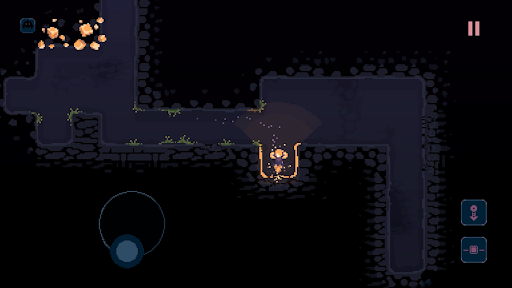
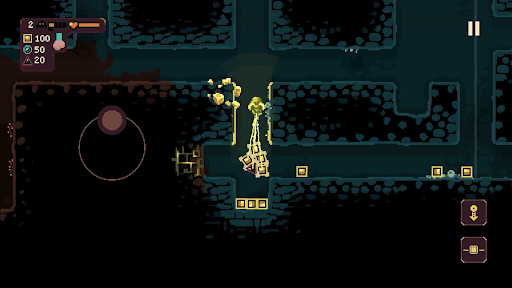
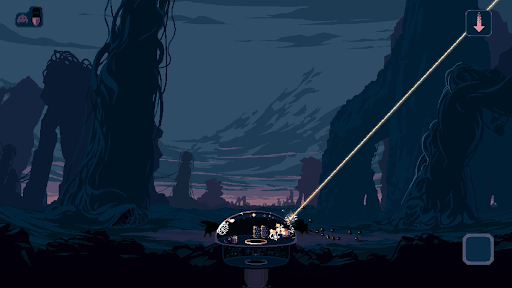
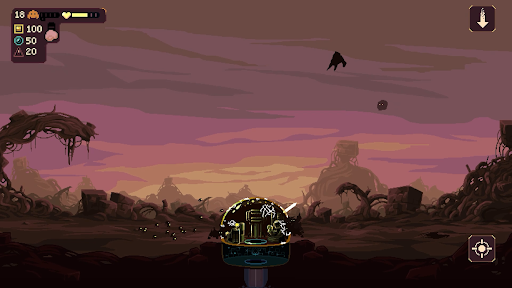
Defend against waves of alien monsters in this unique roguelike action mining game. Use the time between attacks to dig beneath the surface in search of valuable resources and relics – deliver them back to your dome to unlock powerful upgrades and useful new gadgets.
But it won’t be long until the relentless monsters return - do you risk delving deeper into the mine? Or return to base and prepare for imminent attack? The choice is yours, but make it quickly!
DIG
Use your drill and keeper equipment to quickly dig out tunnels and explore the depths beneath your dome. Each run has its own unique, procedurally generated map filled with resources and caves to discover, along with additional gadgets to obtain.
DEFEND
Protect your dome by operating its powerful weaponry to defend against waves of monster attacks. Upgrade, repair and repel a variety of enemy types that approach across air and ground, each with their own unique attack methods and movement patterns.
DEVELOP
Spend resources to unlock useful upgrades. Improve dome defences, enhance the impact of your drill, or increase movement speed – choose carefully and strategise to increase odds of survival.
DISCOVER
Customise your setup and find a playstyle that works for you by choosing from two unique keeper types, four different domes, and four primary gadgets. Pick a run modifier, adjust difficulty settings and discover dozens of secondary gadgets while you dig through the earth.
Tampilkan Lebih banyak

1. Unduh dan instal MEmu APP

2. Menjalankan MEmu lalu buka Google Play di halaman

3. Cari Dome Keeper di Google Play
Install
4. Unduh dan instal Dome Keeper
5. Setelah insatl APP selesai,klik ikon untuk mulai

6. Nikmati bermain Dome Keeper di PC dengan MEmu
MEmu App Player adalah emulator Android gratis terbaik dan 50 Juta orang sudah menikmati pengalaman luar biasa dalam bermain gim Android. Teknologi virtualisasi MEmu memberi kekuasaan untuk memainkan ribuan gim Android dengan lancar di PC anda, bahkan gim dengan grafis yang paling tinggi.
Layar lebih besar dengan grafis yang lebih baik; durasi panjang, tanpa batasan baterai atau data seluler.
Didukung penuh oleh Pemetaan tombol yang lengkap untuk keakuratan kontrol keyboard dan mouse maupun gamepad.
Membuka beberapa akun game atau tugas di waktu yang sama hanya pada satu PC, dengan Multi-Instance manager.
Play Dome Keeper on PC by following steps: