PDF Reader - PDF Viewer & Tool
Diupdate
Versi Saat Ini
1.0.69
Ditawarkan Oleh

Hentilah khawatir tentang biaya berlebihan saat menggunakan PDF Reader - PDF Viewer & Tool di ponsel Anda, bebaskan diri Anda dari layar kecil dan nikmati menggunakan aplikasi pada tampilan yang lebih besar. Mulai sekarang, dapatkan pengalaman full-screen di aplikasi Anda dengan keyboard dan mouse. MEmu menyediakan semua fitur mengejutkan yang Anda harapkan: cepat menginstal dan mudah menggunakan, kontrol intuitif, tidak ada lagi batasan baterai, data seluler dan panggilan yang mengganggu. MEmu 9 yang baru adalah pilihan terbaik untuk menggunakan PDF Reader - PDF Viewer & Tool di komputer Anda. Bersandi dengan absorpsi kami, manajer multi-instance memungkinkan pembukaan 2 akun atau lebih pada saat yang bersamaan. Dan yang paling penting, mesin emulasi eksklusif kami dapat melepaskan potensi penuh PC Anda, menjadikan semuanya lancar dan menyenangkan.
Tampilkan Lebih banyak
Nikmati pengalaman luar biasa menggunakan PDF Reader - PDF Viewer & Tool di PC dengan MEmu Play. Emulator Android gratis dan canggih ini menyediakan ribuan aplikasi Android untuk versi desktop. Nikmati koneksi yang lancar bersama teman dan tingkatkan pekerjaan Anda dengan efisiensi yang lebih tinggi! The most convenient PDF Reader - PDF Viewer that you need!
The most convenient PDF Reader - PDF Viewer that you need!
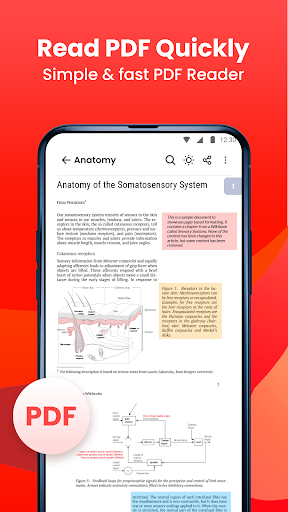
PDF Reader – PDF Viewer is the light weight office app that you can use to read all documents type, the app supports all pdf files even the one with password protection.
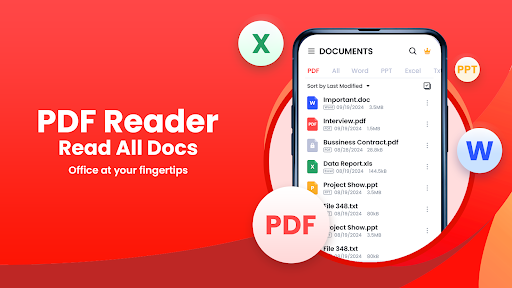
Looking for a simple and easy-to-use document reading app? PDF Reader - PDF Viewer & Tool is exactly what you need! It can auto scan, find, and list all PDF and other various document files (DOC, XLS, PPT, TXT, ..) on your phone, allows you to fast open, read and manage your files in one place conveniently.
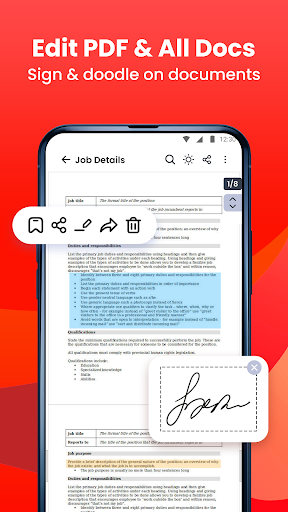
PDF Reader is not only a reading app, you can also use it to highlight text, take notes, add e-signatures, bookmark PDF pages, share PDF files. With powerfull tools, you can also compress, add watermark as well as convert any file types to PDF.
Here are some core features of PDF Reader - PDF Viewer & Tool:
Smart, all-in-one viewer & reader
- Access and read PDFs anywhere, anytime, without an internet connection.
- Automatically search and display all your files: PDF, Word, Excel, PPT
- Simple and clear file lists, easy to manage
- Full-screen mode for the best reading experience
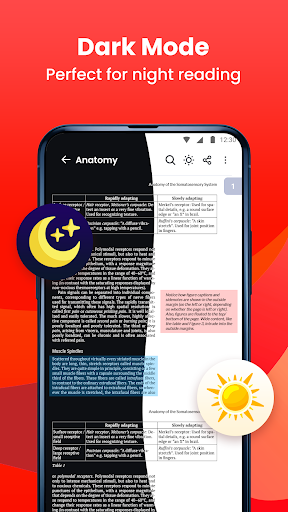
- Dark mode for the best reading experience
- Zoom in and out of pages as needed
- Jump directly to the page by entering the page number
- Search and copy any text in PDF files with ease
- Multiple languages supported
Powerful tool
- All type converters (PDF-> DOC, DOC->PDF, IMG->PDF, EXCEL->PDF, PDF->JPG, ...)
- Merge & split your PDF files
- Set password to protect your documents
- Scan to PDF
- Easily add e-signature
- Compress PDF documents
- Watermark PDF documents
- Printing document files from your device
PDF file management
- Organize and manage your PDF files in one place.
- Keep you notified when there's new document
- Recently opened files in a simple list for quick viewing
- Share your PDF files via any social media easily
- Rename your PDF files to your liking
- Delete unwanted document
- Add bookmarks to files for future use
- Shortcut creation for frequently used files.
Edit document
- Add note to PDF
- Highlight important information with vibrant colors
- Draw and annotate freely on the PDF pages
- Edit document (e.g: insert, delete texts, update font, size, colours,...) & save your changes (DOC, XLS, PPT)
Download PDF Reader - PDF Viewer today and experience the ultimate app for all your PDF needs! Enjoy your reading with this superior PDF Reader for Android!
Your comments and suggestions are always appreciated! If you have any questions, please contact us at funshipstudio@gmail.com.
Tampilkan Lebih banyak

1. Unduh dan instal MEmu APP

2. Menjalankan MEmu lalu buka Google Play di halaman

3. Cari PDF Reader - PDF Viewer & Tool di Google Play
Install
4. Unduh dan instal PDF Reader - PDF Viewer & Tool
5. Setelah insatl APP selesai,klik ikon untuk mulai

6. Nikmati bermain PDF Reader - PDF Viewer & Tool di PC dengan MEmu
MEmu Play adalah emulator Android gratis terbaik dan 50 Juta orang sudah menikmati pengalaman luar biasa dalam Aplikasi Android. Teknologi virtualisasi MEmu memberi kekuasaan untuk memainkan ribuan Aplikasi Android dengan lancar di PC anda, bahkan Aplikasi dengan grafis yang paling tinggi.
Layar lebih besar dengan grafis yang lebih baik; durasi panjang, tanpa batasan baterai atau data seluler.
Didukung penuh oleh Pemetaan tombol yang lengkap untuk keakuratan kontrol keyboard dan mouse maupun gamepad.
Membuka beberapa akun game atau tugas di waktu yang sama hanya pada satu PC, dengan Multi-Instance manager.
Use PDF Reader - PDF Viewer & Tool on PC by following steps: