PDF Reader - PDF Viewer & Tool
Güncellendi
Mevcut Sürüm
1.0.66
Sunan

Cep telefonunda PDF Reader - PDF Viewer & Tool kullanırken fazla şarjlardan endişelenme, kendini küçük ekrandan kurtar ve uygulamayı çok daha büyük bir ekranda kullanmanın tadını çıkar. Şu andan itibaren, klavye ve fare ile uygulamayı tam ekran da kullanmayı dene. MEmu, beklediğin tüm şaşırtıcı özellikleri sunar: hızlı ve kolay kurulum, sezgisel kontroller, bunun dışında pil sınırı, mobil veri ve rahatsız edici aramalar artık yok. Yepyeni MEmu 9, bilgisayarında PDF Reader - PDF Viewer & Tool kullanmanın en iyi seçimidir. Emilimimizle kodlanan çok örnekli yönetici, aynı anda 2 veya daha fazla hesap açmayı mümkün kılar. Ve en önemlisi, özel emülasyon motorumuz PC'nin tüm potansiyelini serbest bırakabilir, her şeyi pürüzsüz ve eğlenceli hale getirebilir.
Daha fazla göster
MEmu Play ile bilgisayarınızda PDF Reader - PDF Viewer & Tool kullanmanın mükemmel deneyimini yaşayın. Masaüstü sürümleri için binlerce Android uygulaması sunan güçlü ve ücretsiz bir Android emülatörüdür. Arkadaşlarınızla bağlantı kurmanın ve çalışmalarınızı daha verimli bir şekilde geliştirmenin keyfini çıkarın! The most convenient PDF Reader - PDF Viewer that you need!
The most convenient PDF Reader - PDF Viewer that you need!
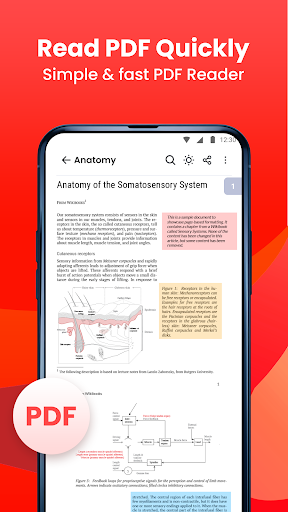
PDF Reader – PDF Viewer is the light weight office app that you can use to read all documents type, the app supports all pdf files even the one with password protection.
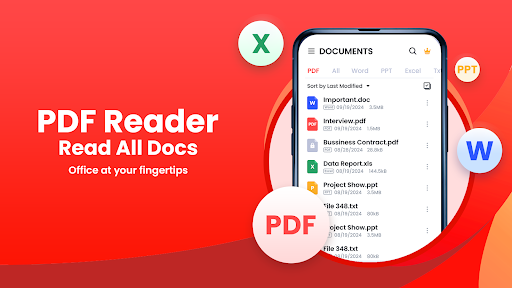
Looking for a simple and easy-to-use document reading app? PDF Reader - PDF Viewer & Tool is exactly what you need! It can auto scan, find, and list all PDF and other various document files (DOC, XLS, PPT, TXT, ..) on your phone, allows you to fast open, read and manage your files in one place conveniently.
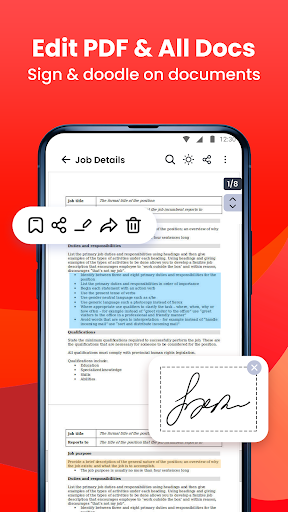
PDF Reader is not only a reading app, you can also use it to highlight text, take notes, add e-signatures, bookmark PDF pages, share PDF files. With powerfull tools, you can also compress, add watermark as well as convert any file types to PDF.
Here are some core features of PDF Reader - PDF Viewer & Tool:
Smart, all-in-one viewer & reader
- Access and read PDFs anywhere, anytime, without an internet connection.
- Automatically search and display all your files: PDF, Word, Excel, PPT
- Simple and clear file lists, easy to manage
- Full-screen mode for the best reading experience
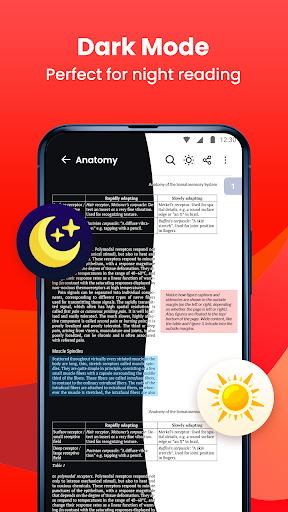
- Dark mode for the best reading experience
- Zoom in and out of pages as needed
- Jump directly to the page by entering the page number
- Search and copy any text in PDF files with ease
- Multiple languages supported
Powerful tool
- All type converters (PDF-> DOC, DOC->PDF, IMG->PDF, EXCEL->PDF, PDF->JPG, ...)
- Merge & split your PDF files
- Set password to protect your documents
- Scan to PDF
- Easily add e-signature
- Compress PDF documents
- Watermark PDF documents
- Printing document files from your device
PDF file management
- Organize and manage your PDF files in one place.
- Keep you notified when there's new document
- Recently opened files in a simple list for quick viewing
- Share your PDF files via any social media easily
- Rename your PDF files to your liking
- Delete unwanted document
- Add bookmarks to files for future use
- Shortcut creation for frequently used files.
Edit document
- Add note to PDF
- Highlight important information with vibrant colors
- Draw and annotate freely on the PDF pages
- Edit document (e.g: insert, delete texts, update font, size, colours,...) & save your changes (DOC, XLS, PPT)
Download PDF Reader - PDF Viewer today and experience the ultimate app for all your PDF needs! Enjoy your reading with this superior PDF Reader for Android!
Your comments and suggestions are always appreciated! If you have any questions, please contact us at funshipstudio@gmail.com.
Daha fazla göster

1. MEmu yükleyicisini indirin ve kurulumu tamamlayın

2. MEmu'yu başlatın ve ana sayfada Google Play'i açın

3. Google Play'de PDF Reader - PDF Viewer & Tool arayın
Install
4. PDF Reader - PDF Viewer & Tool indirin ve yükleyin
5. Kurulum tamamlandığında başlamak için simgeye tıklayın

6. PDF Reader - PDF Viewer & Tool'i PC'de için MEmu'yu kullanın
MEmu Play, 50 milyon kullanıcısıyla en iyi ücretsiz Android emülatörüdür ve en üst düzey Android uygulama deneyiminin keyfini çıkarır. MEmu'nun sanallaştırma teknolojisi, en zorlu uygulamalar da dahil olmak üzere binlerce uygulamayı bilgisayarınızda sorunsuz bir şekilde çalıştırmanızı sağlar.
Daha büyük ekranla daha iyi grafiklere sahip; Pil veya mobil veri sınırlaması olmaksızın uzun süre.
Keymapping klavye ve fare veya gamepad'in hassas kontrolü için destek verir.
Multi-Instance yöneticisi ile tek bir bilgisayarda aynı anda birden fazla oyun hesabı veya görev gerçekleşilebilir.
Use PDF Reader - PDF Viewer & Tool on PC by following steps: