Real Darbuka
Diupdate
Versi Saat Ini
3.5.7
Ditawarkan Oleh

Hentilah khawatir tentang biaya berlebihan saat menggunakan Real Darbuka di ponsel Anda, bebaskan diri Anda dari layar kecil dan nikmati menggunakan aplikasi pada tampilan yang lebih besar. Mulai sekarang, dapatkan pengalaman full-screen di aplikasi Anda dengan keyboard dan mouse. MEmu menyediakan semua fitur mengejutkan yang Anda harapkan: cepat menginstal dan mudah menggunakan, kontrol intuitif, tidak ada lagi batasan baterai, data seluler dan panggilan yang mengganggu. MEmu 9 yang baru adalah pilihan terbaik untuk menggunakan Real Darbuka di komputer Anda. Bersandi dengan absorpsi kami, manajer multi-instance memungkinkan pembukaan 2 akun atau lebih pada saat yang bersamaan. Dan yang paling penting, mesin emulasi eksklusif kami dapat melepaskan potensi penuh PC Anda, menjadikan semuanya lancar dan menyenangkan.
Tampilkan Lebih banyak
Unduh Real Darbuka di PC dengan Emulator Android MEmu. Nikmati permainan pada layar yang besar. Realistic Oriental Drums:.
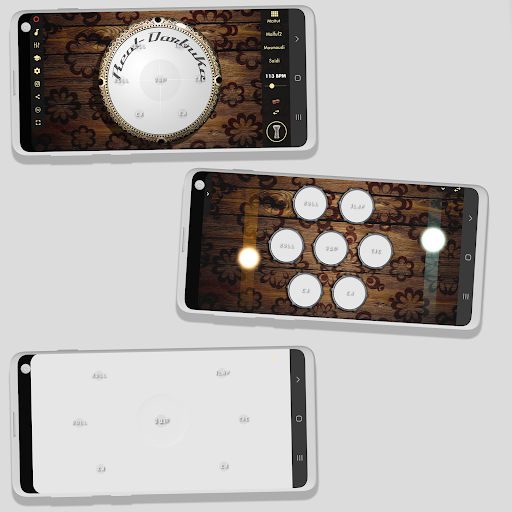
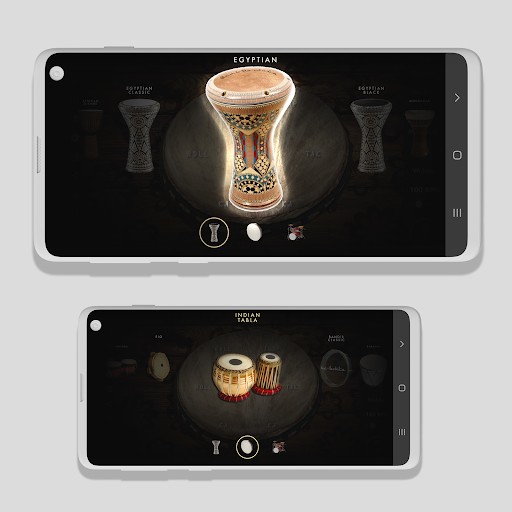
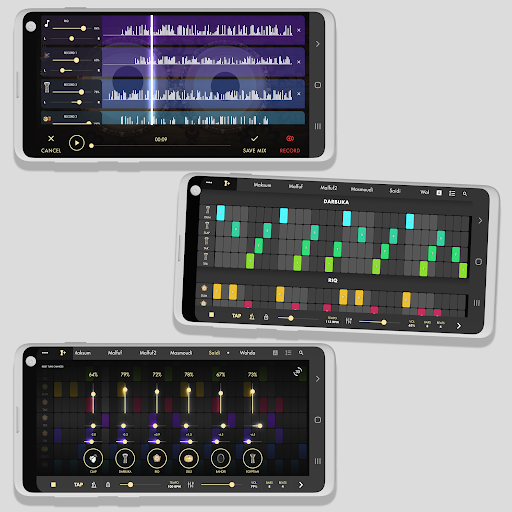
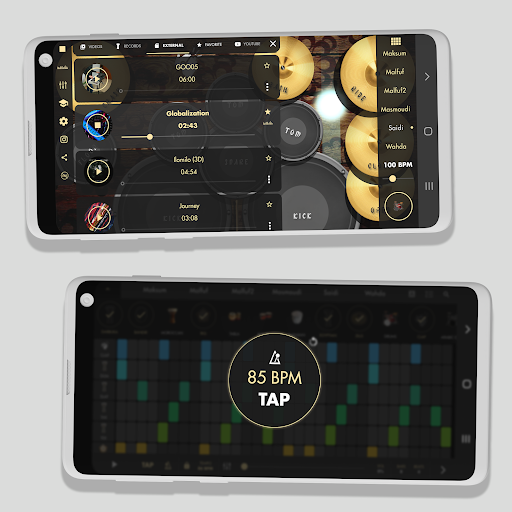
Realistic Oriental Drums:
Darbuka, Darbouka, Doumbek, Tabla, African Djembe, Baraban, Bongos, Riq, Bandir and more...
Properties:
- Powerful touch
- Groove/Beat/Rhythm Maker.
- Create your own custom grooves.
- Included all top oriental rhythm examples.
- Change tempo/bpm in real-time.
- Multi-channel mixer for controlling and mixing the beat.
- Tap tempo detector.
- Provides accurate measures by taking an Average BPM
- High-quality graphics.
- Over 20 high-quality Darbuka and oriental drum sounds.
- Play with any song
- High-quality recording WAV File for creating your own loops
- Support Screen Recording with external mic recording
- Including multitouch and high-quality drumming darbuka for more realistic.
- high-level effects reverb.
- Ululation.
-Real Drum set
Recommended - For high quality connect the device to speakers or headphones.
Darbukas, also known as Chalice Drums, Tarabukas, Debukas, Doumbeks, Dumbecs, Dumbegs, Dumbeleks, Toumperlekis, and Tablahs, are Arabic percussion instruments. It is a single-headed membranophone with a goblet-shaped body that is most frequently used in the Middle East, North Africa, South Asia, and Eastern Europe. African Djembe-Wassolou and Darbuka together produce strong and distinctive rhythms.
The gadget should be connected to speakers or headphones for the greatest sound quality. The Darbuka lets you build your own creative grooves, change the tempo/BPM in real-time, and feature all of the best Oriental rhythm samples. Additionally, it has a tap tempo detector, and a multi-channel mixer for controlling and blending the beat, and it delivers an exact measurement by taking an average BPM. Additionally, it has over 20 premium Darbuka.
For the best possible experience, it is recommended to connect the device to speakers or headphones for high-quality sound. The Darbuka includes all top Oriental rhythms examples and allows you to create your own custom grooves, as well as adjust the tempo/BPM in real-time. It also features a multi-channel mixer for controlling and mixing the beat, a tap tempo detector, and provides an accurate measure by taking an Average BPM. Plus, it has over 20 high-quality Darbuka and Oriental drum sounds, the ability to play with any song, a high-quality recording WAV file for creating your own loops, support for screen recording with external mic recording, multitouch and high-quality drumming Darbuka for more realism, and high-level effects reverb and ululation.
Tampilkan Lebih banyak

1. Unduh dan instal MEmu APP

2. Menjalankan MEmu lalu buka Google Play di halaman

3. Cari Real Darbuka di Google Play
Install
4. Unduh dan instal Real Darbuka
5. Setelah insatl APP selesai,klik ikon untuk mulai

6. Nikmati bermain Real Darbuka di PC dengan MEmu
MEmu Play adalah emulator Android gratis terbaik dan 50 Juta orang sudah menikmati pengalaman luar biasa dalam Aplikasi Android. Teknologi virtualisasi MEmu memberi kekuasaan untuk memainkan ribuan Aplikasi Android dengan lancar di PC anda, bahkan Aplikasi dengan grafis yang paling tinggi.
Layar lebih besar dengan grafis yang lebih baik; durasi panjang, tanpa batasan baterai atau data seluler.
Didukung penuh oleh Pemetaan tombol yang lengkap untuk keakuratan kontrol keyboard dan mouse maupun gamepad.
Membuka beberapa akun game atau tugas di waktu yang sama hanya pada satu PC, dengan Multi-Instance manager.
Use Real Darbuka on PC by following steps: