MyInstants: Sound Button App
Diupdate
Versi Saat Ini
1.0.8
Ditawarkan Oleh

Hentilah khawatir tentang biaya berlebihan saat menggunakan MyInstants: Sound Button App di ponsel Anda, bebaskan diri Anda dari layar kecil dan nikmati menggunakan aplikasi pada tampilan yang lebih besar. Mulai sekarang, dapatkan pengalaman full-screen di aplikasi Anda dengan keyboard dan mouse. MEmu menyediakan semua fitur mengejutkan yang Anda harapkan: cepat menginstal dan mudah menggunakan, kontrol intuitif, tidak ada lagi batasan baterai, data seluler dan panggilan yang mengganggu. MEmu 9 yang baru adalah pilihan terbaik untuk menggunakan MyInstants: Sound Button App di komputer Anda. Bersandi dengan absorpsi kami, manajer multi-instance memungkinkan pembukaan 2 akun atau lebih pada saat yang bersamaan. Dan yang paling penting, mesin emulasi eksklusif kami dapat melepaskan potensi penuh PC Anda, menjadikan semuanya lancar dan menyenangkan.
Tampilkan Lebih banyak
Nikmati pengalaman luar biasa menggunakan MyInstants: Sound Button App di PC dengan MEmu Play. Emulator Android gratis dan canggih ini menyediakan ribuan aplikasi Android untuk versi desktop. Nikmati koneksi yang lancar bersama teman dan tingkatkan pekerjaan Anda dengan efisiensi yang lebih tinggi! MyInstants: Sound Button App is an app for sound buttons, meme sounds, prank audio clips, reaction audio, and sound effects.
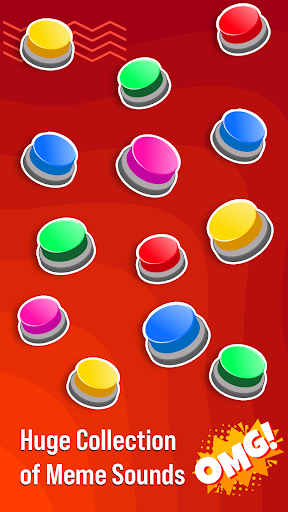
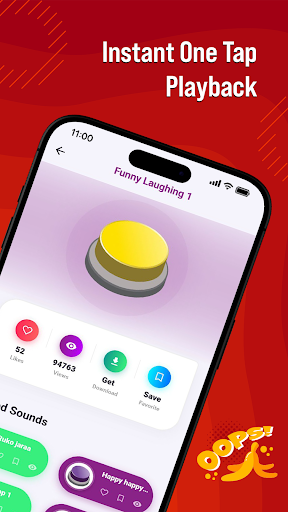
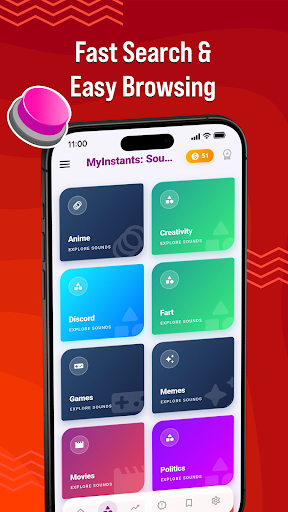
MyInstants: Sound Button App is an app for sound buttons, meme sounds, prank audio clips, reaction audio, and sound effects. Discover a collection of sound buttons with trending and entertaining sounds ready to play instantly anytime.
Whether you need a reaction sound for chats, a prank effect for friends, gaming audio for livestreams, or internet clips for entertainment, MyInstants gives you access to audio content in one easy-to-use sound button app.
What Is a Sound Button App?
A sound button app lets users play short audio clips by tapping interactive buttons. No waiting, no loading, and no complicated setup. Tap a button to hear meme sounds, reaction clips, gaming audio, funny effects, and internet sounds anytime.
With MyInstants, you can explore sound buttons including memes, gaming sounds, anime reactions, screams, alarms, notification sounds, movie quotes, internet classics, and more.
Why Users Use MyInstants
• Sound buttons
• Meme sounds and reaction clips
• Fast sound playback
• Prank sounds and audio effects
• Internet sounds and audio clips
• Soundboard audio
• Lightweight and easy-to-use app
• Save favorite sounds
• Share sounds with friends
• Updates with audio clips
• Collection of meme sound effects
• Entertainment for all ages
Sound Button Experience
MyInstants is designed for meme lovers, gamers, streamers, content creators, and anyone who enjoys internet humor and audio. The sound button library includes meme sounds, reactions, and audio clips from online communities.
Sounds include:
• Vine Boom
• Bruh Sound Effect
• Sad Violin
• Airhorn
• Funny Laugh Sounds
• Anime Reaction Audio
• Meme Fail Sounds
• Notification Sounds
• Funny Screams
• Gaming Victory Sounds
New sound buttons are added regularly so users can discover current audio trends.
Perfect for Every Situation
Gamers & Streamers
Use sound buttons during livestreams, gaming sessions, and online matches.
Chats & Group Conversations
Send reaction sounds, audio clips, and prank audio while chatting with friends and online groups.
Content Creators & Podcasters
Add sound effects and meme audio clips to videos, podcasts, reels, shorts, and social content.
Prank Lovers
Play alarms, notifications, scary sounds, screams, and prank audio clips for entertainment.
Explore Categories
• Sound Buttons
• Meme Sounds
• Funny Sound Effects
• Reaction Audio
• Gaming Sounds
• Internet Audio
• Anime Soundboard
• Notification Sounds
• Movie Quotes
• Prank Sounds
Simple and Easy to Use
MyInstants features a clean and user-friendly interface for browsing and playing sounds. Tap any sound button to hear the clip. Save favorites for quick access and share them with friends.
Fast & Updated
The app includes sound buttons, meme audio, reaction clips, and internet sounds from online communities and platforms.
Why Choose MyInstants?
MyInstants focuses on internet culture, reactions, and audio playback. The app is designed for simplicity, speed, and quick access to sounds and soundboards.
Whether users want to enjoy reactions, audio clips, or internet sounds, MyInstants provides sound buttons and soundboard audio in one app.
Tampilkan Lebih banyak

1. Unduh dan instal MEmu APP

2. Menjalankan MEmu lalu buka Google Play di halaman

3. Cari MyInstants: Sound Button App di Google Play
Install
4. Unduh dan instal MyInstants: Sound Button App
5. Setelah insatl APP selesai,klik ikon untuk mulai

6. Nikmati bermain MyInstants: Sound Button App di PC dengan MEmu
MEmu Play adalah emulator Android gratis terbaik dan 50 Juta orang sudah menikmati pengalaman luar biasa dalam Aplikasi Android. Teknologi virtualisasi MEmu memberi kekuasaan untuk memainkan ribuan Aplikasi Android dengan lancar di PC anda, bahkan Aplikasi dengan grafis yang paling tinggi.
Layar lebih besar dengan grafis yang lebih baik; durasi panjang, tanpa batasan baterai atau data seluler.
Didukung penuh oleh Pemetaan tombol yang lengkap untuk keakuratan kontrol keyboard dan mouse maupun gamepad.
Membuka beberapa akun game atau tugas di waktu yang sama hanya pada satu PC, dengan Multi-Instance manager.
Use MyInstants: Sound Button App on PC by following steps: