Swift PDF - Reader & Tools
Diupdate
Versi Saat Ini
1.0.1
Ditawarkan Oleh

Hentilah khawatir tentang biaya berlebihan saat menggunakan Swift PDF - Reader & Tools di ponsel Anda, bebaskan diri Anda dari layar kecil dan nikmati menggunakan aplikasi pada tampilan yang lebih besar. Mulai sekarang, dapatkan pengalaman full-screen di aplikasi Anda dengan keyboard dan mouse. MEmu menyediakan semua fitur mengejutkan yang Anda harapkan: cepat menginstal dan mudah menggunakan, kontrol intuitif, tidak ada lagi batasan baterai, data seluler dan panggilan yang mengganggu. MEmu 9 yang baru adalah pilihan terbaik untuk menggunakan Swift PDF - Reader & Tools di komputer Anda. Bersandi dengan absorpsi kami, manajer multi-instance memungkinkan pembukaan 2 akun atau lebih pada saat yang bersamaan. Dan yang paling penting, mesin emulasi eksklusif kami dapat melepaskan potensi penuh PC Anda, menjadikan semuanya lancar dan menyenangkan.
Tampilkan Lebih banyak
Nikmati pengalaman luar biasa menggunakan Swift PDF - Reader & Tools di PC dengan MEmu Play. Emulator Android gratis dan canggih ini menyediakan ribuan aplikasi Android untuk versi desktop. Nikmati koneksi yang lancar bersama teman dan tingkatkan pekerjaan Anda dengan efisiensi yang lebih tinggi! PDF Reader and Document Tools.
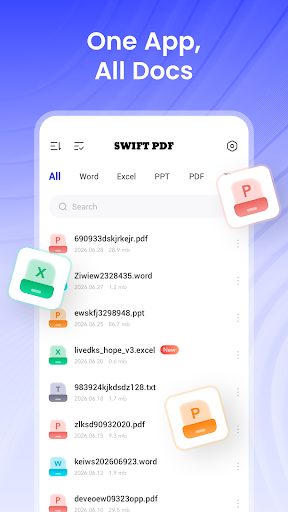
PDF Reader and Document Tools
Swift PDF brings document reading and PDF tools to your Android phone or tablet. Open PDF, Word, Excel, and PowerPoint files and organize documents for study, work, and everyday use.
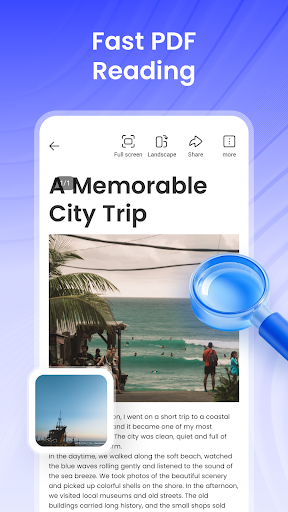
Read PDF and Office Documents
View supported files stored on your device and browse their contents. Find documents in the file list, return to recently opened files, and add frequently used documents to favorites.
Scan and Create PDFs
Capture paper documents with your device camera and save them as PDFs. Create PDF files from JPG and PNG images, including photos, receipts, notes, and study materials.
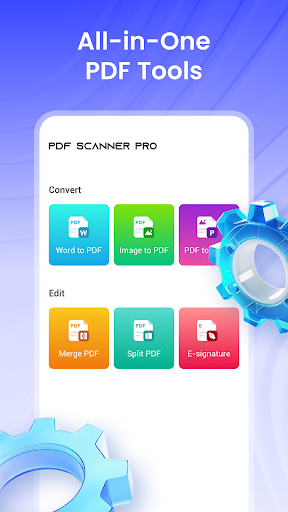
Convert Document Formats
Use the available conversion tools to turn supported documents and images into PDF files. View and organize the converted files alongside your other documents.
Merge and Split PDF Files
Combine multiple PDFs into one document or divide a PDF into separate files. Select the documents you need and review your selection before starting the operation.
Document Read-Aloud
Listen to supported document text with the read-aloud feature. Narration can continue when the app moves to the background or the screen is locked. Pause or stop playback through the media notification.
Manage Local Documents
Find and organize compatible documents stored in different folders on your device. Access your files through the document list, recent files, and favorites.
For Everyday Document Tasks
Swift PDF combines reading, scanning, PDF creation, conversion, and file management in one app. Use it to review reports, read study materials, and manage your everyday documents.
Tampilkan Lebih banyak

1. Unduh dan instal MEmu APP

2. Menjalankan MEmu lalu buka Google Play di halaman

3. Cari Swift PDF - Reader & Tools di Google Play
Install
4. Unduh dan instal Swift PDF - Reader & Tools
5. Setelah insatl APP selesai,klik ikon untuk mulai

6. Nikmati bermain Swift PDF - Reader & Tools di PC dengan MEmu
MEmu Play adalah emulator Android gratis terbaik dan 50 Juta orang sudah menikmati pengalaman luar biasa dalam Aplikasi Android. Teknologi virtualisasi MEmu memberi kekuasaan untuk memainkan ribuan Aplikasi Android dengan lancar di PC anda, bahkan Aplikasi dengan grafis yang paling tinggi.
Layar lebih besar dengan grafis yang lebih baik; durasi panjang, tanpa batasan baterai atau data seluler.
Didukung penuh oleh Pemetaan tombol yang lengkap untuk keakuratan kontrol keyboard dan mouse maupun gamepad.
Membuka beberapa akun game atau tugas di waktu yang sama hanya pada satu PC, dengan Multi-Instance manager.
Use Swift PDF - Reader & Tools on PC by following steps: