
Wind Compass
Diupdate
Versi Saat Ini
1.10.0(96)
Ditawarkan Oleh

Hentilah khawatir tentang biaya berlebihan saat menggunakan Wind Compass di ponsel Anda, bebaskan diri Anda dari layar kecil dan nikmati menggunakan aplikasi pada tampilan yang lebih besar. Mulai sekarang, dapatkan pengalaman full-screen di aplikasi Anda dengan keyboard dan mouse. MEmu menyediakan semua fitur mengejutkan yang Anda harapkan: cepat menginstal dan mudah menggunakan, kontrol intuitif, tidak ada lagi batasan baterai, data seluler dan panggilan yang mengganggu. MEmu 9 yang baru adalah pilihan terbaik untuk menggunakan Wind Compass di komputer Anda. Bersandi dengan absorpsi kami, manajer multi-instance memungkinkan pembukaan 2 akun atau lebih pada saat yang bersamaan. Dan yang paling penting, mesin emulasi eksklusif kami dapat melepaskan potensi penuh PC Anda, menjadikan semuanya lancar dan menyenangkan.
Tampilkan Lebih banyak
Unduh Wind Compass di PC dengan Emulator Android MEmu. Nikmati permainan pada layar yang besar. Do you ever need to know the wind speed & direction for your current location?
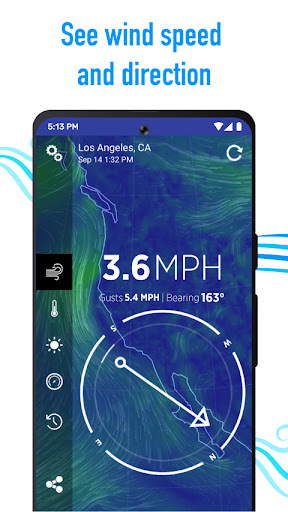
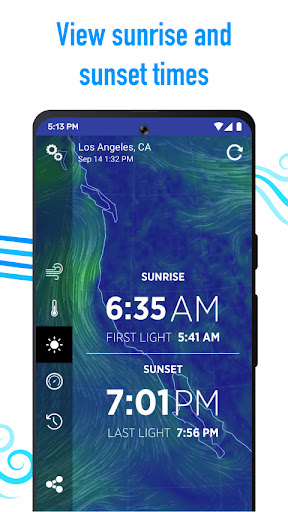
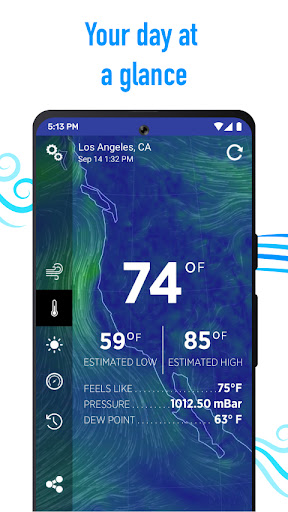
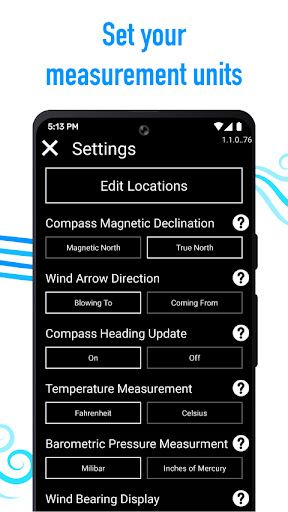
Do you ever need to know the wind speed & direction for your current location? Or are you ever curious about how windy it without having to run outside? Want to known when the sun will rise, or what time to watch the sun set? Now you can with Wind Compass!
Wind Compass is simple to use—just set your location and the app will show you current weather conditions. No fuss, no configuration, just quick & easy weather reports.
Wind Compass Features
• Select from several Wind Speed readings: miles per hour or kilometers per hour; knots, Beaufort Wind Force or even meters per second
• Select Compass Magnetic Declination, either True North or Magnetic North
• Select Temperature measurement to display Fahrenheit or Celsius
• Toggle the Wind Indicator from “Blowing To” to “Coming From”
Weather Forecast Features
• View current temperature as well as estimated Highs & Lows for the day
• Check times for sunrise & sunset, even see "First Light" and "Last light" times
• See a 24-Hour Forecast as well as 7-Day Forecast showing: time, estimated temperature, estimated wind speed & direction, and what the chance of precipitation is
• Look up historical weather data to view weather conditions for specific dates in history
Custom Background Settings
Customize your experience by selecting from the many different background types: vibrant colors, map backgrounds, rear-camera overlay, and even color gradients that dynamically adjust from warm to cool tones based on the temperature of your current location.
BONUS—Wind Compass always points North, so you’ll always know which direction your facing, whether inside or out.
Note: Continued use of GPS running in the background can dramatically decrease battery life.
Forecast Information Powered by Apple Weather
Apple Weather is a trademark of Apple Inc.
If you have any issues with Wind Compass please email contact@maplemedia.io for fast & friendly support. You can also submit a feature request or bug report directly from the app Settings menu.
• Privacy Policy: https://maplemedia.io/privacy/
• Terms of Use: https://maplemedia.io/terms-of-service/
Tampilkan Lebih banyak

1. Unduh dan instal MEmu APP

2. Menjalankan MEmu lalu buka Google Play di halaman

3. Cari Wind Compass di Google Play
Install
4. Unduh dan instal Wind Compass
5. Setelah insatl APP selesai,klik ikon untuk mulai

6. Nikmati bermain Wind Compass di PC dengan MEmu
MEmu Play adalah emulator Android gratis terbaik dan 50 Juta orang sudah menikmati pengalaman luar biasa dalam Aplikasi Android. Teknologi virtualisasi MEmu memberi kekuasaan untuk memainkan ribuan Aplikasi Android dengan lancar di PC anda, bahkan Aplikasi dengan grafis yang paling tinggi.
Layar lebih besar dengan grafis yang lebih baik; durasi panjang, tanpa batasan baterai atau data seluler.
Didukung penuh oleh Pemetaan tombol yang lengkap untuk keakuratan kontrol keyboard dan mouse maupun gamepad.
Membuka beberapa akun game atau tugas di waktu yang sama hanya pada satu PC, dengan Multi-Instance manager.
Use Wind Compass on PC by following steps: