Yi Home
Diupdate
Versi Saat Ini
6.5.2_20241227111222
Ditawarkan Oleh

Hentilah khawatir tentang biaya berlebihan saat menggunakan Yi Home di ponsel Anda, bebaskan diri Anda dari layar kecil dan nikmati menggunakan aplikasi pada tampilan yang lebih besar. Mulai sekarang, dapatkan pengalaman full-screen di aplikasi Anda dengan keyboard dan mouse. MEmu menyediakan semua fitur mengejutkan yang Anda harapkan: cepat menginstal dan mudah menggunakan, kontrol intuitif, tidak ada lagi batasan baterai, data seluler dan panggilan yang mengganggu. MEmu 9 yang baru adalah pilihan terbaik untuk menggunakan Yi Home di komputer Anda. Bersandi dengan absorpsi kami, manajer multi-instance memungkinkan pembukaan 2 akun atau lebih pada saat yang bersamaan. Dan yang paling penting, mesin emulasi eksklusif kami dapat melepaskan potensi penuh PC Anda, menjadikan semuanya lancar dan menyenangkan.
Tampilkan Lebih banyak
Unduh Yi Home di PC dengan Emulator Android MEmu. Nikmati permainan pada layar yang besar. Control all your YI-connected devices in one place.
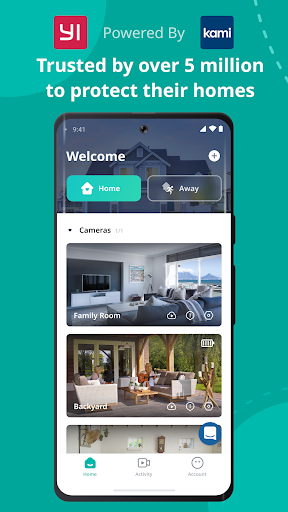
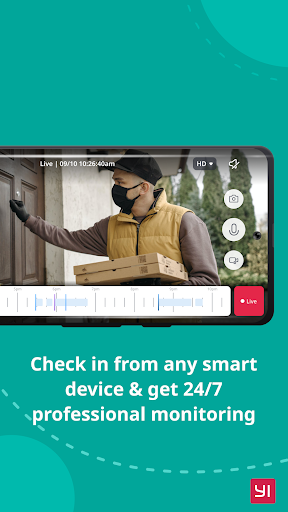
Control all your YI-connected devices in one place. YI Home app connects you with your family, pets, and things you love through real-time video and audio anytime, anywhere just a fingertip away.
With a simple tap on your mobile phone, you can initiate a 2-way conversation with your family remotely. Its specially designed microphone and speaker ensure loud and clear voice quality.
By simply panning your mobile phone left and right, a complete panoramic view will be displayed to provide a better viewing experience. The gyroscope support, integrated in the YI Home App, is able to follow the mobile phone orientation, making it easier to see every corner being monitored.
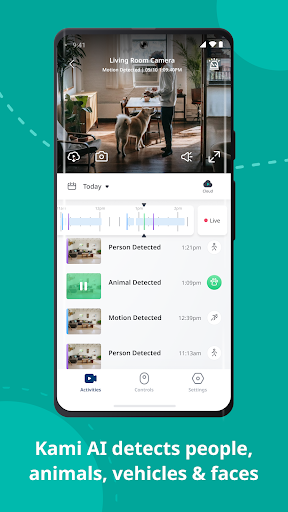
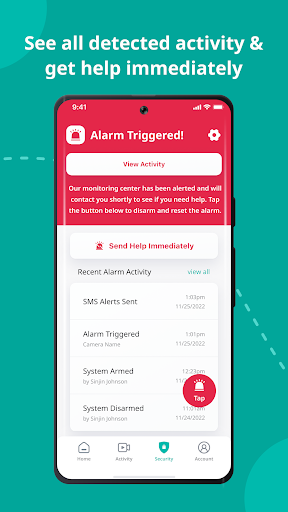
YI Home cameras always keep an eye on things that are important to you. With built-in high accuracy motion detection technology, the camera sends notifications to your YI Home app detailing what movement was detected so you always stay on top of things that you care about, instantly!
The YI camera can support up to 32GB SD card, it stores video and audio of special moments, fully indexed, for you to cherish at the touch of your fingertip. Best yet, a built-in mode triggers store actions only when image change is detected to achieve the best storage capacity optimization.
The adaptive streaming technology automatically adjusts to the optimal viewing quality based on your network conditions.
YI Home app supports all YI products.
Tampilkan Lebih banyak

1. Unduh dan instal MEmu APP

2. Menjalankan MEmu lalu buka Google Play di halaman

3. Cari Yi Home di Google Play
Install
4. Unduh dan instal Yi Home
5. Setelah insatl APP selesai,klik ikon untuk mulai

6. Nikmati bermain Yi Home di PC dengan MEmu
MEmu Play adalah emulator Android gratis terbaik dan 50 Juta orang sudah menikmati pengalaman luar biasa dalam Aplikasi Android. Teknologi virtualisasi MEmu memberi kekuasaan untuk memainkan ribuan Aplikasi Android dengan lancar di PC anda, bahkan Aplikasi dengan grafis yang paling tinggi.
Layar lebih besar dengan grafis yang lebih baik; durasi panjang, tanpa batasan baterai atau data seluler.
Didukung penuh oleh Pemetaan tombol yang lengkap untuk keakuratan kontrol keyboard dan mouse maupun gamepad.
Membuka beberapa akun game atau tugas di waktu yang sama hanya pada satu PC, dengan Multi-Instance manager.
Use Yi Home on PC by following steps: