Yi Home
Aktualisiert
Aktuelle Version
6.5.2_20241227111222
Angeboten von

Machen Sie sich keine Sorgen mehr über überhöhte Gebühren, wenn Sie Yi Home auf Ihrem Mobiltelefon verwenden, befreien Sie sich von dem winzigen Bildschirm und genießen Sie die Nutzung der App auf einem viel größeren Display. Von nun an können Sie Ihre App mit Tastatur und Maus im Vollbildmodus nutzen. MEmu bietet Ihnen all die überraschenden Funktionen, die Sie erwartet haben: schnelle Installation und einfache Einrichtung, intuitive Steuerung, keine Einschränkungen mehr durch Batterie, mobile Daten und störende Anrufe. Der brandneue MEmu 9 ist die beste Wahl für die Nutzung von Yi Home auf Ihrem Computer. Mit unserer Absorption kodiert, ermöglicht der Multi-Instanz-Manager die Eröffnung von 2 oder mehr Konten zur gleichen Zeit. Und das Wichtigste, unsere exklusive Emulations-Engine kann das volle Potenzial Ihres PCs freisetzen und alles reibungslos und angenehm gestalten.
Mehr anzeigen
Laden Sie Play Yi Home auf dem PC mit MEmu Android Emulator. Viel Spaß beim Spielen auf großmundieren. Control all your YI-connected devices in one place.
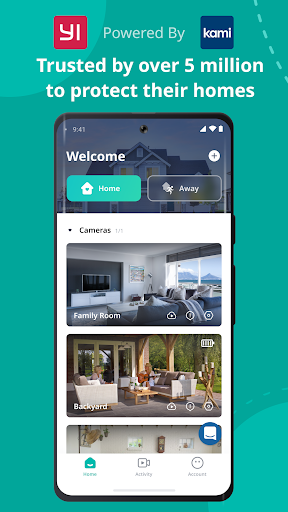
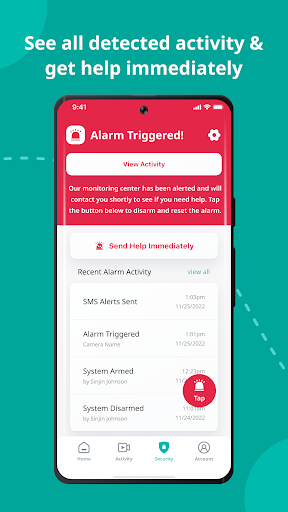
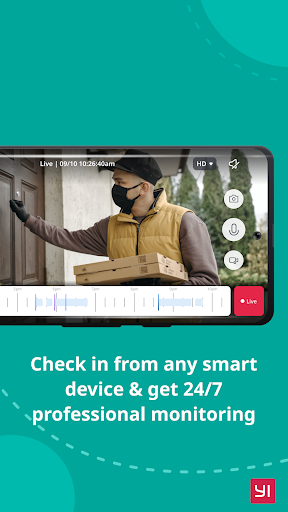
Control all your YI-connected devices in one place. YI Home app connects you with your family, pets, and things you love through real-time video and audio anytime, anywhere just a fingertip away.
With a simple tap on your mobile phone, you can initiate a 2-way conversation with your family remotely. Its specially designed microphone and speaker ensure loud and clear voice quality.
By simply panning your mobile phone left and right, a complete panoramic view will be displayed to provide a better viewing experience. The gyroscope support, integrated in the YI Home App, is able to follow the mobile phone orientation, making it easier to see every corner being monitored.
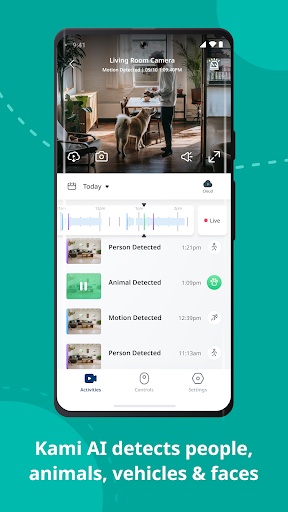
YI Home cameras always keep an eye on things that are important to you. With built-in high accuracy motion detection technology, the camera sends notifications to your YI Home app detailing what movement was detected so you always stay on top of things that you care about, instantly!
The YI camera can support up to 32GB SD card, it stores video and audio of special moments, fully indexed, for you to cherish at the touch of your fingertip. Best yet, a built-in mode triggers store actions only when image change is detected to achieve the best storage capacity optimization.
The adaptive streaming technology automatically adjusts to the optimal viewing quality based on your network conditions.
YI Home app supports all YI products.
Mehr anzeigen

1. Laden das MEmu-Installationsprogramm herunter und beenden die Installation

2. MEmu starten und Google Play auf der Homepage öffnen

3. Suchen Yi Home in Google Play
Install
4. Herunterladen und Installieren Yi Home
5. Klicken nach Abschluss der Installation auf das Symbol, um es zu starten

6. Verwenden Sie MEmu, um Yi Home auf Ihrem PC zu nutzen
MEmu Play ist aktuell der beste kostenlose Android-Emulator und bietet 50 Millionen Nutzern ein überragendes Android-App-Erlebnis. Dank der Virtualisierungstechnologie von MEmu können Sie Tausende von Android-Apps problemlos auf Ihrem Computer nutzen, selbst solche mit hohen Grafikanforderungen.
BGrößeres Bild mit besserer Grafik; Keine unterbrechungen, keine sorgen um Akku
Komplette Tastenbelegung unterstützt mit Maus und Tastatur oder Controller
Mit dem „Multi-Instance-Manager“ können Sie mehrere Spielkonten oder Spiele gleichzeitig auf einem PC ausführen.
Use Yi Home on PC by following steps: