
Dream Tycoon: Build & Decide
Aggiornata
Versione corrente
1.0.0.20
Offerta da

Vista tutta la passione dimostrata nel giocare a Dream Tycoon: Build & Decide, le tue mani non dovrebbero essere limitate al minuscolo schermo di un telefono. Gioca come un professionista e ottieni il pieno controllo del gioco con tastiera e mouse. MEmu ti offre tutto ciò che ti aspetti. Scarica e gioca a Dream Tycoon: Build & Decide su PC. Gioca quanto vuoi, niente più limitazioni di batteria, dati mobili e chiamate inquietanti. Il nuovissimo MEmu 9 è la scelta migliore per giocare a Dream Tycoon: Build & Decide su PC. Realizzato sulla base della nostra esperienza, lo squisito sistema di mappatura dei tasti preimpostati rende Dream Tycoon: Build & Decide un vero e proprio gioco per PC. MEmu è un gestore multi-instanza che permette di giocare con 2 o più account sullo stesso dispositivo. E la cosa più importante, il nostro esclusivo motore di emulazione può liberare tutto il potenziale del tuo PC, rendendo tutto fluido.
Mostra altro
Scarica Dream Tycoon: Build & Decide su PC con MEmu Android Emulator. Divertiti giocando sul grande schermo. Build Your Park.

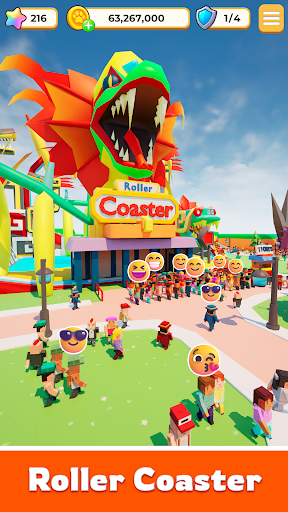
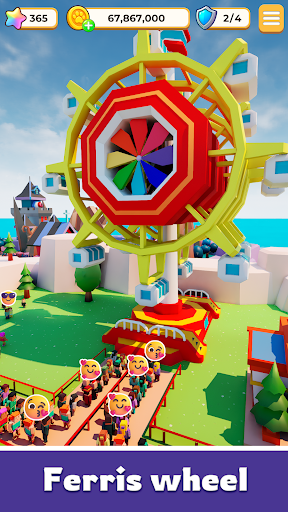
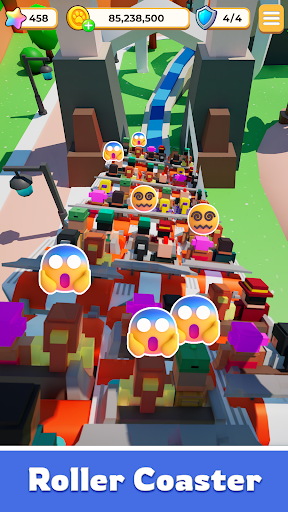
Build Your Park. Outsmart Fate. Rule the World.
Step into a world where every decision sets your story in motion.
Dream Tycoon isn’t just another simulation game—it’s where high-stakes strategy meets the thrill of the unexpected.
Design your layout, expand your empire, and watch as the world responds to your every move.
Your Strategy. Your Rules. Your Management.
Will you play it safe for steady growth, or go all-in for a legendary breakthrough?
Fate doesn’t decide for you—it reacts to you. Sometimes things go perfectly to plan; other times, a sudden twist changes everything.
Embrace the thrill. In this journey, the only constant is excitement.
Create a Landmark Worth Remembering
Build breathtaking attractions and iconic landmarks that draw massive crowds.
As you unlock hidden secrets and expand your reach, your park evolves from a simple project into a living, breathing empire with a soul. Every choice you make leaves a permanent mark.
High-Stakes Social Action & Strategy
● Friends or Rivals?
Meet a cast of colorful characters on your journey. Some are here to help you grow—others are just targets waiting for you to strike first and claim rewards.
● Play Your Way, Any Time.
Whether you have five minutes to make a power move or an hour to perfect your empire, the game fits your pace.
Fate Doesn’t Choose the Path. It Responds to You.
The opportunity is right in front of you. The gates are open.
Start your Dream Tycoon legacy today!
Mostra altro

1. Scarica il programma di installazione di MEmu e completa l'installazione

2. Avvia il Memu e apri il Google Play sulla homepage

3. Cerca Dream Tycoon: Build & Decide in Google Play
Install
4. Scarica e installa Dream Tycoon: Build & Decide
5. Al termine dell'installazione, fai clic sull'icona per avviar

6. Divertiti giocando a Dream Tycoon: Build & Decide su PC con MEmu
MEmu App Player è il miglior emulatore Android gratuito, utilizzato da 50 milioni di persone per ottenere un'esperienza di gioco Android superba. La tecnilogia di virtualizzazione MEmu ti permette di giocare a migliaia di giochi Android con semplicità sul tuo computer, anche i giochi con la grafica più esigente.
Schermo più grande con una grafica migliore; Lunga durata, senza limitazione di batteria o dati mobili.
Supporto completo per mappa di tastiera per un controllo preciso di tastiera e mouse o gamepad.
Multipli account di gioco o attività su un singolo PC contemporaneamente con il gestore di multi istanza.
Play Dream Tycoon: Build & Decide on PC by following steps: