Dream Tycoon: Build & Decide
Diupdate
Versi Saat Ini
Ditawarkan Oleh

Dengan sepenuh kebulatan hati Anda dalam memainkan Dream Tycoon: Build & Decide, tangan Anda tak seharusnya hanya terbatas pada layar kecil handphone Anda.Bermainlah layaknya seorang profesional dan dapatkan kendali penuh dalam permainan Anda dengan papan ketik dan tetikus.MEmu menawarkan seluruh hal yang Anda harapkan.Unduh dan mainkan Dream Tycoon: Build & Decide pada PC. Bermainlah selama yang Anda inginkan, tanpa keterbatasan dari baterai, data seluler dan panggilan yang mengganggu.MEmu 9 baru merupakan pilihan terbaik untuk memainkan Dream Tycoon: Build & Decide pada PC. Dipersiapkan bersama teknologi ahli kami, sistem pemetaan kunci preset yang canggih menjadikan Dream Tycoon: Build & Decide sebagai permainan PC sejati.Manajer banyak hal dari MEmu memungkinkan Anda untuk memainkan 2 atau banyak akun pada perangkat yang sama.Dan yang terpenting, mesin emulasi eksklusif kami bisa melepaskan potensi penuh PC Anda, membuat segalanya berjalan lancar.
Tampilkan Lebih banyak
Unduh Dream Tycoon: Build & Decide di PC dengan Emulator Android MEmu. Nikmati permainan pada layar yang besar. Build Your Park.

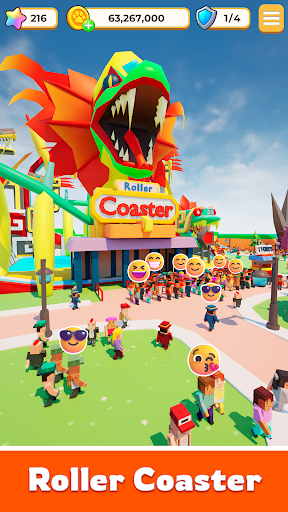
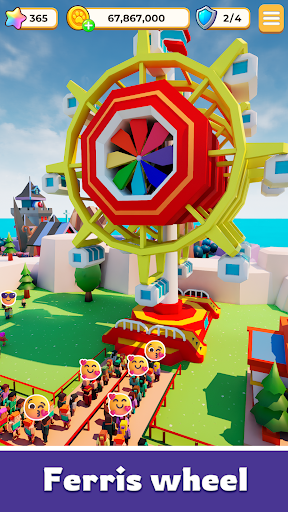
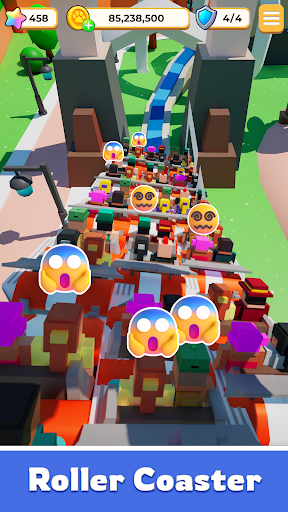
Build Your Park. Outsmart Fate. Rule the World.
Step into a world where every decision sets your story in motion.
Dream Tycoon isn’t just another simulation game—it’s where high-stakes strategy meets the thrill of the unexpected.
Design your layout, expand your empire, and watch as the world responds to your every move.
Your Strategy. Your Rules. Your Management.
Will you play it safe for steady growth, or go all-in for a legendary breakthrough?
Fate doesn’t decide for you—it reacts to you. Sometimes things go perfectly to plan; other times, a sudden twist changes everything.
Embrace the thrill. In this journey, the only constant is excitement.
Create a Landmark Worth Remembering
Build breathtaking attractions and iconic landmarks that draw massive crowds.
As you unlock hidden secrets and expand your reach, your park evolves from a simple project into a living, breathing empire with a soul. Every choice you make leaves a permanent mark.
High-Stakes Social Action & Strategy
● Friends or Rivals?
Meet a cast of colorful characters on your journey. Some are here to help you grow—others are just targets waiting for you to strike first and claim rewards.
● Play Your Way, Any Time.
Whether you have five minutes to make a power move or an hour to perfect your empire, the game fits your pace.
Fate Doesn’t Choose the Path. It Responds to You.
The opportunity is right in front of you. The gates are open.
Start your Dream Tycoon legacy today!
Tampilkan Lebih banyak

1. Unduh dan instal MEmu APP

2. Menjalankan MEmu lalu buka Google Play di halaman

3. Cari Dream Tycoon: Build & Decide di Google Play
Install
4. Unduh dan instal Dream Tycoon: Build & Decide
5. Setelah insatl APP selesai,klik ikon untuk mulai

6. Nikmati bermain Dream Tycoon: Build & Decide di PC dengan MEmu
MEmu App Player adalah emulator Android gratis terbaik dan 50 Juta orang sudah menikmati pengalaman luar biasa dalam bermain gim Android. Teknologi virtualisasi MEmu memberi kekuasaan untuk memainkan ribuan gim Android dengan lancar di PC anda, bahkan gim dengan grafis yang paling tinggi.
Layar lebih besar dengan grafis yang lebih baik; durasi panjang, tanpa batasan baterai atau data seluler.
Didukung penuh oleh Pemetaan tombol yang lengkap untuk keakuratan kontrol keyboard dan mouse maupun gamepad.
Membuka beberapa akun game atau tugas di waktu yang sama hanya pada satu PC, dengan Multi-Instance manager.
Play Dream Tycoon: Build & Decide on PC by following steps: