Guild Wars® Reforged
Aggiornata
Versione corrente
1.1.4
Offerta da

Vista tutta la passione dimostrata nel giocare a Guild Wars® Reforged, le tue mani non dovrebbero essere limitate al minuscolo schermo di un telefono. Gioca come un professionista e ottieni il pieno controllo del gioco con tastiera e mouse. MEmu ti offre tutto ciò che ti aspetti. Scarica e gioca a Guild Wars® Reforged su PC. Gioca quanto vuoi, niente più limitazioni di batteria, dati mobili e chiamate inquietanti. Il nuovissimo MEmu 9 è la scelta migliore per giocare a Guild Wars® Reforged su PC. Realizzato sulla base della nostra esperienza, lo squisito sistema di mappatura dei tasti preimpostati rende Guild Wars® Reforged un vero e proprio gioco per PC. MEmu è un gestore multi-instanza che permette di giocare con 2 o più account sullo stesso dispositivo. E la cosa più importante, il nostro esclusivo motore di emulazione può liberare tutto il potenziale del tuo PC, rendendo tutto fluido.
Mostra altro
Scarica Guild Wars® Reforged su PC con MEmu Android Emulator. Divertiti giocando sul grande schermo. Vivi un'avventura fantasy in Guild Wars Reforged, il pluripremiato MMORPG (Massively Multiplayer Online Role-Player Game) amato da milioni di giocatori, ora rinnovato con miglioramenti al sistema e ottimizzato per dispositivi mobili.
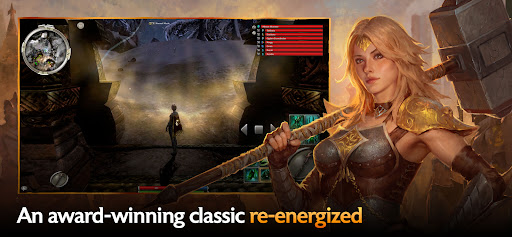
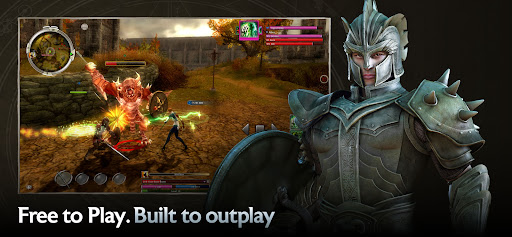
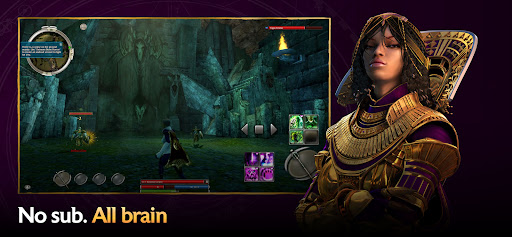
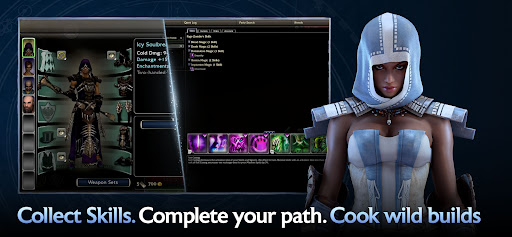
Vivi un'avventura fantasy in Guild Wars Reforged, il pluripremiato MMORPG (Massively Multiplayer Online Role-Player Game) amato da milioni di giocatori, ora rinnovato con miglioramenti al sistema e ottimizzato per dispositivi mobili. Vivi l'intera saga: dalla caduta di Ascalon alla disperata resistenza contro il Calar della Notte, ogni campagna è un capitolo epico della storia di Tyria. E grazie al cross-play e alla progressione incrociata, potrai giocare come e quando vuoi.
Scegli la tua avventura: storie incredibili ti aspettano in 3 enormi campagne parallele. Esplora centinaia di missioni, incarichi impegnativi, sorprese degli eventi festivi e molto altro!
Scegli il tuo personaggio: crea personaggi unici scegliendo tra dieci professioni e personalizza il tuo stile di gioco combinando set di armature, armi e migliaia di abilità. Mentre ti avventuri, esplori nuove terre e conquisti nuovi nemici, il tuo arsenale di abilità crescerà.
Scegli i tuoi alleati: unisciti ad altri giocatori, crea una squadra di fidati scagnozzi NPC o recluta eroi personalizzabili che si uniranno a te in divertenti battaglie tattiche. Scegli la tua sfida: metti alla prova la tua squadra contro altri giocatori in modalità PvP, oppure completa una campagna PvE per cimentarti con le versioni in modalità difficile di mappe e missioni.
©2005-2026 ArenaNet, LLC. Tutti i diritti riservati. Tutti i marchi sono di proprietà dei rispettivi proprietari.
Mostra altro

1. Scarica il programma di installazione di MEmu e completa l'installazione

2. Avvia il Memu e apri il Google Play sulla homepage

3. Cerca Guild Wars® Reforged in Google Play
Install
4. Scarica e installa Guild Wars® Reforged
5. Al termine dell'installazione, fai clic sull'icona per avviar

6. Divertiti giocando a Guild Wars® Reforged su PC con MEmu
MEmu App Player è il miglior emulatore Android gratuito, utilizzato da 50 milioni di persone per ottenere un'esperienza di gioco Android superba. La tecnilogia di virtualizzazione MEmu ti permette di giocare a migliaia di giochi Android con semplicità sul tuo computer, anche i giochi con la grafica più esigente.
Schermo più grande con una grafica migliore; Lunga durata, senza limitazione di batteria o dati mobili.
Supporto completo per mappa di tastiera per un controllo preciso di tastiera e mouse o gamepad.
Multipli account di gioco o attività su un singolo PC contemporaneamente con il gestore di multi istanza.
Play Guild Wars® Reforged on PC by following steps: