Guild Wars® Reforged
Zaktualizowano
Aktualna wersja
1.1.4
Sprzedawca

Przy całej swojej pasji do grania w Guild Wars® Reforged, twoje ręce nie powinny być ograniczone na małym ekranie telefonu. Graj jak zawodowiec i uzyskaj pełną kontrolę nad grą za pomocą klawiatury i myszy. MEmu oferuje ci wszystko, czego oczekujesz. Pobierz i graj Guild Wars® Reforged na PC. Graj tak długo, jak chcesz, bez ograniczeń baterii, danych komórkowych i niepokojących połączeń. Zupełnie nowy MEmu 9 to najlepszy wybór do grania w Guild Wars® Reforged na PC. Przygotowany dzięki naszej wiedzy, znakomity, wstępnie ustawiony system mapowania klawiszy sprawia, że Guild Wars® Reforged jest prawdziwą grą na PC. Zakodowany naszą absorpcją, menedżer wielu instancji umożliwia granie na 2 lub więcej kontach na tym samym urządzeniu. A co najważniejsze, nasz emulator może uwolnić pełny potencjał twojego komputera, sprawić, że wszystko będzie płynne. Dbamy nie tylko o to, jak grasz, ale także o cały proces czerpania radości z grania.
Pokaż więcej
Ciesz się wspaniałym doświadczeniem podczas grania w Guild Wars® Reforged na komputerze z aplikacją MEMU App Player. Jest to potężny darmowy emulator Androida pozwalający grać w tysiące gier na Androida. Przeżyj fantastyczną przygodę w Guild Wars Reforged, wielokrotnie nagradzanej, WIELOOSOBOWEJ GRZE RPG ONLINE, którą uwielbiają miliony, teraz wzbogaconej o ulepszenia systemowe i dostosowanej do rozgrywki mobilnej.
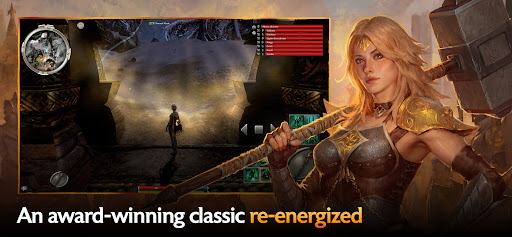
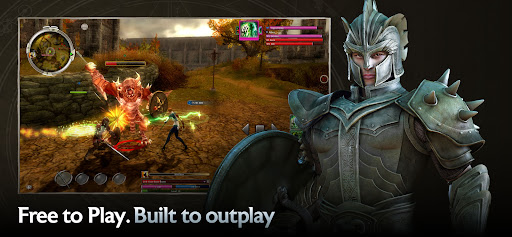
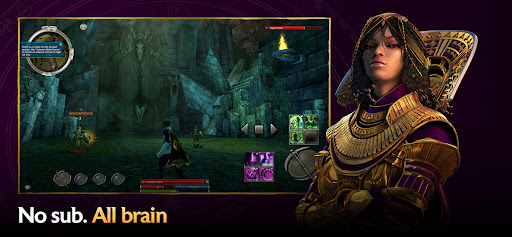
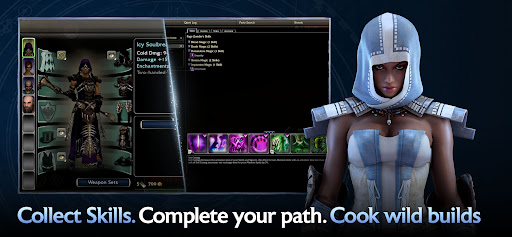
Przeżyj fantastyczną przygodę w Guild Wars Reforged, wielokrotnie nagradzanej, WIELOOSOBOWEJ GRZE RPG ONLINE, którą uwielbiają miliony, teraz wzbogaconej o ulepszenia systemowe i dostosowanej do rozgrywki mobilnej. Przeżyj całą sagę: od upadku Askalonu po desperacką walkę z Nightfall, każda kampania to epicki rozdział w historii Tyrii. A dzięki pełnej rozgrywce międzyplatformowej i możliwościom rozwoju postaci, będziesz grać tak, jak chcesz i kiedy chcesz.
Wybierz swoją przygodę: Niesamowite historie czekają na Ciebie w trzech rozległych, równoległych kampaniach. Odkryj setki zadań, wymagających misji, niespodzianek związanych ze świętami i wiele więcej!
Wybierz swoją postać: Twórz unikalne postacie z dziesięciu profesji i personalizuj rozgrywkę, łącząc zestawy zbroi, broń i tysiące umiejętności. W miarę przygód, eksploracji nowych krain i podbijania kolejnych wrogów, Twój arsenał umiejętności będzie się powiększał.
Wybierz sojuszników: Połącz siły z innymi graczami, stwórz drużynę niezawodnych NPC-ów lub zrekrutuj konfigurowalnych bohaterów, którzy dołączą do Ciebie w zabawnych, taktycznych bitwach.
Wybierz wyzwanie: Sprawdź siłę swojej drużyny w starciu z innymi graczami w trybie PvP — lub ukończ kampanię PvE, aby sprawdzić się w wersjach map i misji w trybie trudnym.
©2005-2026 ArenaNet, LLC. Wszelkie prawa zastrzeżone. Wszystkie znaki towarowe są własnością ich odpowiednich właścicieli.
Pokaż więcej

1. Pobierz instalator MEmu i zakończ instalację

2. Uruchom MEmu, a następnie otwórz Google Play na pulpicie

3. Wyszukaj Guild Wars® Reforged w Google Play
Install
4. Pobierz i zainstaluj Guild Wars® Reforged
5. Po zakończeniu instalacji kliknij ikonę, aby rozpocząć

6. Ciesz się grą Guild Wars® Reforged na PC z MEmu
MEmu Play to najlepszy emulator Androida, a 100 milionów ludzi już korzysta z jego i dosta doskonałe wrażenia z gier na Androida. Technologia wirtualizacji MEmu umożliwia płynne granie w tysiące gier Androida na komputerze, nawet tych najbardziej wymagających grafiki.
Większy ekran z lepszą grafiką; Długi czas, bez ograniczeń baterii lub danych mobilnych.
Pełna obsługa mapowania klawiszy dla precyzyjnego sterowania klawiaturą i myszą lub gamepadem.
Wiele kont gier lub zadań na jednym komputerze jednocześnie z menedżerem wielu instancji.
Play Guild Wars® Reforged on PC by following steps: