Guild Wars® Reforged
Оновлено
Поточна версія
1.1.4
Постачальник

Перестаньте турбуватися про надмірні витрати, використовуючи ххх на своєму мобільному телефоні, звільніться від крихітного екрану і насолоджуйтеся використанням програми на набагато більшому дисплеї. Відтепер отримуйте повний екран свого додатка за допомогою клавіатури та миші. MEmu пропонує вам усі дивовижні функції, які ви очікували: швидка установка та просте налаштування, інтуїтивно зрозумілі елементи керування, більше обмежень від акумулятора, мобільних даних та тривожних дзвінків. Новий MEmu 9 - найкращий вибір використання Guild Wars® Reforged на вашому комп’ютері. За допомогою нашого поглинання менеджер із кількома примірниками одночасно дозволяє відкрити 2 або більше рахунків. І найголовніше, наш ексклюзивний емуляційний двигун може вивільнити весь потенціал вашого ПК, зробити все гладким і приємним.
Show more
Насолоджуйтесь чудовим досвідом Guild Wars® Reforged гри на ПК за допомогою програми MEMU App Player. Це потужний безкоштовний емулятор Android, який дозволяє вам грати в тисячі ігор Android. Переживіть фентезійну пригоду в Guild Wars Reforged, нагородженій МАСОВІЙ БАГАТОГРАВЕЦЬКІЙ ОНЛАЙН-РОЛЬОВІЙ ГРІ, якою насолоджуються мільйони людей, тепер оновленій завдяки покращенням системи та покращеній для мобільних пристроїв.
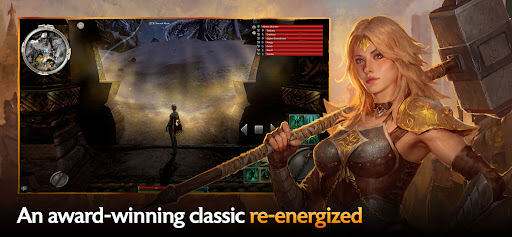
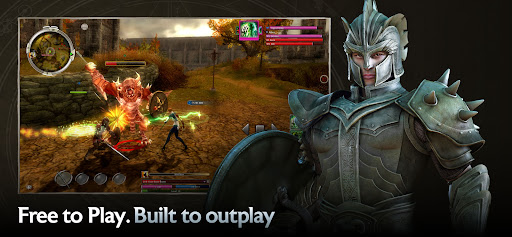
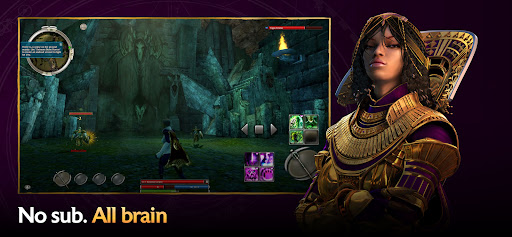
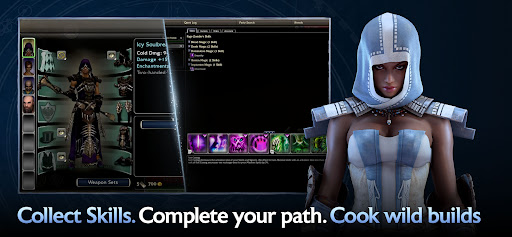
Переживіть фентезійну пригоду в Guild Wars Reforged, нагородженій МАСОВІЙ БАГАТОГРАВЕЦЬКІЙ ОНЛАЙН-РОЛЬОВІЙ ГРІ, якою насолоджуються мільйони людей, тепер оновленій завдяки покращенням системи та покращеній для мобільних пристроїв. Відчуйте повну сагу: від падіння Аскалона до відчайдушного протистояння Нічфоллу, кожна кампанія — це епічний розділ історії Тірії. А завдяки повній крос-грі та крос-прогресу ви гратимете так, як хочете і коли хочете.
Оберіть свою пригоду: Неймовірні історії чекають на вас у 3 масштабних паралельних кампаніях. Досліджуйте сотні квестів, складні місії, сюрпризи святкових подій та багато іншого!
Оберіть свою збірку: Створюйте унікальні збірки з десяти професій та персоналізуйте свій ігровий процес, поєднуючи набори броні, зброю та тисячі навичок. У міру пригод, дослідження нових земель та перемагання нових ворогів ваш арсенал здібностей зростатиме.
Оберіть своїх союзників: Об'єднуйтесь з іншими гравцями, створюйте команду надійних NPC-поплічників або наймайте налаштовуваних героїв, щоб приєднатися до вас у веселих тактичних битвах.
Оберіть своє завдання: перевірте свою команду на витривалість проти інших гравців у PvP або пройдіть PvE-кампанію, щоб випробувати себе у складних версіях карт та місій.
©2005-2026 ArenaNet, LLC. Усі права захищено. Усі торгові марки є власністю їхніх відповідних власників.
Show more

1. Download MEmu installer and finish the setup

2. Start MEmu then open Google Play on the desktop

3. Search Guild Wars® Reforged in Google Play
Install
4. Download and Install Guild Wars® Reforged
5. On install completion click the icon to start

6. Enjoy playing Guild Wars® Reforged on PC with MEmu
MEmu App Player є кращим безкоштовним емулятором Android, і 50 мільйонів людей вже користуються його чудовим ігровим досвідом Android. Технологія віртуалізації MEmu дає вам змогу відтворювати тисячі ігор Android на вашому комп'ютері, навіть найбільш насичених графікою.
Bigger screen with better graphics; Long duration, without limitation of battery or mobile data.
Full Keymapping support for precise control of keyboard and mouse or gamepad.
Multiple game accounts or tasks on single PC at one time with Multi-Instance manager.
Play Guild Wars® Reforged on PC by following steps: