Ragnarok: Rebirth
Aggiornata
Versione corrente
Offerta da

Vista tutta la passione dimostrata nel giocare a Ragnarok: Rebirth, le tue mani non dovrebbero essere limitate al minuscolo schermo di un telefono. Gioca come un professionista e ottieni il pieno controllo del gioco con tastiera e mouse. MEmu ti offre tutto ciò che ti aspetti. Scarica e gioca a Ragnarok: Rebirth su PC. Gioca quanto vuoi, niente più limitazioni di batteria, dati mobili e chiamate inquietanti. Il nuovissimo MEmu 9 è la scelta migliore per giocare a Ragnarok: Rebirth su PC. Realizzato sulla base della nostra esperienza, lo squisito sistema di mappatura dei tasti preimpostati rende Ragnarok: Rebirth un vero e proprio gioco per PC. MEmu è un gestore multi-instanza che permette di giocare con 2 o più account sullo stesso dispositivo. E la cosa più importante, il nostro esclusivo motore di emulazione può liberare tutto il potenziale del tuo PC, rendendo tutto fluido.
Mostra altro
Scarica Ragnarok: Rebirth su PC con MEmu Android Emulator. Divertiti giocando sul grande schermo. Officially licensed by Gravity.
Officially licensed by Gravity.
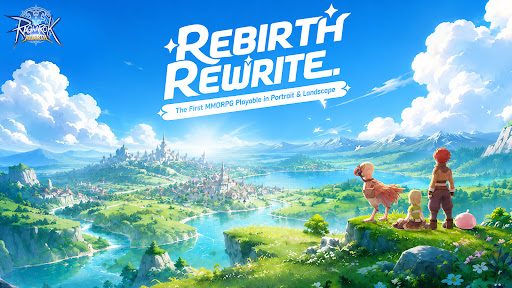
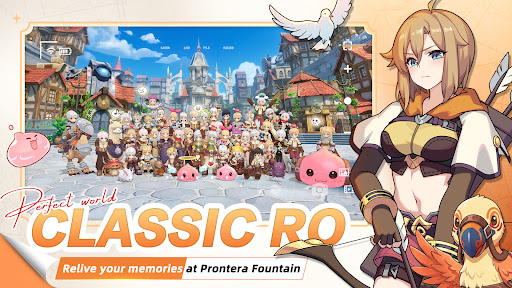
Midgard is back — rebuilt from the ground up, and it feels exactly like you remember.
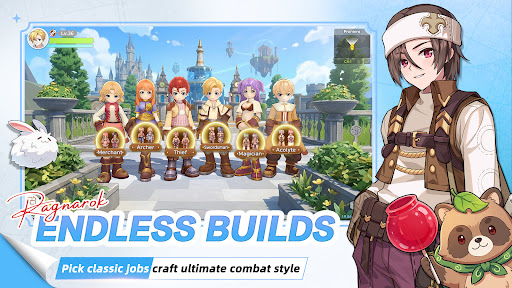
Six Classes
Relive the maps, the monsters, the madness. Six iconic classes return, and this time there are no locked paths. Customize your skills, switch jobs freely, and build the character you always wanted to play.
MVP Hunt
MVPs aren't just bosses here — they're your hunting grounds. Take them down and walk away with rare cards, exclusive headgear, and loot that actually means something on the server.
Serverwide Auctions
Rare gear enters Diamond Auctions, with open bidding, secret bids, and final PK rounds. Watch intense serverwide auctions, send gifts to cheer bidders on, and see who claims the legendary loot.
Pet Dispatch EXP
Send your pets on dispatch, close the app, and come back to EXP for your character. No monster grinding for levels — your pet squad does the leveling work for you.
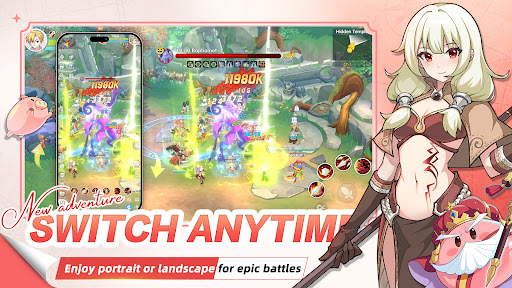
Play Your Way
Portrait or landscape — switch in one second. Whether you have five minutes or five hours, the game fits around you.
The legend you grew up with. Reborn.
Your guild is waiting.
Mostra altro

1. Scarica il programma di installazione di MEmu e completa l'installazione

2. Avvia il Memu e apri il Google Play sulla homepage

3. Cerca Ragnarok: Rebirth in Google Play
Install
4. Scarica e installa Ragnarok: Rebirth
5. Al termine dell'installazione, fai clic sull'icona per avviar

6. Divertiti giocando a Ragnarok: Rebirth su PC con MEmu
MEmu App Player è il miglior emulatore Android gratuito, utilizzato da 50 milioni di persone per ottenere un'esperienza di gioco Android superba. La tecnilogia di virtualizzazione MEmu ti permette di giocare a migliaia di giochi Android con semplicità sul tuo computer, anche i giochi con la grafica più esigente.
Schermo più grande con una grafica migliore; Lunga durata, senza limitazione di batteria o dati mobili.
Supporto completo per mappa di tastiera per un controllo preciso di tastiera e mouse o gamepad.
Multipli account di gioco o attività su un singolo PC contemporaneamente con il gestore di multi istanza.
Play Ragnarok: Rebirth on PC by following steps: