Ragnarok: Rebirth
अपडेट किया गया
वर्तमान वर्शन
संसाधन

अपने सेलफोन पर Ragnarok: Rebirth का उपयोग करते समय ओवरचार्ज के बारे में चिंता करना बंद करें, अपने आप को छोटी स्क्रीन से मुक्त करें और बहुत बड़े डिस्प्ले पर ऐप का उपयोग करने का आनंद लें। अब से, कीबोर्ड और माउस के साथ अपने ऐप का पूर्ण-स्क्रीन अनुभव प्राप्त करें। एमईएमयू आपको उन सभी आश्चर्यजनक सुविधाओं की पेशकश करता है जिनकी आपको उम्मीद थी: त्वरित इंस्टॉल और आसान सेटअप, सहज नियंत्रण, बैटरी की कोई सीमा नहीं, मोबाइल डेटा और परेशान कॉल। आपके कंप्यूटर पर Ragnarok: Rebirth का उपयोग करने का सबसे अच्छा विकल्प नया MEmu 9 है। हमारे अवशोषण के साथ कोडित, बहु-उदाहरण प्रबंधक एक ही समय में 2 या अधिक खाते खोलना संभव बनाता है। और सबसे महत्वपूर्ण, हमारा अनन्य उत्सर्जन इंजन आपके पीसी की पूरी क्षमता को जारी कर सकता है, सब कुछ सुचारू और सुखद बना सकता है।
और दिखाएं
डाउनलोड करें Ragnarok: Rebirth पीसी पर MEmu एंड्रॉयड एमुलेटर के साथ बड़े पर्दे पर खेलने का आनंद लें। Officially licensed by Gravity.
Officially licensed by Gravity.
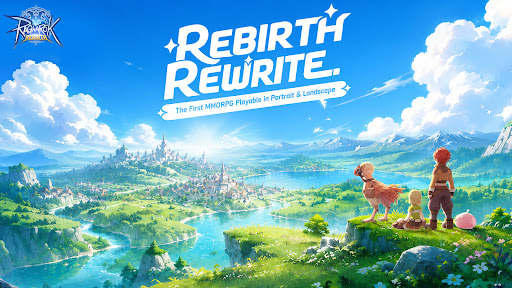
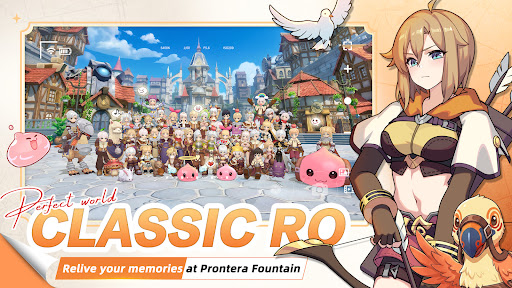
Midgard is back — rebuilt from the ground up, and it feels exactly like you remember.
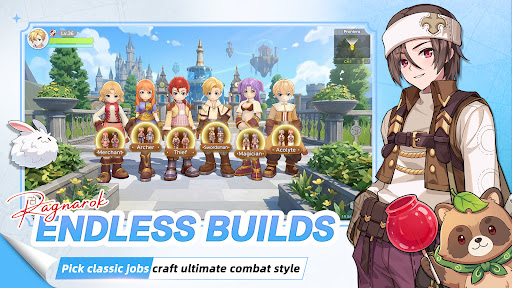
Six Classes
Relive the maps, the monsters, the madness. Six iconic classes return, and this time there are no locked paths. Customize your skills, switch jobs freely, and build the character you always wanted to play.
MVP Hunt
MVPs aren't just bosses here — they're your hunting grounds. Take them down and walk away with rare cards, exclusive headgear, and loot that actually means something on the server.
Serverwide Auctions
Rare gear enters Diamond Auctions, with open bidding, secret bids, and final PK rounds. Watch intense serverwide auctions, send gifts to cheer bidders on, and see who claims the legendary loot.
Pet Dispatch EXP
Send your pets on dispatch, close the app, and come back to EXP for your character. No monster grinding for levels — your pet squad does the leveling work for you.
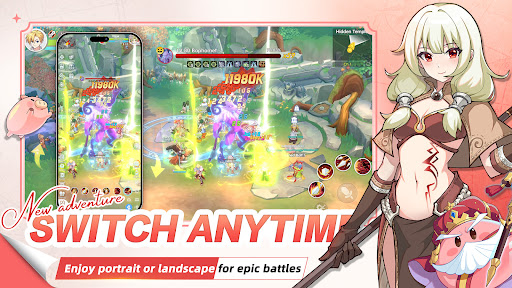
Play Your Way
Portrait or landscape — switch in one second. Whether you have five minutes or five hours, the game fits around you.
The legend you grew up with. Reborn.
Your guild is waiting.
और दिखाएं

1. MEmu इंस्टॉलर को डाउनलोड करें और इंस्टॉलेशन को पूरा करें

2. MEmu शुरू करें फिर होमपेज पर Google Play खोलें

3. Google Play में Ragnarok: Rebirth खोजें
Install
4. Ragnarok: Rebirth डाउनलोड कर इंस्टॉल करें
5. इंस्टॉल पूरा होने पर आइकन दबाएं

6. MEmu से पीसी पर Ragnarok: Rebirth खेलने का आनंद लें
MEmu Play सबसे बेहतरीन मुफ़्त Android एमुलेटर है और 5 करोड़ लोग पहले ही इसके शानदार Android गेमिंग अनुभव का आनंद ले चुके हैं। MEmu 9 वर्चुअलाइज़ेशन तकनीक आपको अपने PC पर हज़ारों Android गेम, यहाँ तक कि सबसे ज़्यादा ग्राफ़िक्स वाले गेम भी, आसानी से खेलने की सुविधा देती है।
असीमित बैटरी या मोबाइल डेटा के साथ बेहतर ग्राफिक्स के साथ बड़ी स्क्रीन; लंबी अवधि।
कीबोर्ड और माउस या गेमपैड के उत्तम नियंत्रण के लिए संपूर्ण कीमैपिंग का समर्थन करता हैं।
एक ही पीसी पर मल्टी-इंस्टेंस मैनेजर के साथ एक समय में कई गेम खाते या कार्य कर सकते हैं।
Play Ragnarok: Rebirth on PC by following steps: