Ragnarok: Rebirth
更新日
現在のバージョン
提供元

スマホ不要!プロ選手のようにキーボードとマウスで操作しよう。MEmuエミュはあなたにすべての期待を与える。電池が切れてしまうとか画面が小さいとかの問題を心配する必要がなくて、存分Ragnarok: Rebirthを楽しんでください。新しいMEmuエミュ7はPCでRagnarok: Rebirthをプレイするのに最適!完璧なキーマッピングシステムにより、まるでパソコンゲームみたい。マルチインスタンスで複数のゲームやアプリを同時に実行!唯一無二な仮想化エンジンがパソコンの可能性を最大限になる。遊べるだけでなく、より楽しめる!
もっと見る
Ragnarok: RebirthをPCでダウンロード!大画面でより楽しむ。電源が落ちてしまうとか通信料が足りないとかの問題を心配する必要がなく、PCの大画面でより快適にゲームを楽しましょう! Officially licensed by Gravity.
Officially licensed by Gravity.
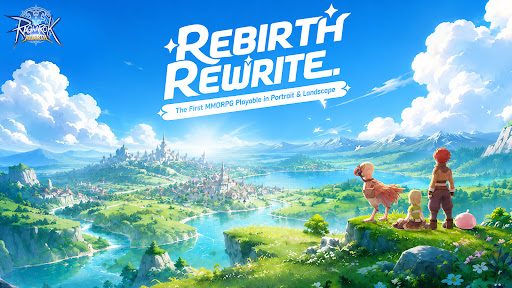
Midgard is back — rebuilt from the ground up, and it feels exactly like you remember.
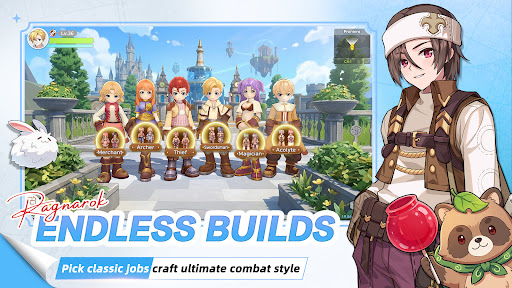
Six Classes
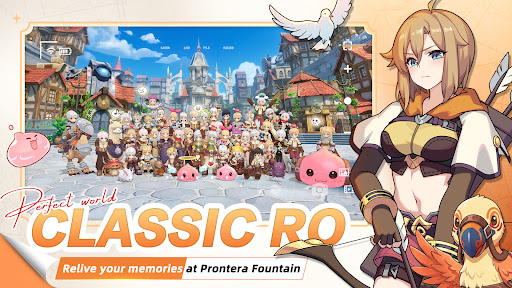
Relive the maps, the monsters, the madness. Six iconic classes return, and this time there are no locked paths. Customize your skills, switch jobs freely, and build the character you always wanted to play.
MVP Hunt
MVPs aren't just bosses here — they're your hunting grounds. Take them down and walk away with rare cards, exclusive headgear, and loot that actually means something on the server.
Serverwide Auctions
Rare gear enters Diamond Auctions, with open bidding, secret bids, and final PK rounds. Watch intense serverwide auctions, send gifts to cheer bidders on, and see who claims the legendary loot.
Pet Dispatch EXP
Send your pets on dispatch, close the app, and come back to EXP for your character. No monster grinding for levels — your pet squad does the leveling work for you.
Play Your Way
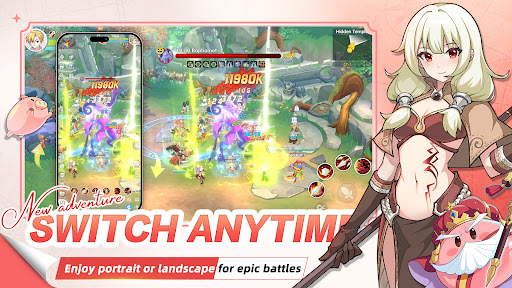
Portrait or landscape — switch in one second. Whether you have five minutes or five hours, the game fits around you.
The legend you grew up with. Reborn.
Your guild is waiting.
もっと見る

1. MEmuインストーラーをダウンロードしてセットアップを完了する

2. MEmuを起動し、デスクトップでのPlayストアを開く

3. PlayストアでRagnarok: Rebirthを検索する
Install
4. Ragnarok: Rebirthをダウンロードしてインストールする
5. インストールが完了したら、アイコンをクリックしてスタート

6. MEmuを使用してPCでRagnarok: Rebirthを楽しむ
MEmu App Playerは最高の無料で提供されるAndroidエミュレータで、5,000万人がすでに優れたAndroidゲーム体験を楽しんでいます。 MEmuの仮想化技術は、あなたのPCで何千ものAndroidゲームを快適にプレイすることを可能にします。
大画面でより精細;無限の待機、電池とドラフィックの極限を超え
キーボード・マウス・コントローラーを全力でサポート、より快適
マルチインスタンスで複数のゲームを同時に実行
Play Ragnarok: Rebirth on PC by following steps: