RunOut - Hothead Paws
Aggiornata
Versione corrente
1.0.0.434
Offerta da

Vista tutta la passione dimostrata nel giocare a RunOut - Hothead Paws, le tue mani non dovrebbero essere limitate al minuscolo schermo di un telefono. Gioca come un professionista e ottieni il pieno controllo del gioco con tastiera e mouse. MEmu ti offre tutto ciò che ti aspetti. Scarica e gioca a RunOut - Hothead Paws su PC. Gioca quanto vuoi, niente più limitazioni di batteria, dati mobili e chiamate inquietanti. Il nuovissimo MEmu 9 è la scelta migliore per giocare a RunOut - Hothead Paws su PC. Realizzato sulla base della nostra esperienza, lo squisito sistema di mappatura dei tasti preimpostati rende RunOut - Hothead Paws un vero e proprio gioco per PC. MEmu è un gestore multi-instanza che permette di giocare con 2 o più account sullo stesso dispositivo. E la cosa più importante, il nostro esclusivo motore di emulazione può liberare tutto il potenziale del tuo PC, rendendo tutto fluido.
Mostra altro
Scarica RunOut - Hothead Paws su PC con MEmu Android Emulator. Divertiti giocando sul grande schermo. Join the chaos in RunOut – the ultimate multiplayer party game!
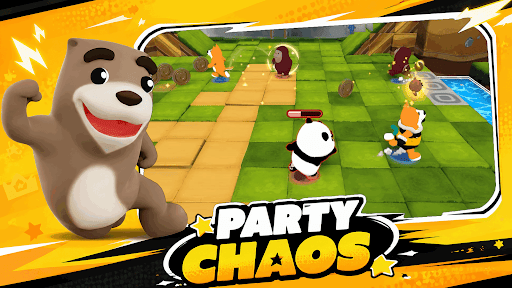

Join the chaos in RunOut – the ultimate multiplayer party game!
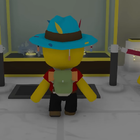
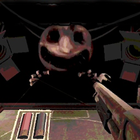
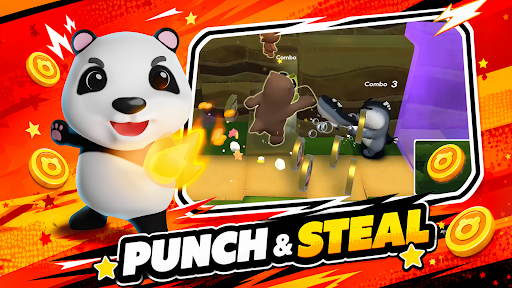
RunOut is a wild, fast-paced party game where cute yet mischievous animal characters compete in hilarious minigames, steal coins, and sabotage friends for the win. It’s a game of friendship… and betrayal!
Run, Smash, Survive!
Dive into chaotic levels where every step counts. Dodge traps, outrun hazards, and knock your friends out of the way to grab the win!
Challenge & Trick Your Friends
Enjoy unpredictable minigames that test your memory, reflexes, and sneakiness. You’ll never play the same round twice.
Customize Your Style
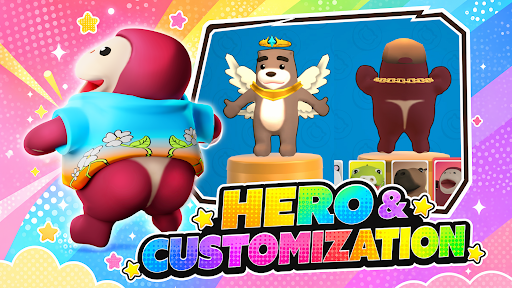
Unlock tons of funny outfits, skins, and accessories to show off your unique vibe.
Meet the Crew
Play as Cappy, Croco, Slowy, and more! Each character comes with their own personality and special skills.
No Mercy, Just Fun!
Sabotage your friends, steal their coins, and laugh your way to victory.
Mostra altro

1. Scarica il programma di installazione di MEmu e completa l'installazione

2. Avvia il Memu e apri il Google Play sulla homepage

3. Cerca RunOut - Hothead Paws in Google Play
Install
4. Scarica e installa RunOut - Hothead Paws
5. Al termine dell'installazione, fai clic sull'icona per avviar

6. Divertiti giocando a RunOut - Hothead Paws su PC con MEmu
MEmu App Player è il miglior emulatore Android gratuito, utilizzato da 50 milioni di persone per ottenere un'esperienza di gioco Android superba. La tecnilogia di virtualizzazione MEmu ti permette di giocare a migliaia di giochi Android con semplicità sul tuo computer, anche i giochi con la grafica più esigente.
Schermo più grande con una grafica migliore; Lunga durata, senza limitazione di batteria o dati mobili.
Supporto completo per mappa di tastiera per un controllo preciso di tastiera e mouse o gamepad.
Multipli account di gioco o attività su un singolo PC contemporaneamente con il gestore di multi istanza.
Play RunOut - Hothead Paws on PC by following steps: