RunOut - Hothead Paws
Zaktualizowano
Aktualna wersja
1.0.0.434
Sprzedawca

Przy całej swojej pasji do grania w RunOut - Hothead Paws, twoje ręce nie powinny być ograniczone na małym ekranie telefonu. Graj jak zawodowiec i uzyskaj pełną kontrolę nad grą za pomocą klawiatury i myszy. MEmu oferuje ci wszystko, czego oczekujesz. Pobierz i graj RunOut - Hothead Paws na PC. Graj tak długo, jak chcesz, bez ograniczeń baterii, danych komórkowych i niepokojących połączeń. Zupełnie nowy MEmu 9 to najlepszy wybór do grania w RunOut - Hothead Paws na PC. Przygotowany dzięki naszej wiedzy, znakomity, wstępnie ustawiony system mapowania klawiszy sprawia, że RunOut - Hothead Paws jest prawdziwą grą na PC. Zakodowany naszą absorpcją, menedżer wielu instancji umożliwia granie na 2 lub więcej kontach na tym samym urządzeniu. A co najważniejsze, nasz emulator może uwolnić pełny potencjał twojego komputera, sprawić, że wszystko będzie płynne. Dbamy nie tylko o to, jak grasz, ale także o cały proces czerpania radości z grania.
Pokaż więcej
Ciesz się wspaniałym doświadczeniem podczas grania w RunOut - Hothead Paws na komputerze z aplikacją MEMU App Player. Jest to potężny darmowy emulator Androida pozwalający grać w tysiące gier na Androida. Join the chaos in RunOut – the ultimate multiplayer party game!

Join the chaos in RunOut – the ultimate multiplayer party game!
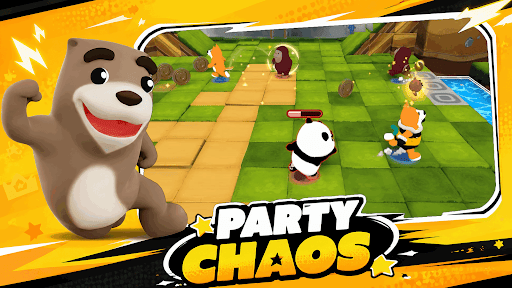
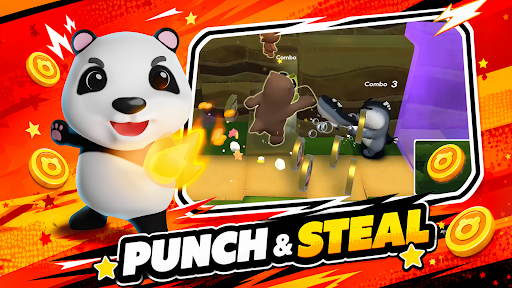
RunOut is a wild, fast-paced party game where cute yet mischievous animal characters compete in hilarious minigames, steal coins, and sabotage friends for the win. It’s a game of friendship… and betrayal!
Run, Smash, Survive!
Dive into chaotic levels where every step counts. Dodge traps, outrun hazards, and knock your friends out of the way to grab the win!
Challenge & Trick Your Friends
Enjoy unpredictable minigames that test your memory, reflexes, and sneakiness. You’ll never play the same round twice.
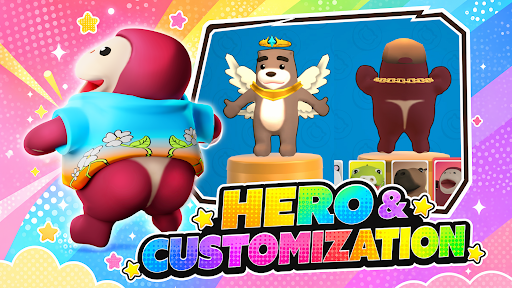
Customize Your Style
Unlock tons of funny outfits, skins, and accessories to show off your unique vibe.
Meet the Crew
Play as Cappy, Croco, Slowy, and more! Each character comes with their own personality and special skills.
No Mercy, Just Fun!
Sabotage your friends, steal their coins, and laugh your way to victory.
Pokaż więcej

1. Pobierz instalator MEmu i zakończ instalację

2. Uruchom MEmu, a następnie otwórz Google Play na pulpicie

3. Wyszukaj RunOut - Hothead Paws w Google Play
Install
4. Pobierz i zainstaluj RunOut - Hothead Paws
5. Po zakończeniu instalacji kliknij ikonę, aby rozpocząć

6. Ciesz się grą RunOut - Hothead Paws na PC z MEmu
MEmu Play to najlepszy emulator Androida, a 100 milionów ludzi już korzysta z jego i dosta doskonałe wrażenia z gier na Androida. Technologia wirtualizacji MEmu umożliwia płynne granie w tysiące gier Androida na komputerze, nawet tych najbardziej wymagających grafiki.
Większy ekran z lepszą grafiką; Długi czas, bez ograniczeń baterii lub danych mobilnych.
Pełna obsługa mapowania klawiszy dla precyzyjnego sterowania klawiaturą i myszą lub gamepadem.
Wiele kont gier lub zadań na jednym komputerze jednocześnie z menedżerem wielu instancji.
Play RunOut - Hothead Paws on PC by following steps: