MV Master - Best Video Maker & Photo Video Editor
Aggiornata
Versione corrente
5.4.0.10209
Offerta da

Non devi più preoccuparti dei sovraccarichi durante l'utilizzo di MV Master - Best Video Maker & Photo Video Editor sul tuo cellulare, liberati dal piccolo schermo e goditi dell'App su uno schermo molto più grande. D'ora in poi, sperimenta la tua App a schermo intero con tastiera e mouse. MEmu ti offre tutte le sorprendenti funzioni che ti aspettavi: installazione rapida e impostazione semplice, controlli intuitivi, niente più limitazioni di batteria, dati mobili e chiamate fastidiose. Il MEmu 9 nuovo di zecca è la prima scelta per utilizzare MV Master - Best Video Maker & Photo Video Editor sul tuo computer. Codificato con il nostro assorbimento, il gestore multi-istanza consente di aprire 2 o più account contemporaneamente. E soprattutto, il nostro esclusivo motore di emulazione può sbloccare il pieno potenziale del tuo PC, rendendo tutto liscio e piacevole.
Mostra altro
Scarica MV Master - Best Video Maker & Photo Video Editor su PC con MEmu Android Emulator. Divertiti giocando sul grande schermo. MV Master is the BEST Video Maker, FREE Video Editor and PRO Photo Editor App with more than 10,000 video templates and unlimited top music.
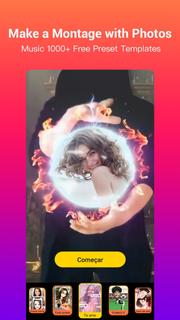
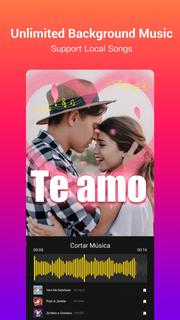
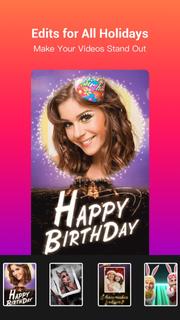
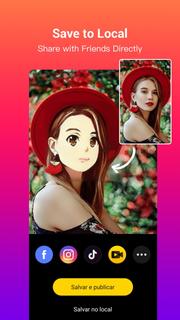
MV Master is the BEST Video Maker, FREE Video Editor and PRO Photo Editor App with more than 10,000 video templates and unlimited top music. You can easily edit videos for free with photos and music, make photo videos or music videos like a Pro in seconds, and share videos on TikTok, YouTube, Instagram, WhatsApp, etc.Check out MV Master’s powerful features on making photo videos and editing videos. It’s time to turn your plain photos or videos into great music videos with this EASY, USEFUL and FUN video maker App!KEY FEATURES❤ Video Templates and Collage Layouts: fast edit photos into photo videos- There are already 10000+ online video editing templates for you to edit videos easily and fast. We keep updating new templates on a daily basis, and recommend the most popular templates on the homepage.- Meet each video editing requirement by providing various types and holiday edits: Happy Birthday, Ramadan, I Love You, Wedding, Anniversary, Anime Face, Growing Old, Cute Dance, Good night- Templates make creative video effects such as beautiful effect, dynamic effect, glitch effect, magic effect, cute effect, animation effect, collage effect, funny effect, romantic effect and so on. Your photo videos will make the best effects with MV Master video editing templates.- Smartly make photo slideshows and photo videos by suggesting the amount of photos needed varying from 1 photo to dozens of photos.- A part of the templates now support editing videos and making music videos with your original video clips.❤ Free Online Music: add background music to videos and make music videos or movie videos- One tap to choose background music for your videos from a variety of top music in MV music Library. And all songs are 100% free!- Dozens of music genres including Trending, Pop Music, Electronic Dance Music, Rock, Hip-Hop, Indie, 8 Bit Music and more- You can also add your own songs as the background music of the videos- Support cropping music and showing lyrics on music videos❤ Quote and Text: share your stories, express mood and customize your photo videos- We will pick a Random quote matching your photo video. You can switch to another until you get the perfect one for your photo video.- You can find more categorized quotes about love, friendship, mood or motivation in the quote library. No matter what you want to express, there will alway be a quote well matched and tell your stories accurately.- The Style feature makes it easy to change the fonts and colors of the quotes.❤ Dynamic BeatsBy using MV Master’s very creative “Beats” feature you can add tempos, rhythms and stickers to your music videos to make your photo videos DYNAMIC and COOL. The beats can perfectly match your music videos!❤ Stylish FiltersAs a free video editor and photo editor, MV Master provides tons of stylish filters to make your photo videos stand out. Try the most popular filters like Natural, Lively, Noble, Lomo, Ancient...❤ Amazing MaskAnother creative feature “Mask” will create a wonderful vibe for your music videos or photo slideshows. Add “Frog” and “Butterfly” masks to make your photo videos mysterious, “Red Heart”, “Love” and “Flower” to express love, “Shining”, “Color Light” and “Stars” to create a sparkling vibe. ❤ Shoot Videos and Edit VideosWe provide some templates for you to shoot videos immediately, and make the same videos as what the templates show: Count Down, Romantic Mask, Angels Wings, Swan Princess and any templates with “Shoot” buttons.❤ Save and PublishYou can fast make videos for TikTok, Youtube, Instagram, WhatsApp and more, save videos to albums, and share with your friends on social media like Facebook, WhatsApp, Twitter.Contact Us❤️: [email protected]Fan Page
Mostra altro

1. Scarica il programma di installazione di MEmu e completa l'installazione

2. Avvia il Memu e apri il Google Play sulla homepage

3. Cerca MV Master - Best Video Maker & Photo Video Editor in Google Play
Install
4. Scarica e installa MV Master - Best Video Maker & Photo Video Editor
5. Al termine dell'installazione, fai clic sull'icona per avviar

6. Divertiti giocando a MV Master - Best Video Maker & Photo Video Editor su PC con MEmu
MEmu App Player è il miglior emulatore Android gratuito, utilizzato da 50 milioni di persone per ottenere un'esperienza di gioco Android superba. La tecnilogia di virtualizzazione MEmu ti permette di giocare a migliaia di giochi Android con semplicità sul tuo computer, anche i giochi con la grafica più esigente.
Schermo più grande con una grafica migliore; Lunga durata, senza limitazione di batteria o dati mobili.
Supporto completo per mappa di tastiera per un controllo preciso di tastiera e mouse o gamepad.
Multipli account di gioco o attività su un singolo PC contemporaneamente con il gestore di multi istanza.
Use MV Master - Best Video Maker & Photo Video Editor on PC by following steps: