MyLog
Aggiornata
Versione corrente
2.4.5
Offerta da

Non devi più preoccuparti dei sovraccarichi durante l'utilizzo di MyLog sul tuo cellulare, liberati dal piccolo schermo e goditi dell'App su uno schermo molto più grande. D'ora in poi, sperimenta la tua App a schermo intero con tastiera e mouse. MEmu ti offre tutte le sorprendenti funzioni che ti aspettavi: installazione rapida e impostazione semplice, controlli intuitivi, niente più limitazioni di batteria, dati mobili e chiamate fastidiose. Il MEmu 9 nuovo di zecca è la prima scelta per utilizzare MyLog sul tuo computer. Codificato con il nostro assorbimento, il gestore multi-istanza consente di aprire 2 o più account contemporaneamente. E soprattutto, il nostro esclusivo motore di emulazione può sbloccare il pieno potenziale del tuo PC, rendendo tutto liscio e piacevole.
Mostra altro
Goditi un'esperienza straordinaria con MyLog su PC con MEmu Play. È un potente emulatore Android gratuito che ti offre migliaia di app Android per la versione desktop. Divertiti a connetterti con gli amici e a perfezionare il tuo lavoro con maggiore efficienza! Welcome to MyLog, the ultimate digital logbook designed specifically for pilots.
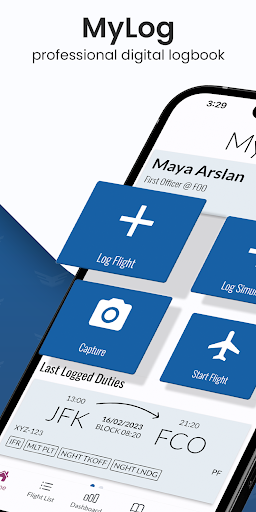
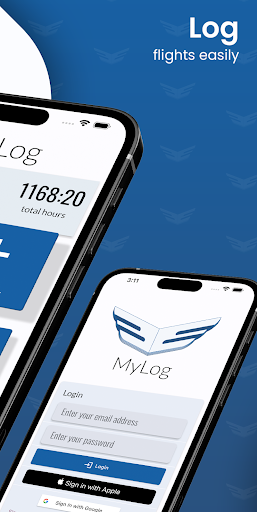
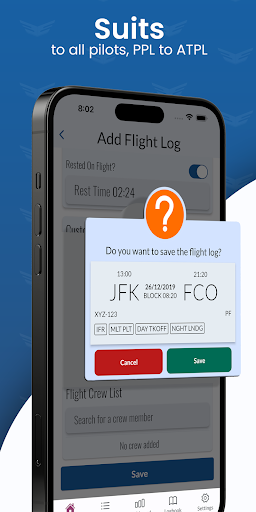
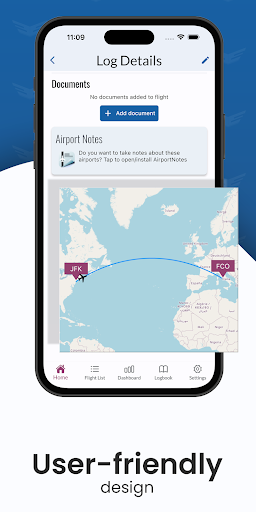
Welcome to MyLog, the ultimate digital logbook designed specifically for pilots. Whether you're a student pilot or a commercial airline captain, MyLog is here to simplify and enhance your flight and simulator record-keeping experience.
With MyLog, you can effortlessly maintain your logbook with ease. Simply add your flights manually or conveniently capture flight hours by taking photos of your aircraft displays. Alternatively, let MyLog automatically calculate block and flight times for you. Plus, our MyLog Watch App allows you to start and stop live flights without ever needing to touch your phone.
Efficiency is key, and MyLog delivers. Our user-friendly interface organizes your logs seamlessly, allowing you to filter and sort them swiftly. You can choose between the classical logbook format or view them in a clear and concise list. Need to export your logbook to Excel or PDF? MyLog has got you covered.
Gain valuable insights into your flying with MyLog's detailed statistics. Visualize your achievements with bar graphics and lists, including information on your longest flight, most flown destinations, and more.
Customization is at your fingertips. Define your limitations, such as tracking specific hours within a certain timeframe or landing requirements. MyLog adapts to your preferences effortlessly.
Are you switching from another logbook application? No problem. Import your data seamlessly into MyLog, saving you time and effort. Add documents and photos to your logs for easy record-keeping and access. Store essential documents like licenses and passports in one secure location for convenience and peace of mind.
Take personalized notes about aircraft and flight crews, visible only to you. Thanks to our collaborative aircraft database, you don't need to define every aircraft yourself. Utilize existing entries from other users.
Have previous logbook records? Quickly enter your hours in the Previous Experience section, allowing you to start logging in instantly with MyLog.
MyLog offers a range of customization options, including support for theming, dark mode, and light mode. Fly comfortably at night in a dark cockpit without straining your eyes.
Tailor MyLog to fit your specific needs. Create unlimited custom fields with different types, ensuring your logbook covers all your requirements. These fields are activated instantly and seamlessly integrated into your logs.
MyLog is compliant with EASA and FAA logbook formats. You can choose which format you want to log your flights.
Discover the comprehensive logging solutions you've been searching for with MyLog. Experience the future of digital logbooks today.
Mostra altro

1. Scarica il programma di installazione di MEmu e completa l'installazione

2. Avvia il Memu e apri il Google Play sulla homepage

3. Cerca MyLog in Google Play
Install
4. Scarica e installa MyLog
5. Al termine dell'installazione, fai clic sull'icona per avviar

6. Divertiti giocando a MyLog su PC con MEmu
MEmu App Player è il miglior emulatore Android gratuito, utilizzato da 50 milioni di persone per ottenere un'esperienza di gioco Android superba. La tecnilogia di virtualizzazione MEmu ti permette di giocare a migliaia di giochi Android con semplicità sul tuo computer, anche i giochi con la grafica più esigente.
Schermo più grande con una grafica migliore; Lunga durata, senza limitazione di batteria o dati mobili.
Supporto completo per mappa di tastiera per un controllo preciso di tastiera e mouse o gamepad.
Multipli account di gioco o attività su un singolo PC contemporaneamente con il gestore di multi istanza.
Use MyLog on PC by following steps: