One UI 8 Launcher
Aggiornata
Versione corrente
1.3
Offerta da

Non devi più preoccuparti dei sovraccarichi durante l'utilizzo di One UI 8 Launcher sul tuo cellulare, liberati dal piccolo schermo e goditi dell'App su uno schermo molto più grande. D'ora in poi, sperimenta la tua App a schermo intero con tastiera e mouse. MEmu ti offre tutte le sorprendenti funzioni che ti aspettavi: installazione rapida e impostazione semplice, controlli intuitivi, niente più limitazioni di batteria, dati mobili e chiamate fastidiose. Il MEmu 9 nuovo di zecca è la prima scelta per utilizzare One UI 8 Launcher sul tuo computer. Codificato con il nostro assorbimento, il gestore multi-istanza consente di aprire 2 o più account contemporaneamente. E soprattutto, il nostro esclusivo motore di emulazione può sbloccare il pieno potenziale del tuo PC, rendendo tutto liscio e piacevole.
Mostra altro
Goditi un'esperienza straordinaria con One UI 8 Launcher su PC con MEmu Play. È un potente emulatore Android gratuito che ti offre migliaia di app Android per la versione desktop. Divertiti a connetterti con gli amici e a perfezionare il tuo lavoro con maggiore efficienza! We are creating a beautiful wallpaper ecosystem for all Android smartphones.
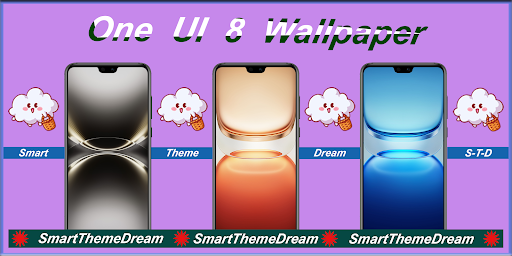
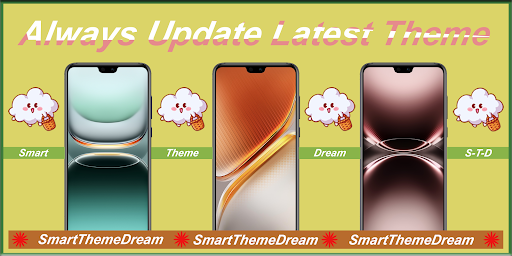
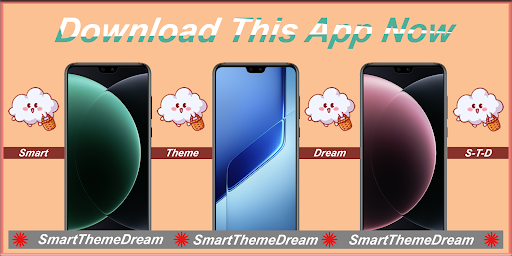
We are creating a beautiful wallpaper ecosystem for all Android smartphones. Therefore, you don't have to find a different way on the internet to get the wallpaper for One UI 8 Series. All you need to find are in my "Smart Theme Dream" store. Here you can download all the wallpapers of One UI 8 Series.
What is the reason you download "One Ui 8 Launcher" app?
App is simple and easy to use.
App has the user friendly interface.
One-click wallpaper save, share or set.
The app is 100% free to use and always will be.
Always update lastest wallpaper and update trending theme.
The app does not use internet to load image so you will not lost any mobile data.
If you like any wallpaper from our collection, you can share your favorite Wallpapers with your friends.
You can download wallpaper and save into your smartphone pictures, for this you just accept the storage permission.
How does "One UI 8 Wallpapers" app use?
Open the app
Choose your favorite tab
Can swipe to previous image or next image
Tap "+" button to save, share or set wallpaper
Tap "Set as ... " to set wallpaper for Home Screen or Lock Screen or All
Finally, Wallpaper has been changed to your smartphone
Disclaimer:
All the images in this application are believed to be in public domain. We always respect your creation. If you have any issue regarding this application please contact us. Our team will try our best to fix this problem. Any request to remove one of the images/logos/names will be honored. If you find that we mistakenly used your content and forgot to credit you and want to claim credit for a picture or want us to remove it, please don't hesitate to contact us at "smarttheme.dream.std9x@gmail.com" and it will be removed the earliest.
Mostra altro

1. Scarica il programma di installazione di MEmu e completa l'installazione

2. Avvia il Memu e apri il Google Play sulla homepage

3. Cerca One UI 8 Launcher in Google Play
Install
4. Scarica e installa One UI 8 Launcher
5. Al termine dell'installazione, fai clic sull'icona per avviar

6. Divertiti giocando a One UI 8 Launcher su PC con MEmu
MEmu App Player è il miglior emulatore Android gratuito, utilizzato da 50 milioni di persone per ottenere un'esperienza di gioco Android superba. La tecnilogia di virtualizzazione MEmu ti permette di giocare a migliaia di giochi Android con semplicità sul tuo computer, anche i giochi con la grafica più esigente.
Schermo più grande con una grafica migliore; Lunga durata, senza limitazione di batteria o dati mobili.
Supporto completo per mappa di tastiera per un controllo preciso di tastiera e mouse o gamepad.
Multipli account di gioco o attività su un singolo PC contemporaneamente con il gestore di multi istanza.
Use One UI 8 Launcher on PC by following steps: