Paint
Aktualisiert
Aktuelle Version
3.6.1.0
Angeboten von

Machen Sie sich keine Sorgen mehr über überhöhte Gebühren, wenn Sie Paint auf Ihrem Mobiltelefon verwenden, befreien Sie sich von dem winzigen Bildschirm und genießen Sie die Nutzung der App auf einem viel größeren Display. Von nun an können Sie Ihre App mit Tastatur und Maus im Vollbildmodus nutzen. MEmu bietet Ihnen all die überraschenden Funktionen, die Sie erwartet haben: schnelle Installation und einfache Einrichtung, intuitive Steuerung, keine Einschränkungen mehr durch Batterie, mobile Daten und störende Anrufe. Der brandneue MEmu 9 ist die beste Wahl für die Nutzung von Paint auf Ihrem Computer. Mit unserer Absorption kodiert, ermöglicht der Multi-Instanz-Manager die Eröffnung von 2 oder mehr Konten zur gleichen Zeit. Und das Wichtigste, unsere exklusive Emulations-Engine kann das volle Potenzial Ihres PCs freisetzen und alles reibungslos und angenehm gestalten.
Mehr anzeigen
Laden Sie Play Paint auf dem PC mit MEmu Android Emulator. Viel Spaß beim Spielen auf großmundieren. This app is made for creative professionals and anyone who likes to capture their ideas and creative thinking into a beautiful picture.
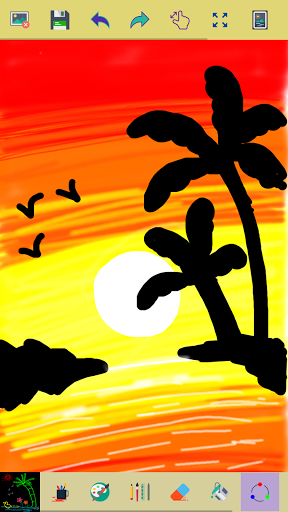
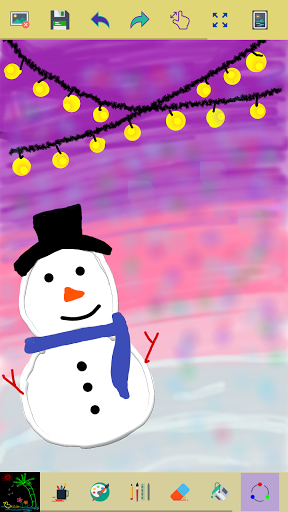
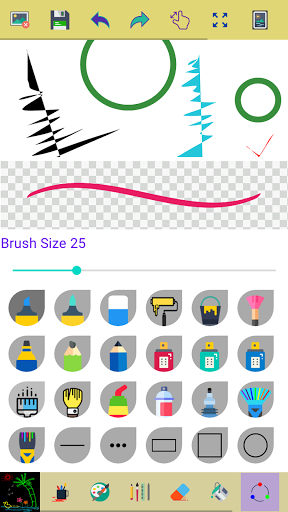
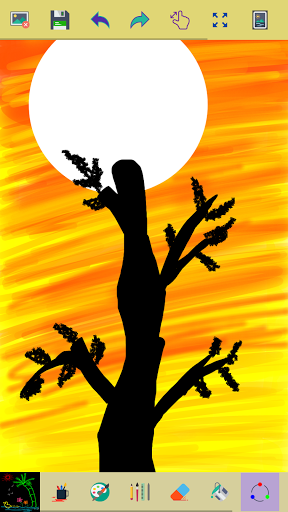
This app is made for creative professionals and anyone who likes to capture their ideas and creative thinking into a beautiful picture.
Key Features of this Application
✓ Start with a new drawing by clicking the clear button
✓ Draw creative pictures using an array of brushes and painting tools
✓ Feel the smoothness of drawing while drawing in fingers
✓ Multiple brushes, pens, and pencils are available
✓ Adjust a width for the brushes and eraser by using the slider bar
✓ Draw with finger or stylus
✓ Erase part of the drawing when needed any correction
✓ Zoom in and Zoom out to make small corrections in drawing
✓ On clicking the reset zoom button your drawing will fit into the screen
✓ All your drawings are available in My Art Gallery
✓ Activating random brush color will act each stroke and shapes with different color
✓ Undo and Redo last action and few strokes
✓ Click an area on the canvas to fill it with background-color
✓ Edit images/ photos
✓ Your drawings have been saved into the photo gallery
✓ Choose background color on easy color picker tool
✓ Using the color picker tool select brush and background-color
✓ Share your drawings with family and friends
Permissions note:
✓ Storage: Needed to allow the user to access your device storage to save your drawings into a photo gallery and display drawings into My Art Gallery.
Don't keep the "Paint" app a secret! We grow with your support, keep sharing :)
Please don't leave negative feedback! Instead, please contact us @ ng.labs108@gmail.com and we'll do our best to solve your issues.
Mehr anzeigen

1. Laden das MEmu-Installationsprogramm herunter und beenden die Installation

2. MEmu starten und Google Play auf der Homepage öffnen

3. Suchen Paint in Google Play
Install
4. Herunterladen und Installieren Paint
5. Klicken nach Abschluss der Installation auf das Symbol, um es zu starten

6. Verwenden Sie MEmu, um Paint auf Ihrem PC zu nutzen
MEmu Play ist aktuell der beste kostenlose Android-Emulator und bietet 50 Millionen Nutzern ein überragendes Android-App-Erlebnis. Dank der Virtualisierungstechnologie von MEmu können Sie Tausende von Android-Apps problemlos auf Ihrem Computer nutzen, selbst solche mit hohen Grafikanforderungen.
BGrößeres Bild mit besserer Grafik; Keine unterbrechungen, keine sorgen um Akku
Komplette Tastenbelegung unterstützt mit Maus und Tastatur oder Controller
Mit dem „Multi-Instance-Manager“ können Sie mehrere Spielkonten oder Spiele gleichzeitig auf einem PC ausführen.
Use Paint on PC by following steps: