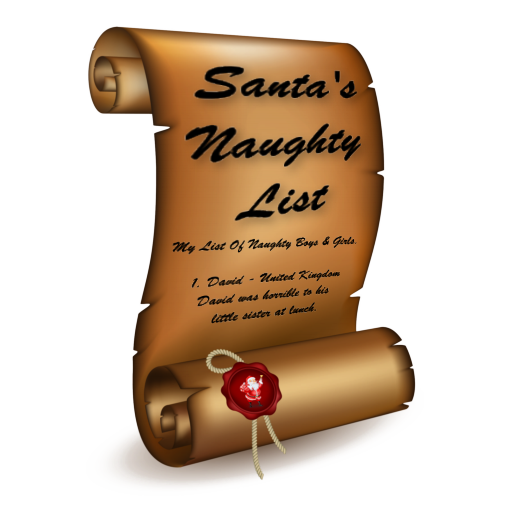
Santa's Naughty List App
Aggiornata
Versione corrente
2.6
Offerta da

Non devi più preoccuparti dei sovraccarichi durante l'utilizzo di Santa's Naughty List App sul tuo cellulare, liberati dal piccolo schermo e goditi dell'App su uno schermo molto più grande. D'ora in poi, sperimenta la tua App a schermo intero con tastiera e mouse. MEmu ti offre tutte le sorprendenti funzioni che ti aspettavi: installazione rapida e impostazione semplice, controlli intuitivi, niente più limitazioni di batteria, dati mobili e chiamate fastidiose. Il MEmu 9 nuovo di zecca è la prima scelta per utilizzare Santa's Naughty List App sul tuo computer. Codificato con il nostro assorbimento, il gestore multi-istanza consente di aprire 2 o più account contemporaneamente. E soprattutto, il nostro esclusivo motore di emulazione può sbloccare il pieno potenziale del tuo PC, rendendo tutto liscio e piacevole.
Mostra altro
Goditi un'esperienza straordinaria con Santa's Naughty List App su PC con MEmu Play. È un potente emulatore Android gratuito che ti offre migliaia di app Android per la versione desktop. Divertiti a connetterti con gli amici e a perfezionare il tuo lavoro con maggiore efficienza! Santa’s Naughty List.
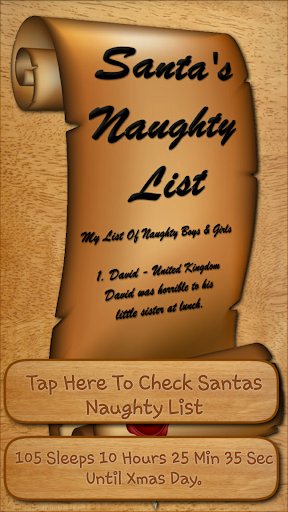
Santa’s Naughty List. Version 2...
At this time of year, with the run-up to Christmas, keeping your overexcited little ones under control can be quite a task…
Santa’s Naughty List is a fun 'Make Believe' app designed to help give you that little bit more persuasion in getting some order out of the chaos.
Santa’s Naughty List is designed to build anticipation, first to see if the little darlings are actually on the list and then to see if Santa will allow them off the list…
Nice list and Naughty List certificates can be created from the app, you can print or email them as required.
** Santa's Naughty List is a standalone app and the only people actually on the list will be the ones YOU add to YOUR device**
Please Read the following instructions!
Recent Store policy changes now require 'You' the user to specifically grant applications access to certain permissions.
Santa's Naughty List requires permission for File Access (to Save the Naughty List and all the Certificates you purchase on your device), Your Camera (for your Naughty List Profile pic) and to read your contacts (to quickly add users to the Naughty List). If you do not grant these permissions Santa's Naughty List cannot work.
How to use Santa's Naughty List...
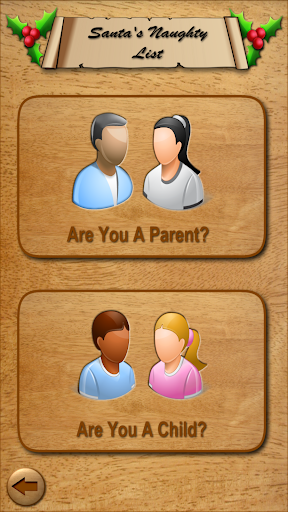
There are two modes of operation as an Adult (Parent) or as a Child.
As An Adult:
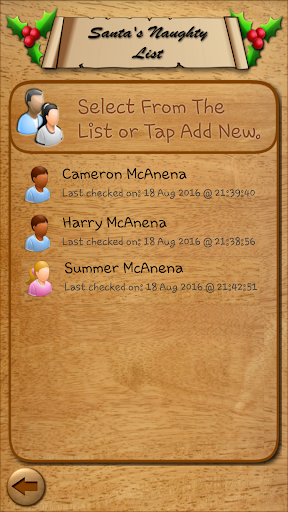
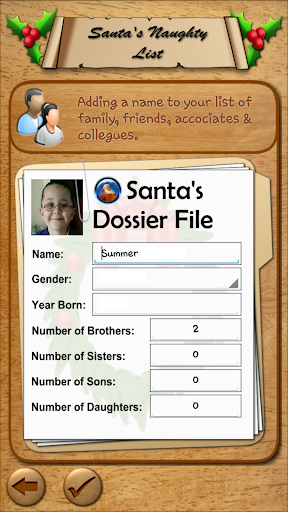
1. Add your family and friends to the list of users.
2. Tap a user from your list
3. As an adult you can either Check the Naughty List or Report to the Naughty List...
4. As an adult if you check the naughty list the app will check to see if they are on the list, a 'Random Add' to the list will NOT occur. if they are already on the list you can see why and ask Santa to be removed from the list (you have a 1 in three random chance you will not be removed by Santa but as an adult you have the choice)
5. As an Adult you can report the person to Santa's Naughty List and detail what the bad deed was, you can then check the Naughty List as in step 4
As A Child
1. Add your family and friends to the list of users.
2. Tap a user from your list
3. As a Child you can only Check the Naughty List...
4. As a Child if you check the naughty list, the app will check to see if they are on the list, and if you are not on the list a 'Random Test' will NOT occur (1 chance in 5) you may be added to the list for a random reason. if they are already on the list you can see why and ask Santa to be removed from the list (you have a 1 in three random chance you will not be removed by Santa)
There is a One in Three chance they will be on the list anyhow and a one in three chance Santa will not take them off the list!
Please Note:
Santa’s Naughty List does not actually access any Servers this is make believe, just for fun and no data (Naughty List Names or Bad Deeds) are transmitted from or to your device.
Any and all information is stored in an internal data file that is not share-able, sold or given to anyone.
Oh and No Ads either (I hate that on software designed to allow interaction with children).
If you have any question, bug reports or anything you would like to see in a future version of the app please contact me at the email address at below.
Credit where credit is due:
• Application Icons: http://www.vectorss.com/icons/icon-set.html
• Application Icons: http://www.webiconset.com/
• Application Icons: http://www.iconeden.com/
• Lump of Coal Vector: http://educlipsdesign.blogspot.co.uk/2014/11/a-lump-of-coal-for-christmas.html
• Development Language: http://www.b4x.com/ B4A(Basic 4 Android)
Developed and tested on:
Samsung S3, Samsung S4, Samsung S5, Samsung Galaxy Tab3 8”, Archos 7” Tablet with Phone and GPS, Alcatel One Touch (4015X), Motorola Moto G Smart Phone, Samsung S9+, Samsung Note 20 Ultra
Santa’s Naughty List Copyright © Steve McAnena 2014-2021
steve@mcanena.uk
Visit the Facebook page for update details and up and coming features...
https://www.facebook.com/santasnicelistapp/
Mostra altro

1. Scarica il programma di installazione di MEmu e completa l'installazione

2. Avvia il Memu e apri il Google Play sulla homepage

3. Cerca Santa's Naughty List App in Google Play
Install
4. Scarica e installa Santa's Naughty List App
5. Al termine dell'installazione, fai clic sull'icona per avviar

6. Divertiti giocando a Santa's Naughty List App su PC con MEmu
MEmu App Player è il miglior emulatore Android gratuito, utilizzato da 50 milioni di persone per ottenere un'esperienza di gioco Android superba. La tecnilogia di virtualizzazione MEmu ti permette di giocare a migliaia di giochi Android con semplicità sul tuo computer, anche i giochi con la grafica più esigente.
Schermo più grande con una grafica migliore; Lunga durata, senza limitazione di batteria o dati mobili.
Supporto completo per mappa di tastiera per un controllo preciso di tastiera e mouse o gamepad.
Multipli account di gioco o attività su un singolo PC contemporaneamente con il gestore di multi istanza.
Use Santa's Naughty List App on PC by following steps: