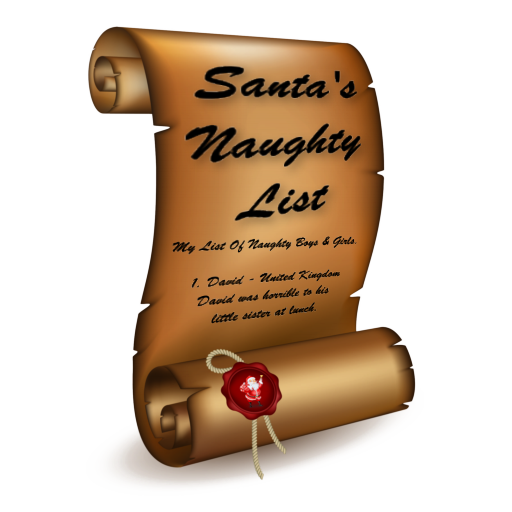
Santa's Naughty List App
Updated
Current Version
2.6
Offered By

Stop worrying about high battery drain when using Santa's Naughty List App on your phone. Free yourself from the tiny screen and enjoy the app on a much larger display. From now on, get a full-screen experience of your app with the convenience of a keyboard and mouse. MEmu offers you all the surprising features you’d expect: quick installation and easy setup, intuitive controls, and no more worries about battery life, mobile data, or unexpected calls. The all-new MEmu 9 is the choice for using Santa's Naughty List App on your computer. With the MEmu multi-instance manager, you can run two or more accounts at the same time. Most importantly, our exclusive emulation engine unlocks your PC’s full potential, delivering smooth and enjoyable performance.
Show more
Enjoy superb experience of using Santa's Naughty List App on PC with MEMU App Player. It's a powerful free Android emulator which provides you with thousands of android apps for their desktop version. Enjoy connecting with friends and polishing your work with higher efficiency! Santa’s Naughty List.
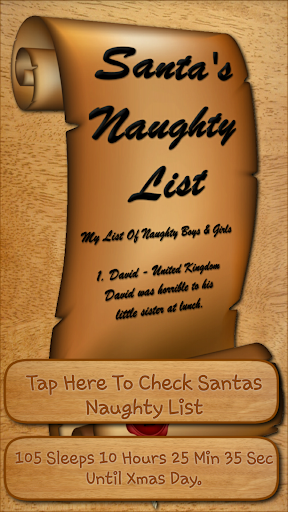
Santa’s Naughty List. Version 2...
At this time of year, with the run-up to Christmas, keeping your overexcited little ones under control can be quite a task…
Santa’s Naughty List is a fun 'Make Believe' app designed to help give you that little bit more persuasion in getting some order out of the chaos.
Santa’s Naughty List is designed to build anticipation, first to see if the little darlings are actually on the list and then to see if Santa will allow them off the list…
Nice list and Naughty List certificates can be created from the app, you can print or email them as required.
** Santa's Naughty List is a standalone app and the only people actually on the list will be the ones YOU add to YOUR device**
Please Read the following instructions!
Recent Store policy changes now require 'You' the user to specifically grant applications access to certain permissions.
Santa's Naughty List requires permission for File Access (to Save the Naughty List and all the Certificates you purchase on your device), Your Camera (for your Naughty List Profile pic) and to read your contacts (to quickly add users to the Naughty List). If you do not grant these permissions Santa's Naughty List cannot work.
How to use Santa's Naughty List...
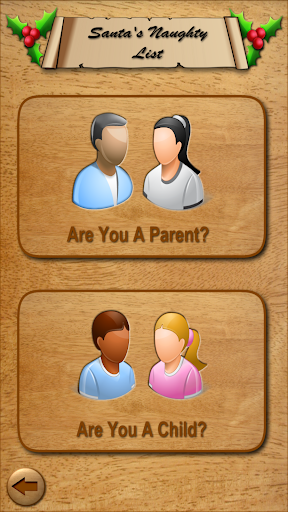
There are two modes of operation as an Adult (Parent) or as a Child.
As An Adult:
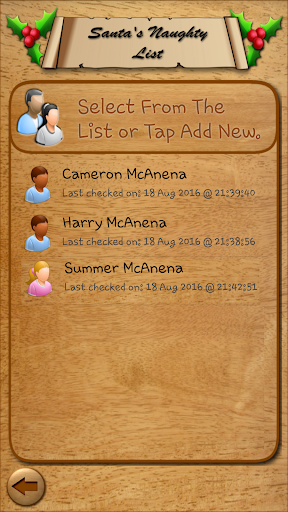
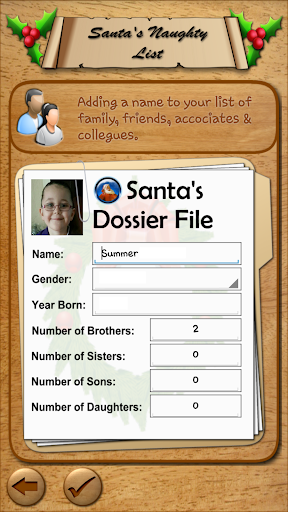
1. Add your family and friends to the list of users.
2. Tap a user from your list
3. As an adult you can either Check the Naughty List or Report to the Naughty List...
4. As an adult if you check the naughty list the app will check to see if they are on the list, a 'Random Add' to the list will NOT occur. if they are already on the list you can see why and ask Santa to be removed from the list (you have a 1 in three random chance you will not be removed by Santa but as an adult you have the choice)
5. As an Adult you can report the person to Santa's Naughty List and detail what the bad deed was, you can then check the Naughty List as in step 4
As A Child
1. Add your family and friends to the list of users.
2. Tap a user from your list
3. As a Child you can only Check the Naughty List...
4. As a Child if you check the naughty list, the app will check to see if they are on the list, and if you are not on the list a 'Random Test' will NOT occur (1 chance in 5) you may be added to the list for a random reason. if they are already on the list you can see why and ask Santa to be removed from the list (you have a 1 in three random chance you will not be removed by Santa)
There is a One in Three chance they will be on the list anyhow and a one in three chance Santa will not take them off the list!
Please Note:
Santa’s Naughty List does not actually access any Servers this is make believe, just for fun and no data (Naughty List Names or Bad Deeds) are transmitted from or to your device.
Any and all information is stored in an internal data file that is not share-able, sold or given to anyone.
Oh and No Ads either (I hate that on software designed to allow interaction with children).
If you have any question, bug reports or anything you would like to see in a future version of the app please contact me at the email address at below.
Credit where credit is due:
• Application Icons: http://www.vectorss.com/icons/icon-set.html
• Application Icons: http://www.webiconset.com/
• Application Icons: http://www.iconeden.com/
• Lump of Coal Vector: http://educlipsdesign.blogspot.co.uk/2014/11/a-lump-of-coal-for-christmas.html
• Development Language: http://www.b4x.com/ B4A(Basic 4 Android)
Developed and tested on:
Samsung S3, Samsung S4, Samsung S5, Samsung Galaxy Tab3 8”, Archos 7” Tablet with Phone and GPS, Alcatel One Touch (4015X), Motorola Moto G Smart Phone, Samsung S9+, Samsung Note 20 Ultra
Santa’s Naughty List Copyright © Steve McAnena 2014-2021
steve@mcanena.uk
Visit the Facebook page for update details and up and coming features...
https://www.facebook.com/santasnicelistapp/
Show more

1. Download MEmu installer and finish the setup

2. Start MEmu then open Google Play on the desktop

3. Search Santa's Naughty List App in Google Play
Install
4. Download and Install Santa's Naughty List App
5. On install completion click the icon to start

6. Enjoy using Santa's Naughty List App on PC with MEmu
MEmu Play is the best Android emulator, and 100 million users already enjoy its superb Android app experience. Powered by advanced virtualization technology, it lets you enjoy thousands of Android apps smoothly on your PC—including the most graphics-intensive ones.
Bigger screen with better graphics; Long duration, without limitation of battery or mobile data.
Full Keymapping support for precise control of keyboard and mouse or gamepad.
Multiple game accounts or tasks on single PC at one time with Multi-Instance manager.
Use Santa's Naughty List App on PC by following steps: