Shamel.tv
Aggiornata
Versione corrente
1.9
Offerta da

Non devi più preoccuparti dei sovraccarichi durante l'utilizzo di Shamel.tv sul tuo cellulare, liberati dal piccolo schermo e goditi dell'App su uno schermo molto più grande. D'ora in poi, sperimenta la tua App a schermo intero con tastiera e mouse. MEmu ti offre tutte le sorprendenti funzioni che ti aspettavi: installazione rapida e impostazione semplice, controlli intuitivi, niente più limitazioni di batteria, dati mobili e chiamate fastidiose. Il MEmu 9 nuovo di zecca è la prima scelta per utilizzare Shamel.tv sul tuo computer. Codificato con il nostro assorbimento, il gestore multi-istanza consente di aprire 2 o più account contemporaneamente. E soprattutto, il nostro esclusivo motore di emulazione può sbloccare il pieno potenziale del tuo PC, rendendo tutto liscio e piacevole.
Mostra altro
Scarica Shamel.tv su PC con MEmu Android Emulator. Divertiti giocando sul grande schermo. Discover now the player that combines excellent performance and easy control to meet your TV viewing needs.
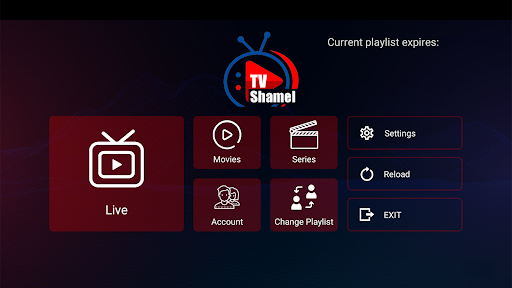
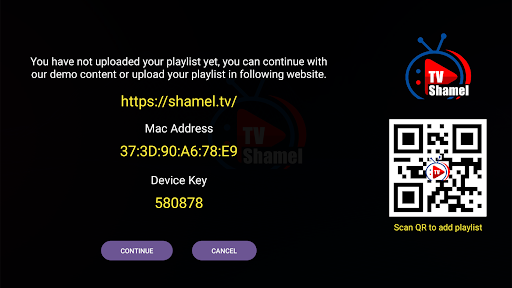
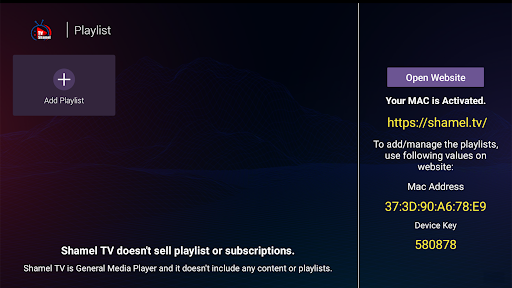
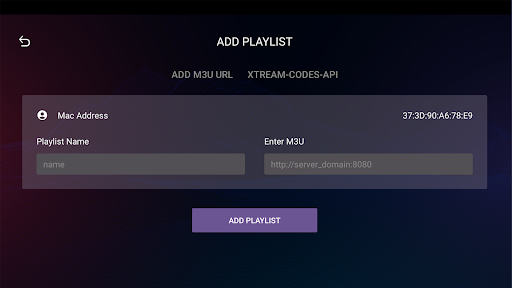
Discover now the player that combines excellent performance and easy control to meet your TV viewing needs.
Shamel.tv app features many great features that make the experience of watching m3u playlists and IPTV smoother and more comfortable.
Shamel.tv Features:
1. Easy to Use: The app features a simple and user-friendly interface, making it easy to browse and play playlists.
2. Multi-Device Support: Shamel.tv can be used on a variety of devices including smart TVs, smartphones, and tablets.
3. Display Quality: The app supports all screen resolutions including 4K resolution, allowing you to experience high-quality viewing.
4. Fast Playlist Loading: The app quickly loads m3u and IPTV playlists, providing you with a lag-free viewing experience.
5. Add Content to Favorites: The app allows users to add favorite channels and programs to the favorites list for easy access in the future.
Using the app is simple and easy:
1. Download the app from your device's app store.
2. Open the app and follow the on-screen instructions to continue.
3. When opening the app, add your m3u playlist through the appropriate option.
4. Once the playlist is added, you can easily browse channels and play your favorite content.
Important Note:
- We do not provide any kind of IPTV services or online TV subscription.
- The user must contact the TV broadcasting service provider to obtain a username and password.
- Shamel.tv is just an application for playing content and does not include any media or content.
Important Confirmation:
- Shamel.tv does not provide or include any media or content.
- Users must obtain their own content.
- Shamel.tv is not affiliated with any entity that provides live streaming services or media content or IPTV.
- We do not endorse or support any unauthorized streaming of copyrighted materials without permission from the copyright owner.
Enjoy a great viewing experience with the Shamel.tv app!
Mostra altro

1. Scarica il programma di installazione di MEmu e completa l'installazione

2. Avvia il Memu e apri il Google Play sulla homepage

3. Cerca Shamel.tv in Google Play
Install
4. Scarica e installa Shamel.tv
5. Al termine dell'installazione, fai clic sull'icona per avviar

6. Divertiti giocando a Shamel.tv su PC con MEmu
MEmu App Player è il miglior emulatore Android gratuito, utilizzato da 50 milioni di persone per ottenere un'esperienza di gioco Android superba. La tecnilogia di virtualizzazione MEmu ti permette di giocare a migliaia di giochi Android con semplicità sul tuo computer, anche i giochi con la grafica più esigente.
Schermo più grande con una grafica migliore; Lunga durata, senza limitazione di batteria o dati mobili.
Supporto completo per mappa di tastiera per un controllo preciso di tastiera e mouse o gamepad.
Multipli account di gioco o attività su un singolo PC contemporaneamente con il gestore di multi istanza.
Use Shamel.tv on PC by following steps: