Shamel.tv
Güncellendi
Mevcut Sürüm
1.9
Sunan

Cep telefonunda Shamel.tv kullanırken fazla şarjlardan endişelenme, kendini küçük ekrandan kurtar ve uygulamayı çok daha büyük bir ekranda kullanmanın tadını çıkar. Şu andan itibaren, klavye ve fare ile uygulamayı tam ekran da kullanmayı dene. MEmu, beklediğin tüm şaşırtıcı özellikleri sunar: hızlı ve kolay kurulum, sezgisel kontroller, bunun dışında pil sınırı, mobil veri ve rahatsız edici aramalar artık yok. Yepyeni MEmu 9, bilgisayarında Shamel.tv kullanmanın en iyi seçimidir. Emilimimizle kodlanan çok örnekli yönetici, aynı anda 2 veya daha fazla hesap açmayı mümkün kılar. Ve en önemlisi, özel emülasyon motorumuz PC'nin tüm potansiyelini serbest bırakabilir, her şeyi pürüzsüz ve eğlenceli hale getirebilir.
Daha fazla göster
Shamel.tv’i MEmu Android Emülatör ile PC’ye indirin. Büyük ekranda oynamanın keyfini çıkarın. Discover now the player that combines excellent performance and easy control to meet your TV viewing needs.
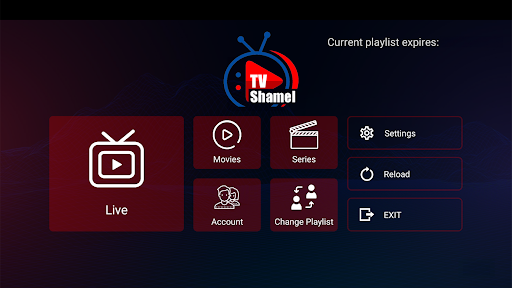
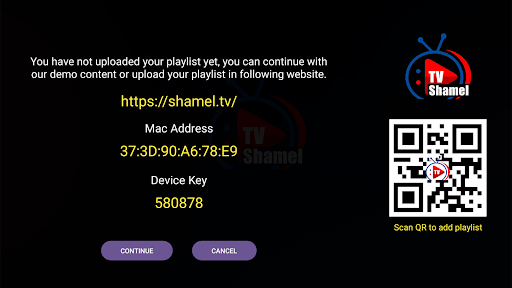
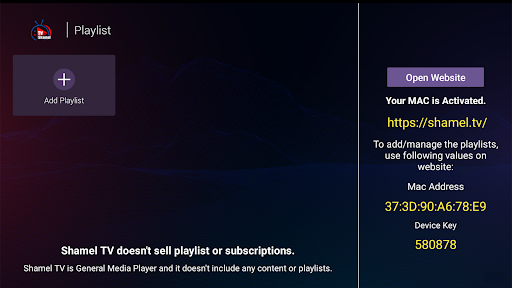
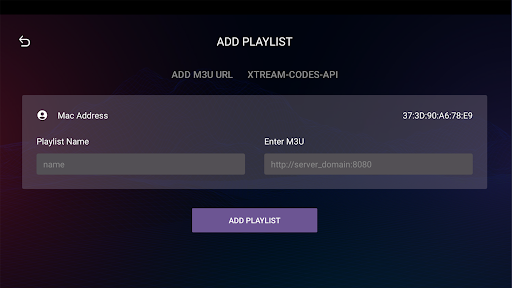
Discover now the player that combines excellent performance and easy control to meet your TV viewing needs.
Shamel.tv app features many great features that make the experience of watching m3u playlists and IPTV smoother and more comfortable.
Shamel.tv Features:
1. Easy to Use: The app features a simple and user-friendly interface, making it easy to browse and play playlists.
2. Multi-Device Support: Shamel.tv can be used on a variety of devices including smart TVs, smartphones, and tablets.
3. Display Quality: The app supports all screen resolutions including 4K resolution, allowing you to experience high-quality viewing.
4. Fast Playlist Loading: The app quickly loads m3u and IPTV playlists, providing you with a lag-free viewing experience.
5. Add Content to Favorites: The app allows users to add favorite channels and programs to the favorites list for easy access in the future.
Using the app is simple and easy:
1. Download the app from your device's app store.
2. Open the app and follow the on-screen instructions to continue.
3. When opening the app, add your m3u playlist through the appropriate option.
4. Once the playlist is added, you can easily browse channels and play your favorite content.
Important Note:
- We do not provide any kind of IPTV services or online TV subscription.
- The user must contact the TV broadcasting service provider to obtain a username and password.
- Shamel.tv is just an application for playing content and does not include any media or content.
Important Confirmation:
- Shamel.tv does not provide or include any media or content.
- Users must obtain their own content.
- Shamel.tv is not affiliated with any entity that provides live streaming services or media content or IPTV.
- We do not endorse or support any unauthorized streaming of copyrighted materials without permission from the copyright owner.
Enjoy a great viewing experience with the Shamel.tv app!
Daha fazla göster

1. MEmu yükleyicisini indirin ve kurulumu tamamlayın

2. MEmu'yu başlatın ve ana sayfada Google Play'i açın

3. Google Play'de Shamel.tv arayın
Install
4. Shamel.tv indirin ve yükleyin
5. Kurulum tamamlandığında başlamak için simgeye tıklayın

6. Shamel.tv'i PC'de için MEmu'yu kullanın
MEmu Play, 50 milyon kullanıcısıyla en iyi ücretsiz Android emülatörüdür ve en üst düzey Android uygulama deneyiminin keyfini çıkarır. MEmu'nun sanallaştırma teknolojisi, en zorlu uygulamalar da dahil olmak üzere binlerce uygulamayı bilgisayarınızda sorunsuz bir şekilde çalıştırmanızı sağlar.
Daha büyük ekranla daha iyi grafiklere sahip; Pil veya mobil veri sınırlaması olmaksızın uzun süre.
Keymapping klavye ve fare veya gamepad'in hassas kontrolü için destek verir.
Multi-Instance yöneticisi ile tek bir bilgisayarda aynı anda birden fazla oyun hesabı veya görev gerçekleşilebilir.
Use Shamel.tv on PC by following steps: