Shamel.tv
تم التحديث
الإصدار الحالي
1.9
تقديم

لا داعي للقلق بشأن الشحن الزائد عند استخدام Shamel.tv على هاتفك. تحرر من قيود الشاشة الصغيرة واستمتع به على شاشة أكبر باستخدام لوحة المفاتيح والفأرة. يوفر MEmu جميع الميزات الرائعة التي تتوقعها: تثبيت سريع، إعداد سهل، أدوات تحكم بديهية، ودون قيود على عمر البطارية، أو استخدام البيانات، أو المكالمات الواردة. يُعد MEmu 9 الجديد الخيار الأمثل لتجربة Shamel.tv على جهاز الكمبيوتر. بفضل تقنية التشفير الفريدة، يتيح لك مدير الحسابات المتعددة تشغيل حسابين أو أكثر في وقت واحد. والأهم من ذلك، أن محرك المحاكاة الفريد يستغل أداء جهاز الكمبيوتر بالكامل، مما يُحسّن تجربة التطبيق ويجعل كل شيء سلسًا للغاية.
أظهر المزيد
قم بتنزيل Shamel.tv على الكمبيوتر بإستخدام جهاز مقلد أندروز MEmu.استمتع بمتعة اللعب على الشاشة الكبيرة. Discover now the player that combines excellent performance and easy control to meet your TV viewing needs.
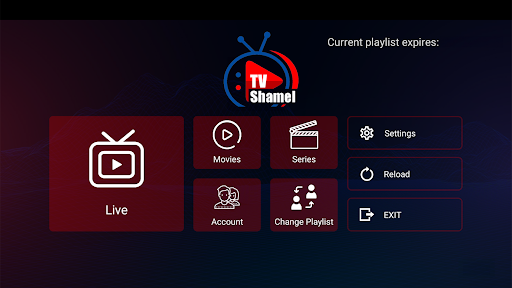
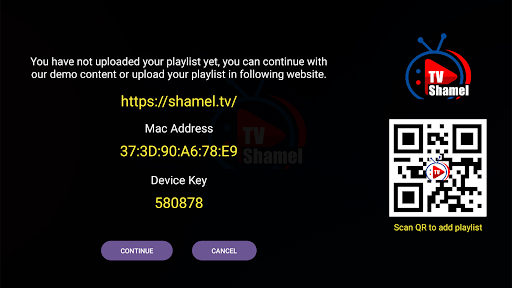
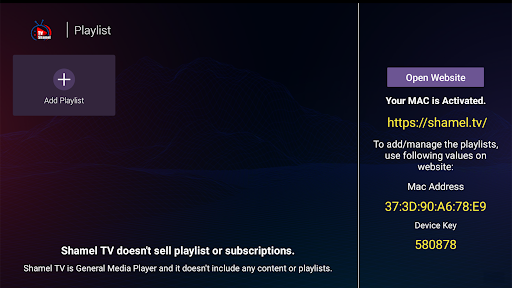
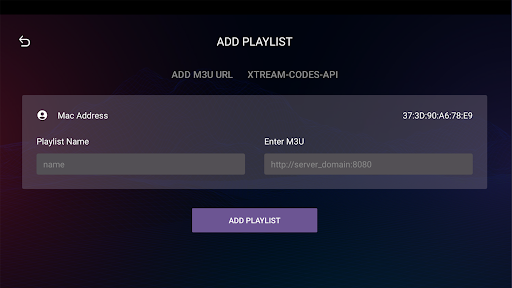
Discover now the player that combines excellent performance and easy control to meet your TV viewing needs.
Shamel.tv app features many great features that make the experience of watching m3u playlists and IPTV smoother and more comfortable.
Shamel.tv Features:
1. Easy to Use: The app features a simple and user-friendly interface, making it easy to browse and play playlists.
2. Multi-Device Support: Shamel.tv can be used on a variety of devices including smart TVs, smartphones, and tablets.
3. Display Quality: The app supports all screen resolutions including 4K resolution, allowing you to experience high-quality viewing.
4. Fast Playlist Loading: The app quickly loads m3u and IPTV playlists, providing you with a lag-free viewing experience.
5. Add Content to Favorites: The app allows users to add favorite channels and programs to the favorites list for easy access in the future.
Using the app is simple and easy:
1. Download the app from your device's app store.
2. Open the app and follow the on-screen instructions to continue.
3. When opening the app, add your m3u playlist through the appropriate option.
4. Once the playlist is added, you can easily browse channels and play your favorite content.
Important Note:
- We do not provide any kind of IPTV services or online TV subscription.
- The user must contact the TV broadcasting service provider to obtain a username and password.
- Shamel.tv is just an application for playing content and does not include any media or content.
Important Confirmation:
- Shamel.tv does not provide or include any media or content.
- Users must obtain their own content.
- Shamel.tv is not affiliated with any entity that provides live streaming services or media content or IPTV.
- We do not endorse or support any unauthorized streaming of copyrighted materials without permission from the copyright owner.
Enjoy a great viewing experience with the Shamel.tv app!
أظهر المزيد

1. قم بتنزيل برنامج MEmu واكمال تثبيته

2. قم بتشغيل برنامج MEmu وفتح Google Play على الصفحة الرئيسية

3. ابح Shamel.tv في Google Play
Install
4. تنزيل وتثبيت Shamel.tv
5. انقر على الرمز للتشغيل بعد اكتمال التثبيت

6. استخدم MEmu لتجربة Shamel.tv على جهاز الكمبيوتر الخاص بك.
تطبيق MEmuهو افضل محاكى اندرويد مجانى وبالفعل 50 مليون شخص يستمتعون حاليا بتجربه اللعب عليه. تمكّنك تقنية MEmu الافتراضية من تشغيل آلاف ألعاب Android بسلاسة على الكمبيوتر الشخصي ، حتى أكثرها استخدامًا للرسومات.
شاشة أكبر وجرافيك افضل ووقت أطول بدون حدود البطارية وباقة التليفون
لوحة مفاتيح كاملة تدعم تحكم كامل عن طريق لوحة المفاتيح و الفأره وجيم باد
عدة العاب وحسابات ومهمات علي جهاز الكمبيوتر في وقت معين عن طريق Memu متعدد النوافذ
Use Shamel.tv on PC by following steps: