ダウンロード中...
ダウンロードが開始しない場合は、ここをクリック
ES File Explorer File ManagerをPCでダウンロードする方法
-
![ES File Explorer File Manager PC版]()
1. MEmuインストーラーをダウンロードしてセットアップを完了する
-
![ES File Explorer File Manager PC版]()
2. MEmuを起動し、デスクトップでのPlayストアを開く
-
![ES File Explorer File Manager PC版]()
3. PlayストアでES File Explorer File Managerを検索する
-
 Install
4. ES File Explorer File Managerをダウンロードしてインストールする
-
5. インストールが完了したら、アイコンをクリックしてスタート
-
![ES File Explorer File Manager PC版]()
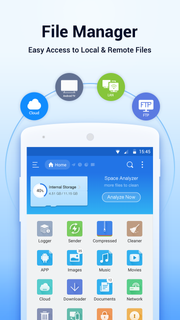
6. MEmuを使ってパソコンでES File Explorer File Managerを体験する








![TimeTree [タイムツリー]:家族や恋人、仕事仲間とカレンダーでスケジュール共有ができるアプリ PC版](https://dl.memuplay.com/new_market/img/works.jubilee.timetree.icon.2024-12-31-18-59-39.png)


ホットな話題