7 Little Words
更新日
現在のバージョン
8.2.2
提供元

スマホ不要!プロ選手のようにキーボードとマウスで操作しよう。MEmuエミュはあなたにすべての期待を与える。電池が切れてしまうとか画面が小さいとかの問題を心配する必要がなくて、存分7 Little Wordsを楽しんでください。新しいMEmuエミュ7はPCで7 Little Wordsをプレイするのに最適!完璧なキーマッピングシステムにより、まるでパソコンゲームみたい。マルチインスタンスで複数のゲームやアプリを同時に実行!唯一無二な仮想化エンジンがパソコンの可能性を最大限になる。遊べるだけでなく、より楽しめる!
もっと見る
7 Little WordsをPCでダウンロード!大画面でより楽しむ。電源が落ちてしまうとか通信料が足りないとかの問題を心配する必要がなく、PCの大画面でより快適にゲームを楽しましょう! If you enjoy crossword puzzles, word finds, anagrams or trivia quizzes, you're going to love 7 Little Words!
If you enjoy crossword puzzles, word finds, anagrams or trivia quizzes, you're going to love 7 Little Words!
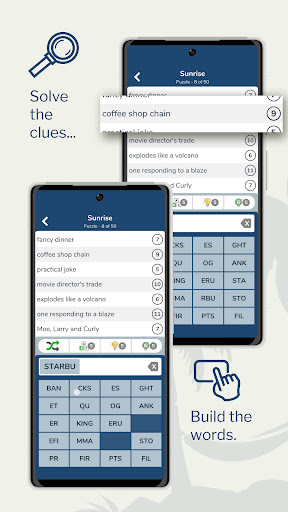
Each bite-size puzzle consists of 7 clues, 7 mystery words, and 20 tiles with groups of letters. Solve the clues and unscramble the letter tiles to find the puzzle answers.
7 Little Words is FUN, CHALLENGING, and EASY TO LEARN. We guarantee you've never played anything like it before. Give 7 Little Words a try today!
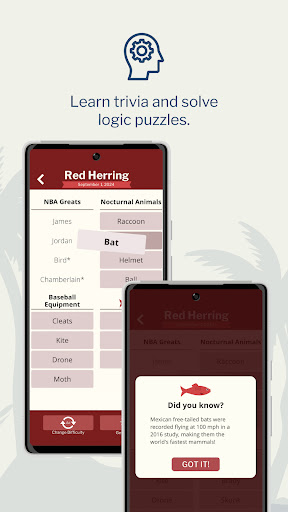
From the creators of Moxie, Monkey Wrench and Red Herring.
-----
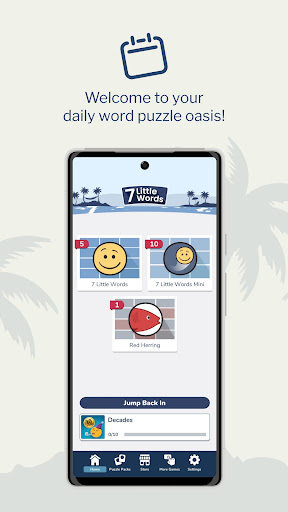
7 Little Words contains 25 free puzzles to get you started – and then 15 new regular and mini puzzles for FREE every day!
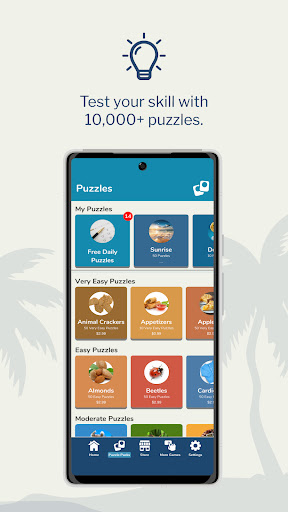
PLAY 10,000+ PUZZLES
With more than 10,000 puzzles in this app, you will find:
• 5 difficulty levels from very easy to impossible
• theme puzzles that will have you searching for what the words have in common
• the option to play every puzzle in UK English
• collections of our famous Daily Puzzles
It’s not quite a crossword, though it has words and clues. It’s not quite an anagram puzzle, though it has scrambled words. It’s definitely not a trivia quiz, though it has the occasional reference to geography, history, and science. 7 Little Words is a unique game you just have to try!
Whether you are a bookworm (especially if you like reading the dictionary) or you just enjoy adding to your vocabulary, 7 Little Words will give you the daily mental workout your brain needs. You can play our unique little puzzles anywhere – in the checkout line, in a waiting room, or even on a road trip. It’s not just a word game for adults – many fans tell us they play 7 Little Words with the whole family!
You may subscribe to enjoy playing all of our puzzles. Yearly and monthly subscription options are available. The subscription amount will be charged to your Google Play account as an in-app purchase. Your subscription will renew automatically unless you cancel it at least 24 hours before expiration. You can also turn off auto-renew at any time in your Google Play account settings.
You may also buy individual packs within the app without a subscription.
もっと見る

1. MEmuインストーラーをダウンロードしてセットアップを完了する

2. MEmuを起動し、デスクトップでのPlayストアを開く

3. Playストアで7 Little Wordsを検索する
Install
4. 7 Little Wordsをダウンロードしてインストールする
5. インストールが完了したら、アイコンをクリックしてスタート

6. MEmuを使用してPCで7 Little Wordsを楽しむ
MEmu App Playerは最高の無料で提供されるAndroidエミュレータで、5,000万人がすでに優れたAndroidゲーム体験を楽しんでいます。 MEmuの仮想化技術は、あなたのPCで何千ものAndroidゲームを快適にプレイすることを可能にします。
大画面でより精細;無限の待機、電池とドラフィックの極限を超え
キーボード・マウス・コントローラーを全力でサポート、より快適
マルチインスタンスで複数のゲームを同時に実行
Play 7 Little Words on PC by following steps: