The Magus Circle
更新日
現在のバージョン
提供元

スマホ不要!プロ選手のようにキーボードとマウスで操作しよう。MEmuエミュはあなたにすべての期待を与える。電池が切れてしまうとか画面が小さいとかの問題を心配する必要がなくて、存分The Magus Circleを楽しんでください。新しいMEmuエミュ7はPCでThe Magus Circleをプレイするのに最適!完璧なキーマッピングシステムにより、まるでパソコンゲームみたい。マルチインスタンスで複数のゲームやアプリを同時に実行!唯一無二な仮想化エンジンがパソコンの可能性を最大限になる。遊べるだけでなく、より楽しめる!
もっと見る
The Magus CircleをPCでダウンロード!大画面でより楽しむ。電源が落ちてしまうとか通信料が足りないとかの問題を心配する必要がなく、PCの大画面でより快適にゲームを楽しましょう! The Magus Circle is a vampire-survivors, rogue-lite game where you draw to cast spells!

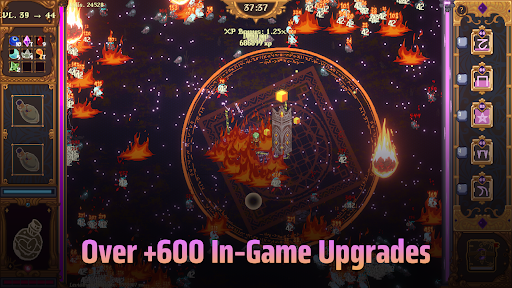
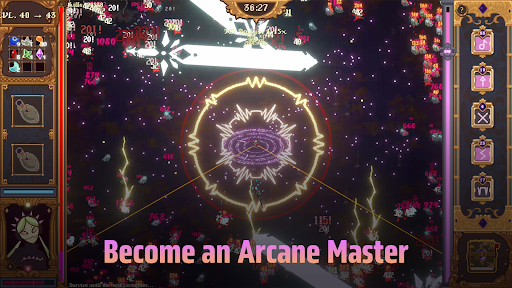
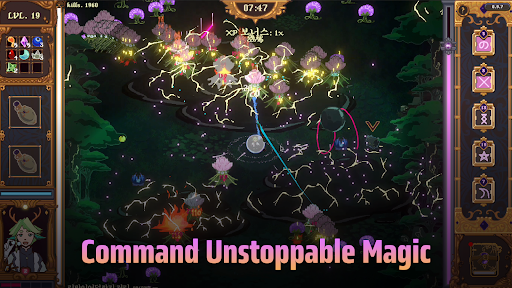
The Magus Circle is a vampire-survivors, rogue-lite game where you draw to cast spells!
When fate comes knocking, will you open the door?
Once you’ve already ruined just about everything, is there really much harm in trying again? Magic itself is under siege and you have found yourself caught in the midst of a cosmic war you did not sign up for. With nothing but your wits and your best scribing hand, you have been charged with protecting humanity's greatest ally: The Magus Circle.
Key Features
- Hand Drawn Spellcasting: Actively draw your arcane sigils to cast your spells. You don't need to be an artist. Even the most crudely drawn sigils still hold magic within.
- Diverse Build Paths: Draw magic sigils, casting 20 unique spells augmented by 600 possible upgrades.
- Maps & Content: Battle hordes of foes across 4 unique planets to face off against colossal bosses. Play as the 6 mages of the circle, each with their own skill trees, abilities and emotional baggage.
- Progression: Unlock familiars, wager your winnings, concoct potions, grow a garden and more!
- Story: Explore the manor, get to know your fellow mages and uncover the secrets of The Circle.
- Controls: The Magus Circle supports drawing tablets, touch screens, and controllers. If your drawing tablet uses Microsoft Ink, disable the setting for your drawings to work. We recommend using a mouse, drawing tablet or touch screen for the best play experience. The Magus Circle features accessibility settings to slow or freeze time when drawing or a button press mode. We recommend using one of these features for controller play.
もっと見る

1. MEmuインストーラーをダウンロードしてセットアップを完了する

2. MEmuを起動し、デスクトップでのPlayストアを開く

3. PlayストアでThe Magus Circleを検索する
Install
4. The Magus Circleをダウンロードしてインストールする
5. インストールが完了したら、アイコンをクリックしてスタート

6. MEmuを使用してPCでThe Magus Circleを楽しむ
MEmu App Playerは最高の無料で提供されるAndroidエミュレータで、5,000万人がすでに優れたAndroidゲーム体験を楽しんでいます。 MEmuの仮想化技術は、あなたのPCで何千ものAndroidゲームを快適にプレイすることを可能にします。
大画面でより精細;無限の待機、電池とドラフィックの極限を超え
キーボード・マウス・コントローラーを全力でサポート、より快適
マルチインスタンスで複数のゲームを同時に実行
Play The Magus Circle on PC by following steps: