Grand Theft Auto: San Andreas
更新日
現在のバージョン
1.2
提供元

スマホ不要!プロ選手のようにキーボードとマウスで操作しよう。MEmuエミュはあなたにすべての期待を与える。電池が切れてしまうとか画面が小さいとかの問題を心配する必要がなくて、存分Grand Theft Auto: San Andreasを楽しんでください。新しいMEmuエミュ7はPCでGrand Theft Auto: San Andreasをプレイするのに最適!完璧なキーマッピングシステムにより、まるでパソコンゲームみたい。マルチインスタンスで複数のゲームやアプリを同時に実行!唯一無二な仮想化エンジンがパソコンの可能性を最大限になる。遊べるだけでなく、より楽しめる!
もっと見る
Grand Theft Auto: San AndreasをPCでダウンロード!大画面でより楽しむ。電源が落ちてしまうとか通信料が足りないとかの問題を心配する必要がなく、PCの大画面でより快適にゲームを楽しましょう! Step into a massive open-world city where adventure awaits around every corner!
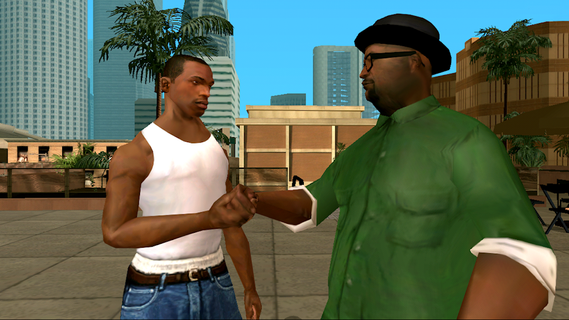
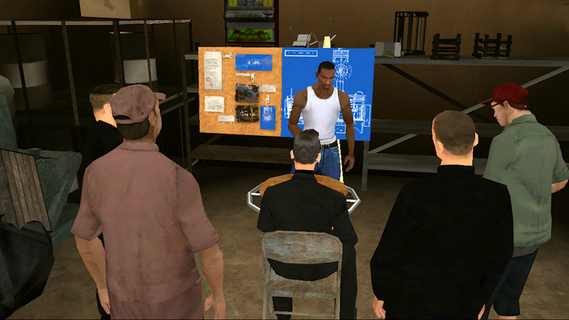
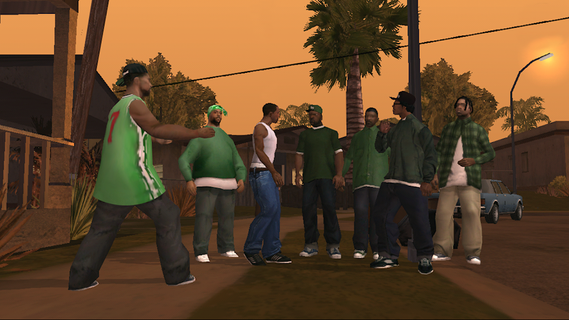

Step into a massive open-world city where adventure awaits around every corner! Explore busy streets, discover hidden locations, drive a variety of vehicles, and complete exciting missions in a dynamic urban environment.Become a rising legend in the city by taking on challenging tasks, exploring new districts, and unlocking powerful vehicles. Whether you enjoy driving, action-packed missions, or simply roaming freely through an expansive city, this game offers endless opportunities for fun and exploration.
もっと見る

1. MEmuインストーラーをダウンロードしてセットアップを完了する

2. MEmuを起動し、デスクトップでのPlayストアを開く

3. PlayストアでGrand Theft Auto: San Andreasを検索する
Install
4. Grand Theft Auto: San Andreasをダウンロードしてインストールする
5. インストールが完了したら、アイコンをクリックしてスタート

6. MEmuを使用してPCでGrand Theft Auto: San Andreasを楽しむ
MEmu App Playerは最高の無料で提供されるAndroidエミュレータで、5,000万人がすでに優れたAndroidゲーム体験を楽しんでいます。 MEmuの仮想化技術は、あなたのPCで何千ものAndroidゲームを快適にプレイすることを可能にします。
大画面でより精細;無限の待機、電池とドラフィックの極限を超え
キーボード・マウス・コントローラーを全力でサポート、より快適
マルチインスタンスで複数のゲームを同時に実行
Play Grand Theft Auto: San Andreas on PC by following steps: