Life in Adventure
更新日
現在のバージョン
1.2.19
提供元

スマホ不要!プロ選手のようにキーボードとマウスで操作しよう。MEmuエミュはあなたにすべての期待を与える。電池が切れてしまうとか画面が小さいとかの問題を心配する必要がなくて、存分Life in Adventureを楽しんでください。新しいMEmuエミュ7はPCでLife in Adventureをプレイするのに最適!完璧なキーマッピングシステムにより、まるでパソコンゲームみたい。マルチインスタンスで複数のゲームやアプリを同時に実行!唯一無二な仮想化エンジンがパソコンの可能性を最大限になる。遊べるだけでなく、より楽しめる!
もっと見る
Life in AdventureをPCでダウンロード!大画面でより楽しむ。電源が落ちてしまうとか通信料が足りないとかの問題を心配する必要がなく、PCの大画面でより快適にゲームを楽しましょう! A new combat system based on the character's stats has been added!
A new combat system based on the character's stats has been added!
We open discord server!
https://discord.gg/9JdYkGm2T3
Game description
'Life in Adventure' is a text-based game written by
the creator of 'Life is a game'.
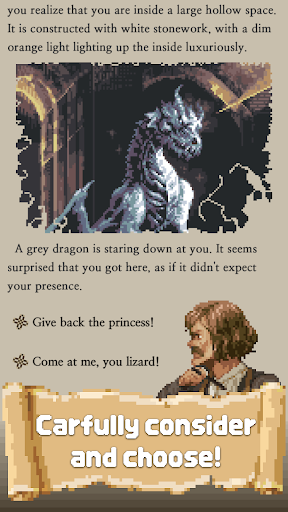
You became an adventurer in D&D style fantasy, encountered various events and you have to choose what to do.
The events and options you will face include a variety of conditions, such as your ability, items, assets, choices made in the past, work to produce additional results.
Can you achieve the goals you had when you started your adventure?
Or will end your life as an ordinary adventurer?
Everything depends on your choices and a bit of luck. ╰(*°▽°*)╯
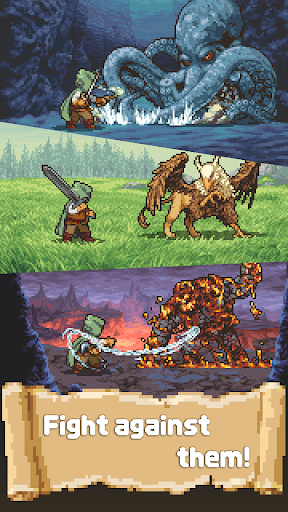
★ Combat System
Hold on to your weapons and defeat your enemies in the way!
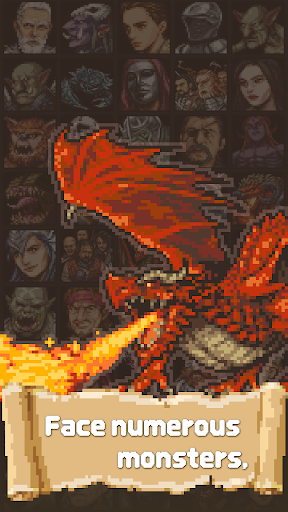
★ Pixel Art
Various situations are expressed in emotional pixel art.
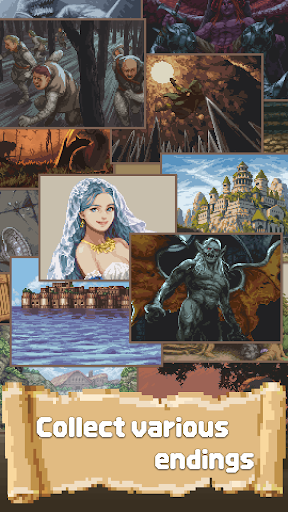
★ Various Epilogues
The ending depends on what you choose. Check out the various epilogues.
★ Rank System
Leave your play as a score and compare the rankings.
★ Complete your Collection
Collect various epilogues, monsters, and items.
Content being developed
☆ Additional adventure goals
We're working on adding adventure goals (main scenarios).
☆ Characteristics
Various characteristics will be added to help with the adventure.
☆ Challenge task System
Tasks will be added to add a small goal to your adventure.
-----------------------------------------------------------------
Contact us
studiowheel@gmail.com
Facebook
https://www.facebook.com/studio.wheel
Privacy Policy
https://www.studiowheel.net/privacy01
もっと見る

1. MEmuインストーラーをダウンロードしてセットアップを完了する

2. MEmuを起動し、デスクトップでのPlayストアを開く

3. PlayストアでLife in Adventureを検索する
Install
4. Life in Adventureをダウンロードしてインストールする
5. インストールが完了したら、アイコンをクリックしてスタート

6. MEmuを使用してPCでLife in Adventureを楽しむ
MEmu App Playerは最高の無料で提供されるAndroidエミュレータで、5,000万人がすでに優れたAndroidゲーム体験を楽しんでいます。 MEmuの仮想化技術は、あなたのPCで何千ものAndroidゲームを快適にプレイすることを可能にします。
大画面でより精細;無限の待機、電池とドラフィックの極限を超え
キーボード・マウス・コントローラーを全力でサポート、より快適
マルチインスタンスで複数のゲームを同時に実行
Play Life in Adventure on PC by following steps: