PUBG MOBILE FLASH
更新日
現在のバージョン
提供元

スマホ不要!プロ選手のようにキーボードとマウスで操作しよう。MEmuエミュはあなたにすべての期待を与える。電池が切れてしまうとか画面が小さいとかの問題を心配する必要がなくて、存分PUBG MOBILE FLASHを楽しんでください。新しいMEmuエミュ7はPCでPUBG MOBILE FLASHをプレイするのに最適!完璧なキーマッピングシステムにより、まるでパソコンゲームみたい。マルチインスタンスで複数のゲームやアプリを同時に実行!唯一無二な仮想化エンジンがパソコンの可能性を最大限になる。遊べるだけでなく、より楽しめる!
もっと見る
PUBG MOBILE LIGHTをPCでダウンロード!大画面でより楽しむ。電源が落ちてしまうとか通信料が足りないとかの問題を心配する必要がなく、PCの大画面でより快適にゲームを楽しましょう! The Original PUBG MOBILE, Now Lighter.
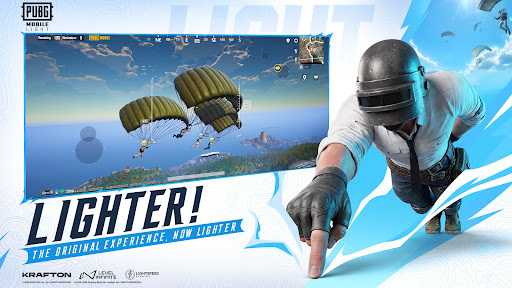
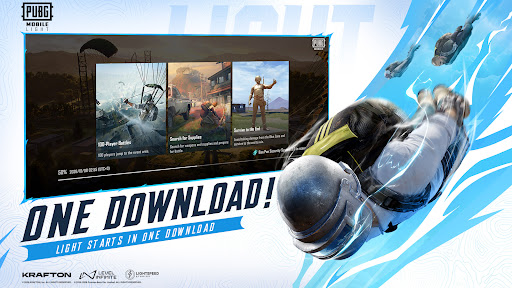
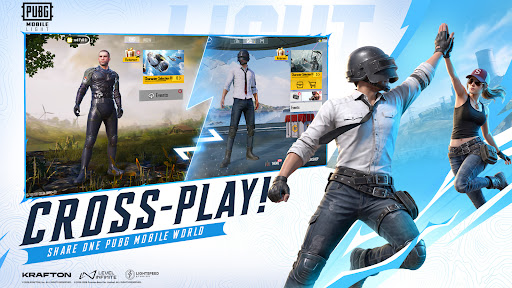
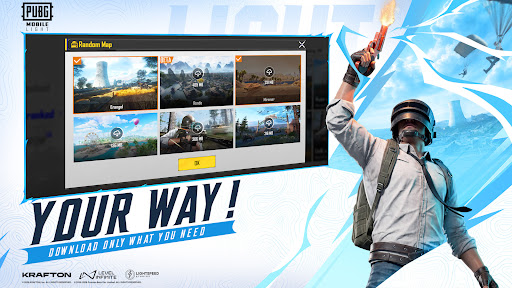
The Original PUBG MOBILE, Now Lighter.
【Built for More Devices】
Enjoy the original PUBG MOBILE experience with a lighter download and optimized performance across more phones.
【Take Up Less Space】
A lighter initial download leaves more room for your photos, videos and everyday apps.
【LIGHT Starts in One Download】
No secondary download—play instantly after downloading.
【Erangel Comes Pre-installed】
Jump straight into Erangel the moment you install. No additional download is required before your first battle.
【Download Only What You Need】
Download additional maps and modes whenever you want and expand your experience at your own pace.
The Original PUBG MOBILE Experience.
Now LIGHTER.
Experience the same authentic battle royale, the same friends, the same updates and the same PUBG MOBILE world with a lighter beginning.
【Follow Us】
Instagram: https://www.instagram.com/pubgmobile
Facebook: https://www.facebook.com/PUBGMOBILE
Twitter: https://twitter.com/PUBGMobile
Youtube: https://www.youtube.com/pubgmobile
Tiktok: https://www.tiktok.com/@pubgmobile
Reddit: https://www.reddit.com/r/PUBGMobile/
Discord: https://discord.gg/pubgmobile
Please contact customer service if you encounter any problems: service@pubgmobile.com
Please read PUBG MOBILE's Privacy Policy and User Agreement
Privacy Policy: http://pubgmobile.proximabeta.com/privacy.html
Tencent Games User Agreement: https://www.pubgmobile.com/terms.html
もっと見る

1. MEmuインストーラーをダウンロードしてセットアップを完了する

2. MEmuを起動し、デスクトップでのPlayストアを開く

3. PlayストアでPUBG MOBILE FLASHを検索する
Install
4. PUBG MOBILE FLASHをダウンロードしてインストールする
5. インストールが完了したら、アイコンをクリックしてスタート

6. MEmuを使用してPCでPUBG MOBILE FLASHを楽しむ
MEmu App Playerは最高の無料で提供されるAndroidエミュレータで、5,000万人がすでに優れたAndroidゲーム体験を楽しんでいます。 MEmuの仮想化技術は、あなたのPCで何千ものAndroidゲームを快適にプレイすることを可能にします。
大画面でより精細;無限の待機、電池とドラフィックの極限を超え
キーボード・マウス・コントローラーを全力でサポート、より快適
マルチインスタンスで複数のゲームを同時に実行
Play PUBG MOBILE FLASH on PC by following steps: