Val D'Aran Quiz Game
更新日
現在のバージョン
4.9
提供元

スマホ不要!プロ選手のようにキーボードとマウスで操作しよう。MEmuエミュはあなたにすべての期待を与える。電池が切れてしまうとか画面が小さいとかの問題を心配する必要がなくて、存分Val D'Aran Quiz Gameを楽しんでください。新しいMEmuエミュ7はPCでVal D'Aran Quiz Gameをプレイするのに最適!完璧なキーマッピングシステムにより、まるでパソコンゲームみたい。マルチインスタンスで複数のゲームやアプリを同時に実行!唯一無二な仮想化エンジンがパソコンの可能性を最大限になる。遊べるだけでなく、より楽しめる!
もっと見る
Val D'Aran Quiz GameをPCでダウンロード!大画面でより楽しむ。電源が落ちてしまうとか通信料が足りないとかの問題を心配する必要がなく、PCの大画面でより快適にゲームを楽しましょう! Val D'Arán Quiz is a Trivia-type game, where you must demonstrate your knowledge of Val D'Arán by answering 120 questions about Geography, News, Sports and much more about this small country located in the heart of the Pyrenees.
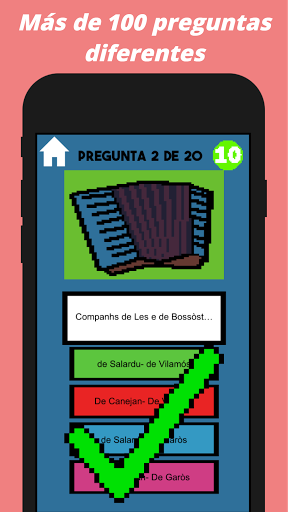
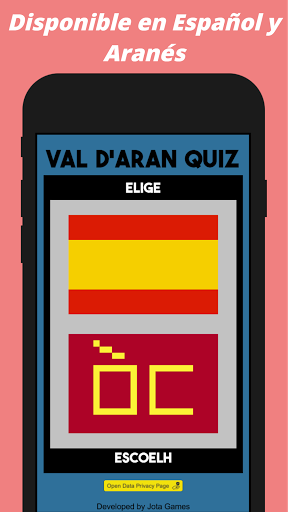
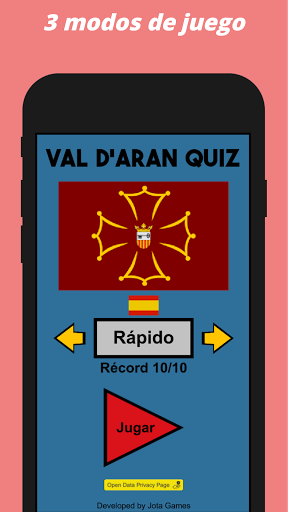
Val D'Arán Quiz is a Trivia-type game, where you must demonstrate your knowledge of Val D'Arán by answering 120 questions about Geography, News, Sports and much more about this small country located in the heart of the Pyrenees.
You will have 10 seconds to answer each question, and you will be able to choose between 3 game modes according to the time you have to play a game.
At the end of all the questions you will be able to discover the number of correct answers to be able to achieve a perfect score in the different modes of this Quiz type game.
Everything ready to show how much you know about the Val d'Aran?
もっと見る

1. MEmuインストーラーをダウンロードしてセットアップを完了する

2. MEmuを起動し、デスクトップでのPlayストアを開く

3. PlayストアでVal D'Aran Quiz Gameを検索する
Install
4. Val D'Aran Quiz Gameをダウンロードしてインストールする
5. インストールが完了したら、アイコンをクリックしてスタート

6. MEmuを使用してPCでVal D'Aran Quiz Gameを楽しむ
MEmu App Playerは最高の無料で提供されるAndroidエミュレータで、5,000万人がすでに優れたAndroidゲーム体験を楽しんでいます。 MEmuの仮想化技術は、あなたのPCで何千ものAndroidゲームを快適にプレイすることを可能にします。
大画面でより精細;無限の待機、電池とドラフィックの極限を超え
キーボード・マウス・コントローラーを全力でサポート、より快適
マルチインスタンスで複数のゲームを同時に実行
Play Val D'Aran Quiz Game on PC by following steps: