World attractions
更新日
現在のバージョン
2.12
提供元

スマホ不要!プロ選手のようにキーボードとマウスで操作しよう。MEmuエミュはあなたにすべての期待を与える。電池が切れてしまうとか画面が小さいとかの問題を心配する必要がなくて、存分World attractionsを楽しんでください。新しいMEmuエミュ7はPCでWorld attractionsをプレイするのに最適!完璧なキーマッピングシステムにより、まるでパソコンゲームみたい。マルチインスタンスで複数のゲームやアプリを同時に実行!唯一無二な仮想化エンジンがパソコンの可能性を最大限になる。遊べるだけでなく、より楽しめる!
もっと見る
World attractionsをPCでダウンロード!大画面でより楽しむ。電源が落ちてしまうとか通信料が足りないとかの問題を心配する必要がなく、PCの大画面でより快適にゲームを楽しましょう! Learn and guess sights, countries, cities, flags and maps of the world.
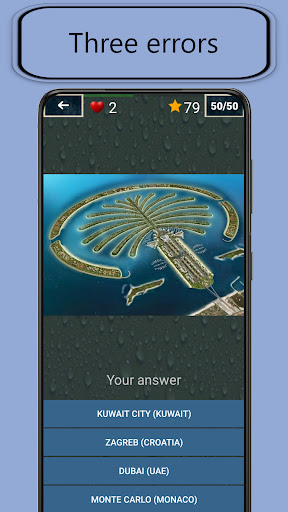
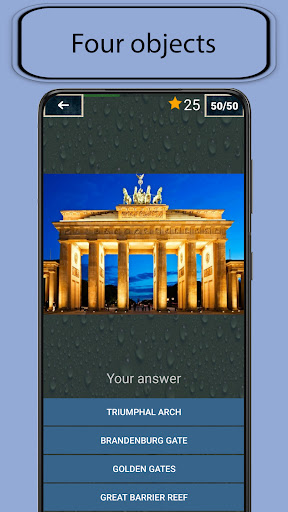
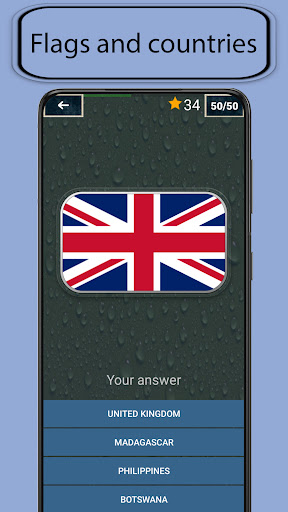
Learn and guess sights, countries, cities, flags and maps of the world.
– 8 game modes
– 56 levels
– 140 flags of the countries of the world
– 140 attractions of various countries and cities of the world
– Over 140 interesting facts about world landmarks
– more than 200 cities of the world
Game modes:
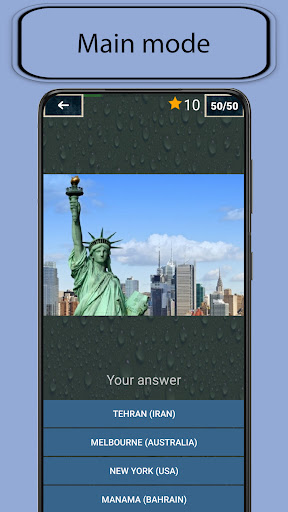
★ Basic - each level provides an image of the attraction and four answer options with city and country names. When you select the correct answer, a brief description of the attraction appears.
★ Four flags - in this mode, you need to identify countries by flags and set their belonging to places of interest. Four response options are provided with a picture of the country's flag.
★ Map search - in this mode it is necessary to determine countries by the silhouettes of maps and set their belonging to the sights. Four response options are provided with a country silhouette.
★ Four objects - in this mode it is necessary to determine the name of the landmark that is on the image. Four response options are provided with the names of attractions.
★ Flags and countries - guess the flags of the countries in the pictures. Four response options with country names are provided.
★ Maps and countries - guess maps of countries by pictures. Four response options with country names are provided.
★ Flags and maps - guess the flags and maps of countries from the pictures. Four answer options are provided with a country silhouette.
★ Three errors - combines the previous game modes, but limits the number of errors allowed to three.
The application presents interesting places from all over the world: monuments, museums, pyramids, fortresses, castles, palaces, squares, towers, bridges, unusual buildings, navigable canals, parks, theaters, universities, mountains, caves, rivers and much more.
Some attractions:
- Europe: Eiffel Tower, Tower Bridge, Leaning Tower, Colosseum, Big Ben, Red Square
– Asia: Great Wall of China, Taj Mahal, Big Buddha, Shanghai Tower
– Africa: Great Sphinx, Pyramid of Cheops, Pyramids of Giza
– North America: Statue of Liberty, Antelope Canyon, Moving Stones, New York City Central Park
– South America: Christ the Redeemer Statue, Machu Picchu, Angel Falls
– Australia: Sydney Opera House, Great Barrier Reef
もっと見る

1. MEmuインストーラーをダウンロードしてセットアップを完了する

2. MEmuを起動し、デスクトップでのPlayストアを開く

3. PlayストアでWorld attractionsを検索する
Install
4. World attractionsをダウンロードしてインストールする
5. インストールが完了したら、アイコンをクリックしてスタート

6. MEmuを使用してPCでWorld attractionsを楽しむ
MEmu App Playerは最高の無料で提供されるAndroidエミュレータで、5,000万人がすでに優れたAndroidゲーム体験を楽しんでいます。 MEmuの仮想化技術は、あなたのPCで何千ものAndroidゲームを快適にプレイすることを可能にします。
大画面でより精細;無限の待機、電池とドラフィックの極限を超え
キーボード・マウス・コントローラーを全力でサポート、より快適
マルチインスタンスで複数のゲームを同時に実行
Play World attractions on PC by following steps: