aBattery - Battery health
更新日
現在のバージョン
1.0.21
提供元

スマートフォンは不要!パソコンと同じようにキーボードとマウスで操作できます。MEmu Playは、あなたが待ち望んでいたすべての楽しみをお届けします。バッテリー残量や小さな画面を気にすることなく、aBattery - Battery healthをご利用ください。最新のMEmu 9は、aBattery - Battery healthをPCで体験するのに最適です!完璧なキーマッピングシステムにより、PCのようなスムーズな操作性を実現します。マルチインスタンス機能により、複数のアプリケーションを同時に実行できます。独自の仮想化エンジンがPCのパフォーマンスを最大限に引き出します。アプリを使用するだけでなく、高品質な体験を得ることができます。
もっと見る
MEmu Playを使えば、PCでaBattery - Battery healthを快適に楽しめます。何千ものAndroidアプリをデスクトップ版で利用できる、パワフルな無料Androidエミュレーターです。友達とつながり、より効率的に作品を磨き上げましょう! aBattery は、デバイスのバッテリーの状態を監視するための軽量ツールであり、高度な機能を備え、次の特性を提供します。
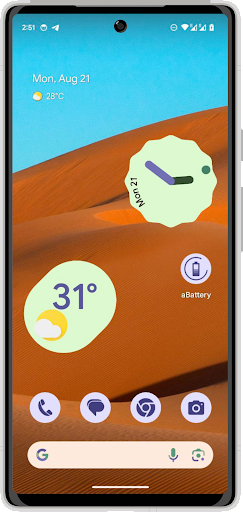
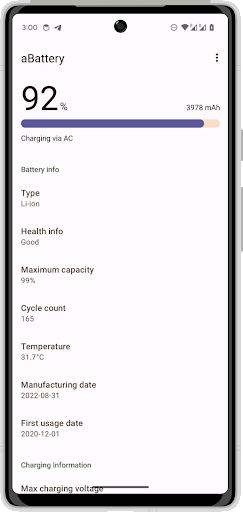
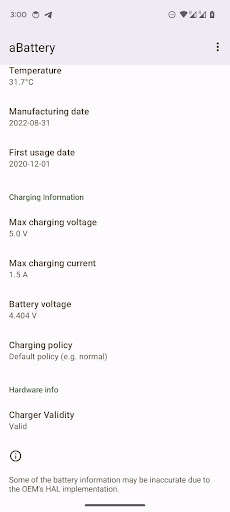
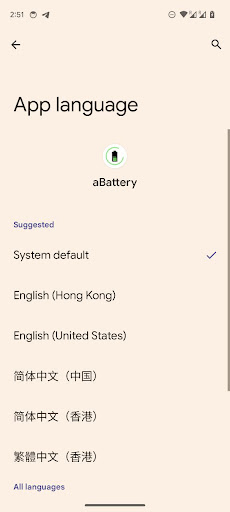
aBattery は、デバイスのバッテリーの状態を監視するための軽量ツールであり、高度な機能を備え、次の特性を提供します。
- 最新の Android 14 API との互換性により、バッテリーの状態、最大容量、製造日などに関する詳細情報が提供されます。
- マテリアル デザイン 3 標準 UI に完全準拠し、Android デバイスのネイティブ デザインに似ています。
- 複数言語のサポート。ユーザーは好みの言語でアプリケーションにアクセスできます。
- Android デバイスのデフォルトのバッテリー情報表示を完全に置き換える、包括的で直感的なユーザー エクスペリエンス。
もっと見る

1. MEmuインストーラーをダウンロードしてセットアップを完了する

2. MEmuを起動し、デスクトップでのPlayストアを開く

3. PlayストアでaBattery - Battery healthを検索する
Install
4. aBattery - Battery healthをダウンロードしてインストールする
5. インストールが完了したら、アイコンをクリックしてスタート

6. MEmuを使ってパソコンでaBattery - Battery healthを体験する
MEmu Playは現在、最高の無料Androidエミュレーターであり、5,000万人のユーザーが優れたAndroidアプリ体験を楽しんでいます。MEmuの仮想化テクノロジーにより、数千ものAndroidアプリをコンピューターでスムーズに実行できます。
大画面でより精細;無限の待機、電池とドラフィックの極限を超え
キーボード・マウス・コントローラーを全力でサポート、より快適
マルチインスタンスで複数のゲームを同時に実行
Use aBattery - Battery health on PC by following steps: